
Skip to content
View in the app

A better way to browse. Learn more.

LCPDFR.com

A full-screen app on your home screen with push notifications, badges and more.

To install this app on iOS and iPadOS
  1. Tap the Share icon in Safari
  2. Scroll the menu and tap Add to Home Screen.
  3. Tap Add in the top-right corner.
To install this app on Android
  1. Tap the 3-dot menu (⋮) in the top-right corner of the browser.
  2. Tap Add to Home screen or Install app.
  3. Confirm by tapping Install.

British Style Vests 1.0.0

(1 review)

18 Screenshots

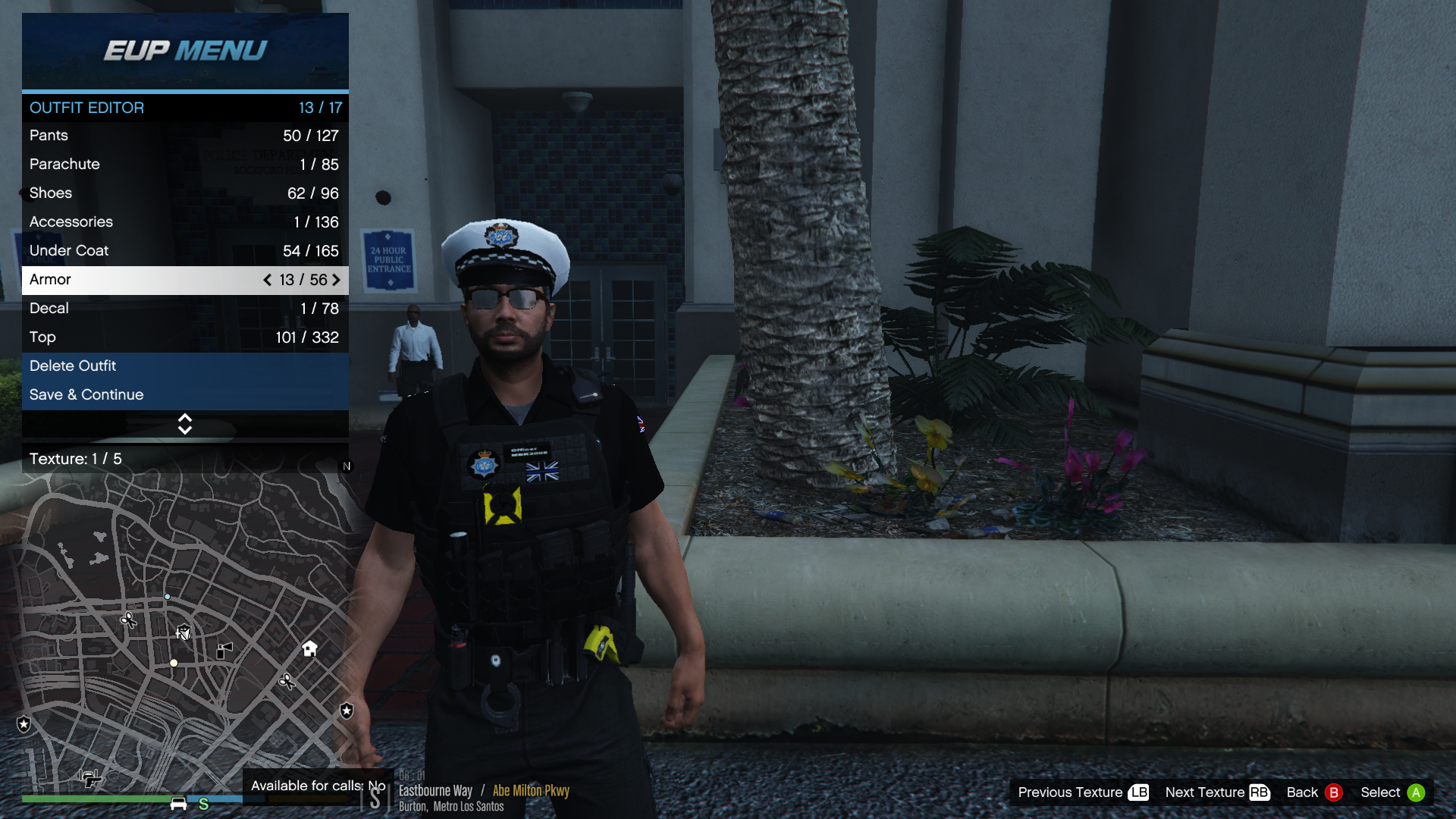
British style vests ...

I made these to go with other edits I made for my british style game.

These are fictional and not related to any UK police force.


Install instructions in the read me.

Thanks for looking.


Also thanks to

Hanako for the great vests


Other great mods I use for my british game ...


User Feedback

Recommended Comments

TheRedDevils75

Members

5 hours ago, mbk2008 said:

Download this first ...


ok so i put the mp_f_freemode_01_mp_m_vinewood folder into eup_componentpeds.rpf with the task_003_u.ydd i choose but where do i put the PNG file?

mbk2008

Members Author

4 hours ago, TheRedDevils75 said:

ok so i put the mp_f_freemode_01_mp_m_vinewood folder into eup_componentpeds.rpf with the task_003_u.ydd i choose but where do i put the PNG file?

open the texture file with openiv and replace with my png texture.

TheRedDevils75

Members

(edited)

but where in open IV do I replace it with your png texture

I am still here in this path (see below)  as it is where i put mp_f_freemode_01_mp_m_vinewood


C:\Program Files\Rockstar Games\Grand Theft Auto V\Mods\update\x64\dlcpacks\eup\dlc.rpf\x64\eup_componentpeds.rpf\

Edited by TheRedDevils75

mbk2008

Members Author

Put the vest pack(Vinewood) in your EUP folder then click on the texture to replace with my texture...


As in the pic you would go to the lower box and open the texture file, then click replace and find my textures to change it over.

Desktop Screenshot 2020.04.06 - 10.43.33.27.png

Create an account or sign in to comment

Latest Mods

Account

Navigation

Search

Search

Configure browser push notifications

Chrome (Android)
  1. Tap the lock icon next to the address bar.
  2. Tap Permissions → Notifications.
  3. Adjust your preference.
Chrome (Desktop)
  1. Click the padlock icon in the address bar.
  2. Select Site settings.
  3. Find Notifications and adjust your preference.







