
Skip to content
View in the app

A better way to browse. Learn more.

LCPDFR.com

A full-screen app on your home screen with push notifications, badges and more.

To install this app on iOS and iPadOS
  1. Tap the Share icon in Safari
  2. Scroll the menu and tap Add to Home Screen.
  3. Tap Add in the top-right corner.
To install this app on Android
  1. Tap the 3-dot menu (⋮) in the top-right corner of the browser.
  2. Tap Add to Home screen or Install app.
  3. Confirm by tapping Install.

BCSO Deputy Pack 0.1

(2 reviews)

9 Screenshots


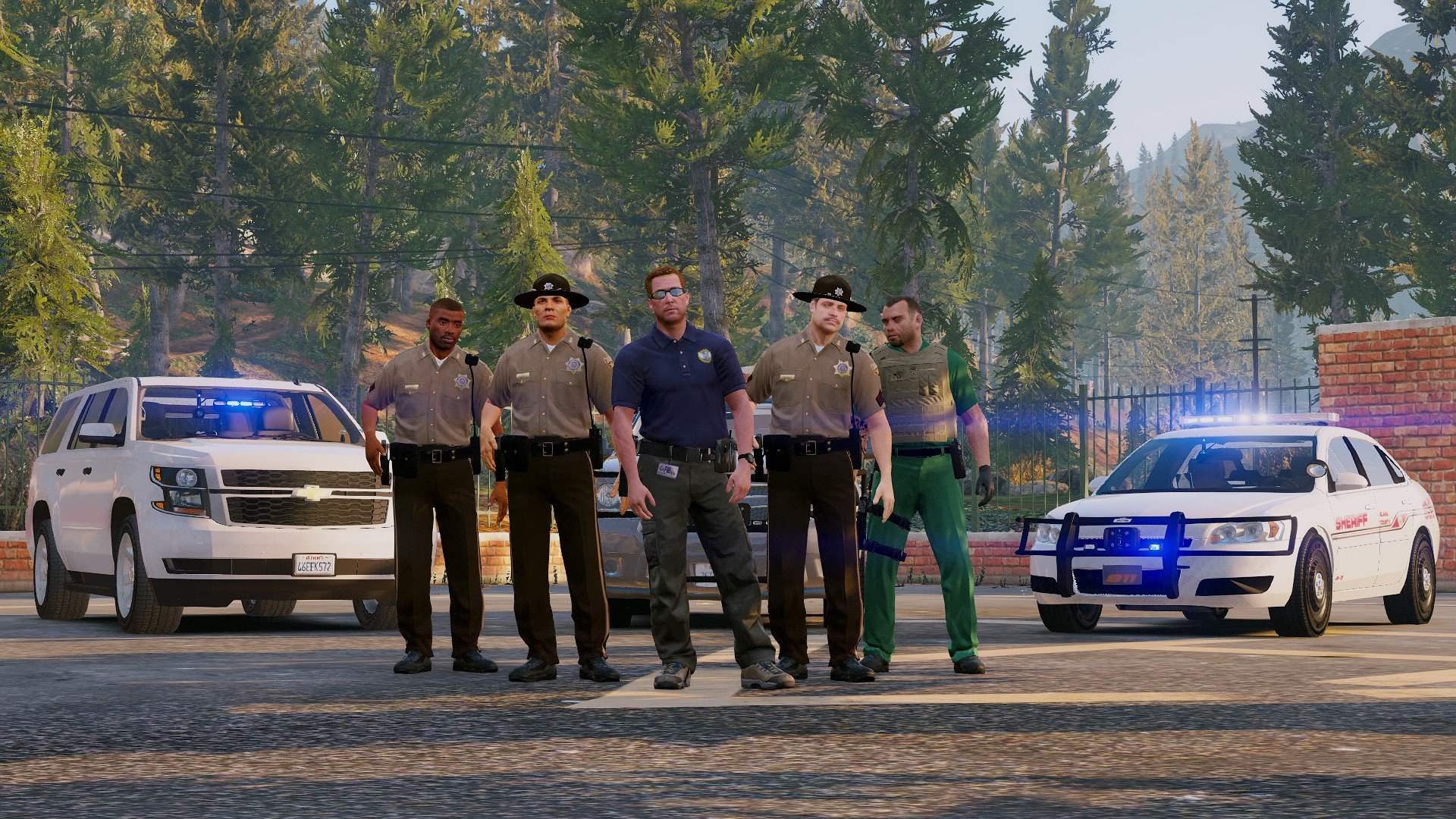
Welcome to the Deputy Pack that Goes with " [ELS] BCSO Mega Pack"


These deputies are hard working men AND WOMEN who work on a day to day basis to ensure crime is as low as can be. With Sheriff Steve Haines leading the Department lets see how it goes!


[ELS] BCSO Mega Pack


Strongly Reccomend downloading Hero Cop for the partners and the K9 unit you can grab to go along with our K9 Deputy!


User Feedback

Recommended Comments

AwesomeBL9

Members

Where's the other belt?

DerangedPittman

Members Author

3 minutes ago, AwesomeBL9 said:

Where's the other belt?

Whatcha mean?

AwesomeBL9

Members

The tactical-lookin' one with the taser?

DerangedPittman

Members Author

Any screenshots? The Green Uniform is for the K9

DerangedPittman

Members Author

Oh, that model was replaced with the models you all have now. The newer deputies don't have them, but hopefully, will soon! 

AwesomeBL9

Members

Got it.

James13

Members

(edited)

Do You Know how long it will take for you to add tasers to the belts?

And is it possible for you to add to female as there is no skins with tasers for females so if you could do that would be so cool.

And also where is the ped for the man in the middle in a blue top?

Edited by James13

Coconutnewb

Members

Hi, I'm a noob to all of this can someone please tell me how to actually install the files? Thanks

DerangedPittman

Members Author

22 hours ago, Coconutnewb said:

Hi, I'm a noob to all of this can someone please tell me how to actually install the files? Thanks

Im sorry forgot to add that! If you go here and download 

Its super easy to install peds, weapons, and or vehicles! Just follow the instructions in there to show you! 

On 8/12/2017 at 8:21 AM, James13 said:

Do You Know how long it will take for you to add tasers to the belts?

And is it possible for you to add to female as there is no skins with tasers for females so if you could do that would be so cool.

And also where is the ped for the man in the middle in a blue top?

Taser models are in the works! Female peds should already be in there, if not will double check! And the guy in the middle is "Steve Haines" and it the main character in the GTA Story plot as the FIB agent, But we will be updating the pack soon to add him in the download with the re-skins and Sheriff Badges and ID Card instead of it being FIB!

Coconutnewb

Members

23 hours ago, Coconutnewb said:

Hi, I'm a noob to all of this can someone please tell me how to actually install the files? Thanks

Thanks so much

James13

Members

when is it being updated


Deactivated Member

Deactivated

On 8/13/2017 at 9:43 AM, DerangedPittman said:

Im sorry forgot to add that! If you go here and download 

Its super easy to install peds, weapons, and or vehicles! Just follow the instructions in there to show you! 

Taser models are in the works! Female peds should already be in there, if not will double check! And the guy in the middle is "Steve Haines" and it the main character in the GTA Story plot as the FIB agent, But we will be updating the pack soon to add him in the download with the re-skins and Sheriff Badges and ID Card instead of it being FIB!

cool cool, now what if i want to use something that WORKS when installing stuff? like where do these peds go outside of a DLC pack folder? 

T00KUS

Members

(edited)

Whats the install path for the files? (Just looked at other comments Nevermind.)

Edited by T00KUS

Create an account or sign in to comment

Latest Mods

Account

Navigation

Search

Search

Configure browser push notifications

Chrome (Android)
  1. Tap the lock icon next to the address bar.
  2. Tap Permissions → Notifications.
  3. Adjust your preference.
Chrome (Desktop)
  1. Click the padlock icon in the address bar.
  2. Select Site settings.
  3. Find Notifications and adjust your preference.









