Skip to content
View in the app

A better way to browse. Learn more.

LCPDFR.com

A full-screen app on your home screen with push notifications, badges and more.

To install this app on iOS and iPadOS
  1. Tap the Share icon in Safari
  2. Scroll the menu and tap Add to Home Screen.
  3. Tap Add in the top-right corner.
To install this app on Android
  1. Tap the 3-dot menu (⋮) in the top-right corner of the browser.
  2. Tap Add to Home screen or Install app.
  3. Confirm by tapping Install.
1,244 files
  1. WAV files that mute AI horns.
    • 5,451 Downloads
    • 41558 Views
    • 93.13 kB File Size
    • 6 Comments
    Submitted
  2. DOJRP TeamSpeak Mic Clicks
    • 24,330 Downloads
    • 115893 Views
    • 86.7 kB File Size
    • 2 Comments
    Updated
    • 19,034 Downloads
    • 106148 Views
    • 97.83 MB File Size
    • 8 Comments
    Submitted
    • 446 Downloads
    • 10248 Views
    • 13 MB File Size
    Submitted
  3. This is an Immersive Dispatch Audio pack that is still WIP
    • 14,138 Downloads
    • 117600 Views
    • 9.14 MB File Size
    • 24 Comments
    Updated
    • 349 Downloads
    • 3401 Views
    • 18.63 MB File Size
    • 6 Comments
    Submitted
  4. Loading Screen Music for your LSPDFR
    • 133 Downloads
    • 2283 Views
    • 26.34 MB File Size
    Submitted
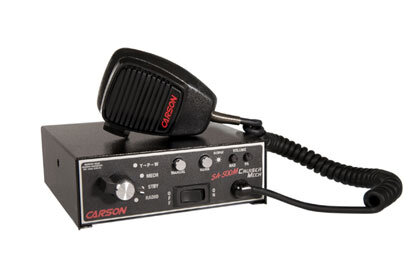
  5. Fairly popular Carson siren!
    • 512 Downloads
    • 9613 Views
    • 112.2 MB File Size
    • 2 Comments
    Submitted

  6. Loading Screen Music for your LSPDFR
    • 23 Downloads
    • 734 Views
    • 32.19 MB File Size
    • 1 Comments
    Submitted
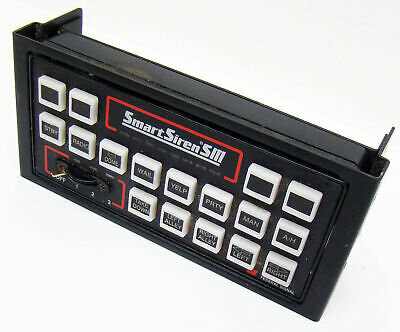
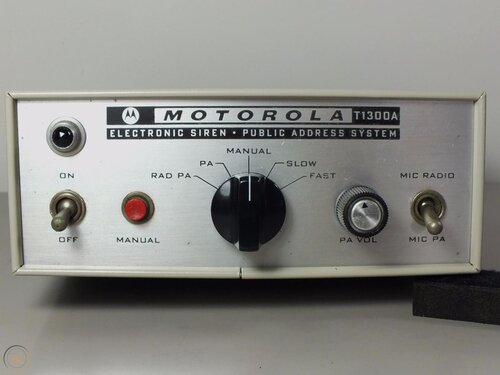
  7. Vintage MotorolaT1300a Siren
    • 232 Downloads
    • 7498 Views
    • 1.52 MB File Size
    • 7 Comments
    Submitted
  8. Loading Screen Music for your LSPDFR
    • 319 Downloads
    • 3542 Views
    • 26.01 MB File Size
    • 3 Comments
    Submitted
    • 33 Downloads
    • 1118 Views
    • 51.63 MB File Size
    • 3 Comments
    Submitted
  9. Loading Screen Music for your LSPDFR
    • 20 Downloads
    • 985 Views
    • 29.41 MB File Size
    • 1 Comments
    Submitted
    • 5,404 Downloads
    • 35765 Views
    • 14.09 MB File Size
    • 8 Comments
    Submitted
  10. Loading Screen Music for your LSPDFR
    • 424 Downloads
    • 6293 Views
    • 20.79 MB File Size
    • 4 Comments
    Submitted
    • 2,213 Downloads
    • 34198 Views
    • 1.45 MB File Size
    • 2 Comments
    Submitted

Account

Navigation

Search

Search

Configure browser push notifications

Chrome (Android)
  1. Tap the lock icon next to the address bar.
  2. Tap Permissions → Notifications.
  3. Adjust your preference.
Chrome (Desktop)
  1. Click the padlock icon in the address bar.
  2. Select Site settings.
  3. Find Notifications and adjust your preference.