Ekalb
Members
-
Joined
-
Last visited
Everything posted by Ekalb
-
There's a video on the NSW police facebook page that has a fairly clear clip of an unmarked evoke's siren. It doesn't sound like the normal priority tone - almost sounds American. Is that normal or new?
-
All those photos of vic cars and you didn't get a divi van?
-
That's really cool, well done there. Good to hear also that they were cool about it and didn't pull any crap about infringing their copyright.
-
 There should be a rule against this much teasing :(
 -
EUP 7.4 has changed that items are used by the default LSPD uniforms. Did you try my wardrobe settings? Good news erkpod.
-
Nevermind, can't read..
-
I uploaded a .dds but you could replace it with a .png if you wanted to. Did my NSW GDs ouftfit settings fix your other issue?
-
Hey mate will this replace all the police cars with the right NSW siren? (including the bike, the sheriff cars etc.)>?
-
I'm worried you're doing something strange with the image file I posted. When you save it, don't change the format - it should be saved as .dds When you replace the textures, make sure 1. turn on 'Edit Mode' in OpenIV 2. Open each of the .ydt (Texture Dictionary) files that I listed (double click) 3. In the new window that pops up, hit 'Replace' in the top right, navigate to where you saved the .dds file you downloaded from my post 4. Hit save 5. Repeat for each of the .ydt files I listed. 6. Close openIV Instead of using the LSPD uniform from the Amergency Apparel menu, install the following lines in your wardrobe.ini [NSW GDs] Gender=Male Hat=11:7 Glasses=9:7 Ear=0:0 Watch=0:0 Mask=1:1 Top=56:1 UpperSkin=1:1 Decal=1:1 UnderCoat=58:1 Pants=48:1 Shoes=26:1 Accessories=9:1 Armor=14:1 Parachute=1:1 It should provide this uniform if you have the hat and shirt textures: If you want it to be a drop leg holster, change Accessories=4:1
-
Well that's good, now you just have to replace the textures with the one I provided.
-
In this case, you've probably got an old version of EUP and/or its dependencies or you're doing something wrong...
-
UNIFORM ***REQUIRES LATEST EUP*** Add this to Plugins\EUP\wardrobe.ini [NSW Specialist] Gender=Male Hat=0:0 Glasses=0:0 Ear=0:0 Watch=0:0 Mask=1:1 Top=103:1 UpperSkin=1:1 Decal=1:1 UnderCoat=38:1 Pants=48:1 Shoes=26:1 Accessories=2:1 Armor=14:1 Parachute=1:1 Save this image: LSPD K-9 (Male) NSW Specialist.dds Navigate to this folder with OpenIV mods\update\x64\dlcpacks\eup\dlc.rpf\x64\models\cdimages\eup_componentpeds.rpf\mp_m_freemode_01_male_apt01 Replace into the following files: jbib_ddiff_011_a_uni jbib_ddiff_011_b_uni jbib_ddiff_011_c_uni jbib_ddiff_011_d_uni
-
So who's releasing what this weekend?
-
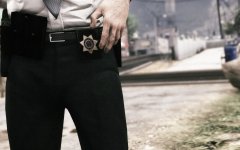 Is this feature in 7.4?
 -
Yeah just when I thought I understood it all, it turns out that I should have been updating the vehicles.meta in mods\update\update.rpf instead of one in dlcpacks. I've got it working properly now.
-
Does SirenMastery effect AI sirens too?
-
Does everyone have all the police vehicles using the same Australian sirens? If so, which way did you do this? Changing AudioNameHash in the vehicles.meta doesn't seem to do anything for me.
-
Super keen for the Evoke to be released. Great stuff. Also re that discussion about marked police cars in Vic - I swear I see at least three unmarked cars with covert lights on my way to work each day, way more than marked cars.
-
The issues I was having with the lightbar glass and the MDT are fixed in this version, though my problem with the side and rear windows seems to have remained (they are all black from the inside and outside). Is anyone else having this issue?
-
I had the issue with the lights being huge when activated, but it only seemed to affect the hilux (policet). When I moved carcols.meta (with only pattern 69 inside) to my /eup/ dlc pack (being the bottom one on the dlclist) it worked fine, except for the fact that the patterns aren't exactly what they used to be. It still flashes red then blue, but not all the red/blue ones activated at the same time.
-
Most likely. The hilux thing is strange - I'm not sure if the new update affected how extras work but it seems that whenever it spawns with the rear aerial it forgets to also spawn with one of the bumpers. Not sure if there's a way we can get around that in the vehicles.meta flags?
-
The above didn't fix the Hilux bumper issue, and I seem to be crashing in the city too. Fuck @MooseYTY Did you fix up the MDT? Lightbar / internal glass issue:
-
I fixed the bumper issue by adding a new vehicles.meta with just the policet lines in it to my eup dlcpack (because it's the last thing the game loads) and it seemed to fix it. The issue I was having with the Territory is that the lightbar glass was fully dark, and even changing the vehicle glass tint wouldn't fix it. Not sure if I managed to work it out or not though...
-
-
Did the latest GTA update break anyone else's Ford Territory (sheriff2) and hilux (policet)?