




RolandHUE
Members
-
Joined
-
Last visited
Everything posted by RolandHUE
-
-
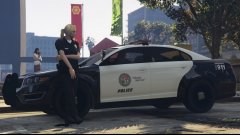
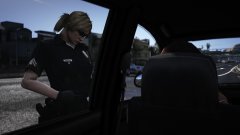 How do you made a good nametag? I tried to make mine but i didn't get a good result...
 -
-
 The only way to load the GTA:O character is using Skin Control? When i start the game with RPH i cant select them in Director Mode.
- 2,346 comments
- 236 reviews
-
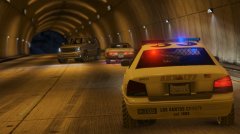 Yeah, but i'm working in a update for the LSPD pack, which is coming together with the LSSD.
 -
-
-
-
-
-
-
-
Yeah, but i solved my problem now. I increase more the values on gameconfig.xml. Now it's working fine
-
So, after this new update i changed my Update.Rpf and modified the gameconfig.xml to add more cars to the game but it still crashes. I followed this tutorial on a topic i've created when Rockstar lauched the Lowriders DLC: http://www.lcpdfr.com/forums/topic/56736-crashing-when-using-added-vehicles/?do=findComment&comment=379583 Any solution?
-
I was with this problem too. But i installed all the stuff above and its working now. Really thanks! :DDidn't work. I dont know what could be the problem...My folderThe plugin simply doens't start, just click and show me an error.I just downloaded the newest RagePlugin and simply the game doesn't start. When i click on the Rageplugin.exe it shows me a error message 'Ragepluginhook.exe stopped working'. What could be the problem?




.thumb.jpg.57b6862f6420628763316243b5fbd116.jpg)


