



Johnathan G.
Members
-
Joined
-
Last visited
Everything posted by Johnathan G.
-
From the album: Traffic Enforcement
-
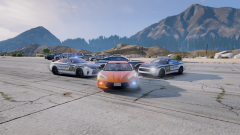
Ghost and Unmarked units
-
From the album: Traffic Enforcement
-
From the album: Traffic Enforcement
-
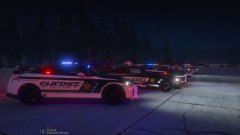
From the album: Traffic Enforcement
-
 Well I don't know how to change static spawns of the regular vehicles, I know at one time I got hurk's CHP pack to spawn on the highways and desired in traffic locations... the original cars still spawned. popgroups is just specific to traffic spawns only. But changing it to policex in all the locations including the els file won't hurt anything. Just don't forget the parent/childs in the vehicle.meta, keep in mine though the police after 4 won't spawn at the stations. Went digging and found a file you could use to change the static spawns, vehiclemodelsets.meta location; 'mods>common.rpf>data>ai' change police1-4 to lspd (if you haven't changed the dlc.rpf already) and copy 5 lines of lspd4 and change the number accordingly, make sure it's in between the '<models></models>'. If you really want to go wild, keep the police lines in and download another car pack replacing those, while also having lspd spawn beside them. I believe there is two categories in the file, one is POLICE_CAR which is 911 response spawn and the ones who chase you, why I believe that, cause it's got the god awful, worst handling car only, police3, then just police which is spawning at stations and such. be careful not to change the top <name>police</name> that's the category I believe. For reference; https://forums.gta5-mods.com/topic/19357/changing-what-vehicles-spawn-where/9 Now just to make sure we are on the same page, the folder that goes into dlcpacks it's titled "RM LSPD Pack" right? Cause anything else and they won't spawn no way. Also don't forget to grab a gameconfig of course.
- 114 comments
- 9 reviews
-
-

- 1
-
-
Well it's a little more involved but you can add them to the popgroups.ymt, that would allow them to spawn normally, RDE does something similar. Really the whole idea of the DLC pack is to cut back on modded vehicles in traffic, some packs have large textures and GTA doesn't really like those too much, especially on lower tier graphic cards and computers with the minimum ram. ...but for reference I will guide you as best as I can with what I know. popgroups.ymt is located in, 'mods>update>update.rpf>x64>levels>gta5', since you can't edit the original popgroups file currently in the folder your going to have source one, here is one I found, https://www.lcpdfr.com/downloads/gta5mods/misc/22652-traffic-plus/ Under, 'Chose your NEW Traffic Plus+ Extension>TP+ Misc (Vanilla + real life vehicles in traffic)>popgroups.ymt' drag and drop it to your desktop and open it with preferably notepad++ Search for '<Name>VEH_COPCAR</Name>' you should see a list of police vehicles underneath. Replace 9 of those with the LSPDx's, one should look like this, '<Item><Name>lspd7</Name><Variations type="NULL"/></Item>' once done, save and drop this one into your mods folder, location is stated above. You are done! Even though there is more cars in this file they won't load without their proper textures, I have edited the dlc version vehicle.meta as such, that only police npc will spawn in them, no need to worry about that, they are classified as police vehicles. Hope this helps if it's too much, than just use the replace version it will work just the same.
- 114 comments
- 9 reviews
-
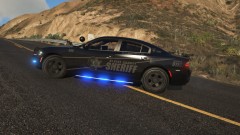
From the album: Traffic Enforcement
[4K] Blaine County + Los Santos County Sheriff Texture Pack **Personal edited version for Ghosted graphics** -
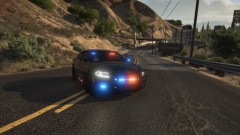
From the album: Traffic Enforcement
(ELS)2015 Slicktop Dodge Charger -
LSPD, BCSO, LSSD, Fort Zancudo Police and even the Federal police, thanks to realism dispatch enhanced this is possible!
-
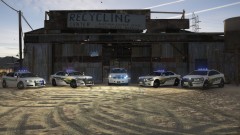
From the album: San Andreas Fleet
BCSO has an updated fleet now with ALPR! -
 Another awesome model, love the lighting setup, goes great with an undercover/unmarked unit. I've even loved it so much I put a video of it in action! Video of a walk around and lighting if anyone is thinking about this model.
- 39 comments
- 27 reviews
-
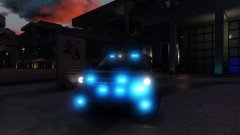
From the album: San Andreas Fleet
-
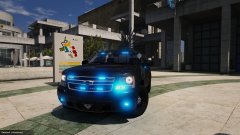
From the album: San Andreas Fleet
-
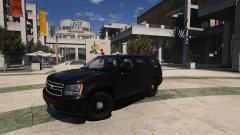
From the album: San Andreas Fleet
Check it out it's awesome! -
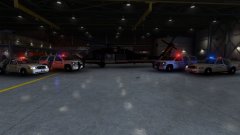
From the album: San Andreas Fleet
Federal Protective Services along side the U.S. Customs and Border Protection -
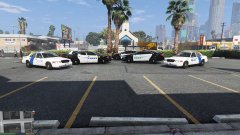
From the album: San Andreas Fleet
Los Santos' newest squad cars along side the Federal Protective Service vehicles which are based out of Pillbox Hill. -
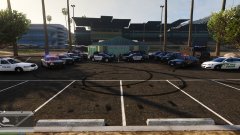
From the album: San Andreas Fleet
You will be hunted, you will be trapped and if you raise your weapon, we will return fire with superior fire. -
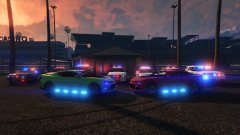 Thought I'd throw all the cars I had my game at the time and see how they looked all lit up.
 -
-
-
-
-
-


