



dm90210
Members
-
Joined
-
Last visited
Everything posted by dm90210
-
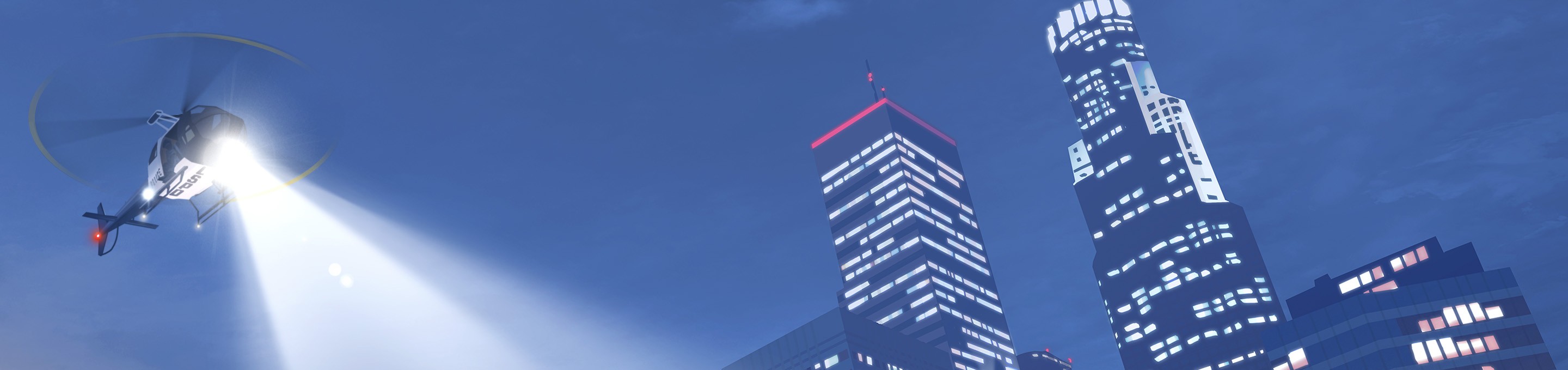
 I did so based on frogger2. The helicopter is used only inscription "FIB". While other cars FIB completely black.
- 3 comments
- 1 review
-
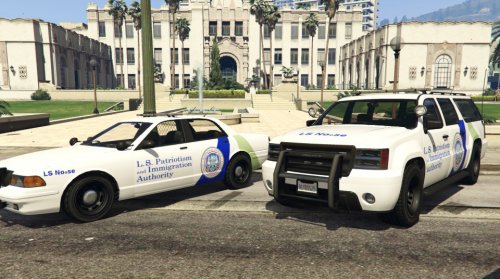
NOOSE + FIB livery by dm90210 Includes: - Noose Patriotism and Immigration Authority livery for Stainer and Granger - Noose Border Patrol livery for Stainer and Granger - Brute Riot FIB Install: 1)Need installation of this models: Templated Stanier by Lt.Caine - http://www.lcpdfr.com/files/file/8365-granger-default-type/ Declasse Granger - http://www.lcpdfr.com/files/file/8365-granger-default-type/ Brute Riot - http://www.lcpdfr.com/files/file/8372-brute-riot-mapped-default style/ or your other models. 2)Open up the program OpenIV and enable edit mode. 3)Navigate to the following path in OpenIV and find your model. 4)Replace textures. Close OpenIV and enjoy!
- 3 comments
- 1 review
-
-

- 2
-
-
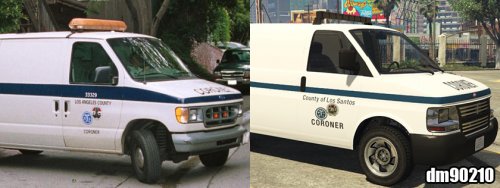 Coroner skin by dm90210. All labels and logos taken from the files of the game. To install download [STANDALONE] Vapid Speedo Coroner van by Smaen Here http://www.lcpdfr.com/files/file/8322-standalone-vapid-speedo-coroner-van-by-sm%C3%A5en/ 1)Install Coroner van 2)Replace the original .ytd file with this .ytd file at this path: Grand Theft Auto V < x64e.rpf < levels < gta5 < vehicles.rpf or your directory.
- 3 comments
- 2 reviews
-
-
- 3
-
-
When it will be released is the perfect update? The wait is unbearable. Put at least new screenshots please.

