



Chip.
Members
-
Joined
-
Last visited
Everything posted by Chip.
-
First off, Sorry if this is the wrong section. Does anyone have a copy of DLM? Theres a few links up that i have found, but there DEAD, If anyone has it can they maybe send me it?
-
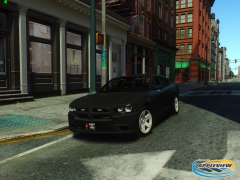 Nice i like.
 -
Adam-12 is old, but its pretty good.
-
Depends What do you need?
-
I recorded this at our local Air-force Appreciation Day Parade,
-
Because DAS does not say "PR: Requesting Code 3 assistance, My location is: "
-
Hes talking about a private mod not released to the public.
-
Sounds like the touch master delta siren.
-
The shin your using for the car, make sure your using a template with a rambar, then, make the rambar black. I had the same problem with one of my skins.
-
Try D3DGear
-
Read the readme, everything is in there. thats what its for.
-
-
This does not fix anything, removing Paul.dll just bypasses the RGSC login, to stop the message from showing, get a better pc, or dont let your FPS drop below 12 For more that 5 sec.
-
Do you have ELS installed?
-
Remove Paul.dll from your game directory
-
He has no mods installed on his end, he needs to install lcpdfr or some other mod in order for you to play with him.
-
 Here's a link without the Extra text, Please note, i did not test this ingame. http://www.mediafire.com/download/n42m6adt1s344g3/LocationMod.net.7z
- 30 comments
- 30 reviews
-
Yeah, as Michael V. said, Use Gimp, Its Alot better
-
Okay, i think its the Tomar, but im not sure, Im not sure about the second one either, Sorry about the wind.
-
"next time your in-troble, call a crack head" - Bumper Sticker
-
To mods: You may close/lock topic, issue solved. Nope i dident, PC Came with a disk.
-
Search for "Regedit" Open it then, Edit>Find>Grand Theft Auto IV, Once it finds the gta4 entrys, delete them, then restart your PC.(Please note that you are doing this at your own risk, This may or may not work)
-
Try deleting your registry files for GTAIV(BACK UP YOUR REGISTRY BEFORE DOING THIS)
-
-
Thank you for your replys.


