


boy818pet
Members
-
Joined
-
Last visited
-
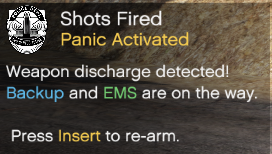 Nice Script. Very useful when a situation turns dangerous 😬 Currently, once the panic button is set, you cannot disable it. Would be nice to have to ability to disable the auto panic button. For example, when I respond to the call where an animal is attacking a person, I don't want backup to arrive if I have to shoot the animal.
 -
 Crash report. Please fix! Tried reinstalling and did not fix it 😞 Edit: Second crash. Looks like same line. Gave more of the console this time to help! 🙂
- 422 comments
- 25 reviews
