


Poltergeist
Members
-
Joined
-
Last visited
Everything posted by Poltergeist
-
Don't know why I didn't think of this myself. Also didn't know OpenIV had a search function. Found out it was WorldOfV messing with it, once the sheriff2.ytd from that mod folder was deleted everything works. Thanks!
-
The .ytd files are there. I have everything installed in patchday19ng. Also when I open the texture directory it shows correctly on the vehicle. Would post printscreens of it but can't figure out where Windows saves the files.
-
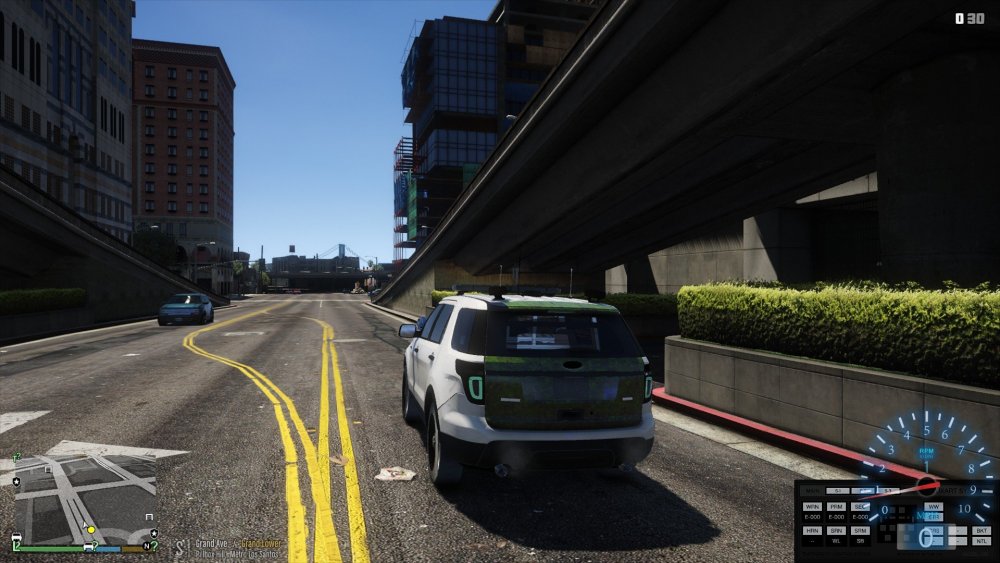
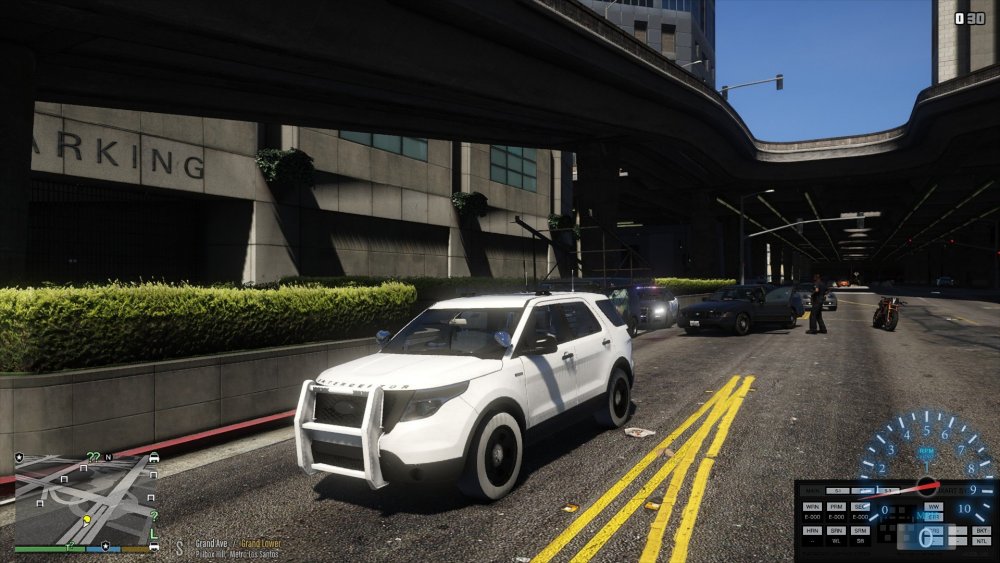
I have a 2016 FPIU installed to that slot, and I'm very sure the files are gone. Tried even deleting the whole Emissives folder yet still no dice. When I first had the problem, both Sheriff slots and the Pranger were messed up, but I deleted all their files and everything was fixed except for the FPIU. I forget which pack is installed, but here's some screens.
-
Hey guys, I seem to have a slightly unique problem. I know of the bug when using NVR, I've already deleted the necessary files in the Emissives folder. For some reason, my Sheriff2 slot still has a similar texture bug, albeit reduced in severity. Any suggestions? If you need pictures or anything let me know, I will post them in the morning. Thanks in advance!
-
It's all fixed gents! Just did some stress testing playing for a few hours, and nothing came up. Thanks for the help! I was just reluctant to redo my mods, thought it would take forever but only took about 20 minutes.
-
Yeah I know, I just wanted to see if it helped at all, which it did. Still have the issue, but on a MUCH reduced scale. I'll spend tonight redoing my mods and staying away from Redux, but I have to find a good weapon feel mod, that was my favorite part of that mod. The way the minigun feels is godlike with Redux. Thanks for the help guys! I'll let you know tomorrow if I am still experiencing this issue. If I am, then I'll post back here, so please don't close the thread just yet!
-
That's not a bad idea, since I can't exactly 'uninstall' it per se, (without removing all of my other modifications) I will simply install VisualV over it. I've played with VisualV before and experienced no issues, so I'll try that later today and let you know. Thanks!
-
Hello all, recently I have discovered a problem with my LSPDFR installation. For the past few weeks, everything has been buttery smooth and enjoyable with my install, yet recently I've noticed that when I go on duty, things in the world start popping very often. This starts as minimal as popping things in the distance when I look behind, then back forward. Over a few minutes, however, the problem becomes very significant until I'm driving/walking on nothing, because the textures just dissapear. This doesn't happen in normal GTA V, nor does it just launching with RageHook. Only when I start a shift in LSPDFR does it manifest. The FPS also drops from 60+ to ~40, sometimes dropping to 30. Anyone have this problem? My install is kinda cluttered, but everything worked fine together before. I'm running all modded police vehicles, along with multiple plugins and scripts, which I assume may be the source of the problem. I do run GTA Redux (only the texture and gameplay features, I am using a separate ENB) My specs are below: Windows 10 (Latest Update) i7-6700k @ 4.2Ghz GTX 970 16GB DDR4 So I should be able to kill this game graphically (and I do sans-LSPDFR). I used to run full ultra settings, but in an attempt to combat this issue they have been tweaked to somewhat delay the problem. Any help would be greatly appreciated.


