


cptnick
Members
-
Joined
-
Last visited
-
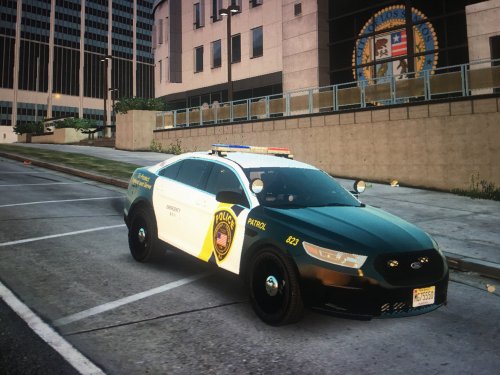 Hello LSPDFR peeps. This is my first texture I have created and it took me some time. I'm open to all types of criticism and I want to improve on future projects. I do not know if I am supposed to include any credits here for making this. Also sorry for the crappy photos, my rockstar editor isn't working properly. I am going to release more from this department at a later date with hope of improving from your feedback. Enjoy!
 -
nice you should update it and wright just swat and with a tan vest not black but other than that not bad
- 8 comments
- 3 reviews
-
yesssssssssssssssssssssssssssssss
-
