


JohnDoe
Members
-
Joined
-
Last visited
Everything posted by JohnDoe
-
Nope. As far as I know the NOOSE Cruiser has got the same light colours as the Police Cruiser. It's a really, really light blue. It just seems white.
-
Is it possible to edit the visualSettings.dat in some way to get blue non-ELS lights? Bxbugs123 once made a vid of a mod with blue non-ELS lights... If anyone knows how to do that... Just let me know :) That's the vid. I hope you understand what I mean.
-
Even in the case of non-ELS lights? Oo
-
-
I'm just asking myself how to modifie default emergency lights without using e.g. ICEnhancer and such stuff... Especially I'd like to know how to change the color intensity and brightness of the lights... I know THAT it has to work... I've seen it in several vids. I'd really appreciate any help :)
-
So... Good to hear not everybody is using ELS these days ^^ I hope that'll help: NOOSE Patriot: http://gtapolicemods...?do=file&id=631 NOOSE Cruiser: FIB Buffalo: http://www.gtainside...art=63&orderBy= (THE 2003 FBI SUBURBAN ON THE PAGE!!) That are the ones I'm using myself. Especially the Suburban is worth trying... Not the best choice for fast pursuits, but beautiful!! Erm... Yes. If you'd specifie your 'vehicle of choice' I could support you better. Hope that was helpful, though :D Happy modding!
-
It's a bit more complicated. The plate IS integrated into the template in that case. As the mod is offering matching (different) licenseplates to the textures it has got to be so. And it works... It's just the messy door thing. Thats why I don't understand it.
-
Hey guys! Just a problem that I've noticed several times. In some cases of car mods the license plates of those seem to mess up the interior parts of the doors... E.g. the non-ELS NYPD/ LCPD cruiser that can be found in the download section. It's a pretty nice mod btw :) The only problem is that the plate's textures seem to cover the inside of the doors. In the case of this mod the doors are white and blue... The problem often occurs when you put new textures on older car mods, because they don't have the plates in the templates, but seperate textures for the plate. I'd be very thankful for any support :) Thanks in advance!
-
The Suburban is really nice imo :> Take a look at 'Lt. Caine's' mods on gtapolicemods.com! You'll find a lot of non-ELS-mods there... & http://gtapolicemods.com/downloads.php?do=file&id=63 Give that one (unmarked CVPI) a try! It's worth it :) You're right mate... Far too little number of decent non-ELS-mods these days!!!
-
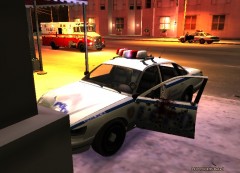 True story... That's the reason I don't have it... Besides the bugs and the destab of the game.
 -
Thanks for the response! :> But. Refering to the origin question... How about you guys? ELS or not?
-
I recently used the Caprice :D I liked it a lot... Till I noticed that shooting the backwindow results in blue lightning spreading out of the glass instead of a bulletwhole. Kinda' confusing :D Even though... Great mods!
-
The title says it all :D I'd just like to know which kind of vehicle-mods you guys prefer... I'm e.g. not using ELS, because of the destabilisation it does to the game (for me it's like that...) and the permanent 'reset' of the vehicle into 'fixed' status. Though I'd really appreciate suggestions for decent non-ELS-mods... Right now I'm looking for a mod to replace the FIB Buffalo...
-
Very nice non-ELS model! I really appreciate it :)
