


NickieB
Members
-
Joined
-
Last visited
Everything posted by NickieB
-
Is this fixable? If thats the case then why doesnt the same thing happen in EFLC? In EFLC its looks just fine.
-
Same thing happens to me to at times. I'm using ELS and sometimes the traffic will stop in all directions until you exit the police computer. So he is right because I have the same issue
-
I downloaded this model awhile ago off of here and anytime I try and put words on the vest they come out insanely blurry. I'm stumped as to what to do so maybe you guys have a suggestion to fix this. I've tried using different size text, changing the game resolution, nothing seems to work. I'm using this in IV. Here are some pics. The vest says "police" on the back and "LCPD" on the front. I wanted to show you how bad it was. This is what it looked like in the thread http://uppix.net/a/4...2d7cd56dd96.jpg
-
For me it depends on the car and what kind of a look I'm going for.
-
Photoshop, gimp, or this is the site I use. http://pixlr.com/editor/ pretty much photoshop. and a simple cut and paste of the textures
-
It takes a while to figure out how some cars are mapped. I've figured out a lot already and have light textures made up for a lot of cars. If you want help with anything let me know. Ill be more than happy to help. I'm really picky out my els light setups so I like them to be perfect.
-
Yea I used a NYPD setup for a few days but I didnt like it. I used red/blue since i started playing FR. Now recently I switched to all blue and I'm liking it alot
-
Just out of curiosity what color light setups do you guys use? All blue, blue/red or what? I just switched from red/blue to all blue.
-
I change my res when I take screen shots. My setup cant handle the highest settings for normal play but I like my screen shots to look awesome. That's my reasoning behind it. I dont do it often so this isnt a huge problem like I said before but it is annoying sometimes. Glad to see I'm not the only one whos come across this.
-
I got the same error a lot. I realized it happened to me every time a world event would happen. Like the officer chasing the suspect on foot on the street. I think I fixed it by turning off the world events in the ini file. Its been almost a week of playing without the error. It might be different for you, I'm curious to see what causes this to happen.
-
If you start GTA 4 and change the resolution and then launch LCPDFR when you go into the police computer to run someones name you cant click on anything, its all out of place. Its like the mod still thinks its on the resolution before it was changed. Try it once and you'll see what I'm talking about. It happens it you change resolution either before or after starting LCPDFR. If you restart the game obviously the problem is fixed. This isnt a very serious problem but its a problem. Just wanted to point it out for you guys because this has frustrated me a few times. Thanks
-
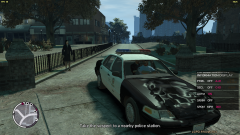 I think ELS 5 or 4 has that feature
 -
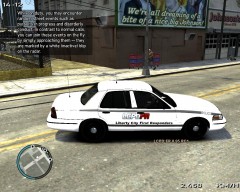 "we're all dreaming of a bite of a nice big Johnson" hahaha

