


NickieB
Members
-
Joined
-
Last visited
Everything posted by NickieB
-
Here it is guys. First release. DOWNLOAD LCPD SKIN PACK V1.0.zip
-
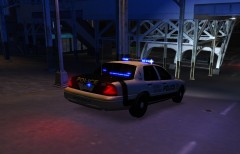 http://gtapolicemods.com/downloads.php?do=file&id=1297 That is the model. The skin is part of my pack, which will be released today or tomorrow.
 -
They will be released very shortly. Probably in the next day or two so watch out for them
-
Works for me to. If your using modded cars and/or els that can cause it to crash when you call for transport/backup. There are so many topics around here about this, search and read about it if you want.
-
Thanks guys! I put a few higher res shots up in the gallery. Every skin has its own unique unit # and plate to match.
-
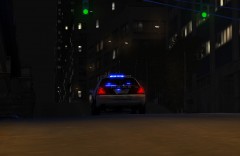
From the album: NEW SKINS
-
From the album: NEW SKINS
-
-
-
-
-
-
-
I've been working on these for a long time. Just some screens for now until my final touches are made. I would really appreciate some feedback. Thanks guys!
-
file name is m_y_clubfit
-
Thats a shame. I thought the computers would work, I thought they did work at one time for me ... @Dhruv - I'm not worried so much about them spawning as I am making the PC work.
-
hmm, ok, Ill mess around with it and see if I can figure anything out. You mean that sometimes your police pc will work and sometime it wont? Because mine wont ever work, it doesnt even say "press E to enter police pc..." in the corner
-
I had everything working fine, now tonight when I spawn polcie3/4 I cant go into the police computer. The sirens still work and clear traffic but no police computer... Any ideas?
-
exactly like he said. Its quite simple to change a texture so that it doesnt say K9 on it anymore or change the color of the lights from all blue to blue/red or whatever your looking for.
-
This is another good tip. Although their not very common, I love looking for these people and stopping them.
-
I just tried it in IV and it worked. Can I add police4 also? If I can how do I do it? Can i just use open iv and add it like i did for police3 and do I have to make any changes to the .dat .ide...files? Nevermind--I Figured it out, it does work to add police4 If your trying to add police4 and cant figure it out let me know. Its extremely easy
-
Just to clarify this, you can use openiv and add police3/4 to GTA 4 and it will recognize them as police cars(sirens/lights/people pull over)? Just want to make sure, because I've read this guide before that op talked about but I never game it a try..
-
Thanks! Thats just what I could remember off the top of my head. I'll update it sometime.
-
People run red lights a lot on the major roadways that run around the edge of the city. The first city for example on the east side. Sit along there at a stoplight and you will see them all the time. Same thing with speeders on these roads. Depends on what you consider "speeding" in the game but they will do up to 50mph on these roads. I usually take anything over 39-40. Here is a link to a guide I made GREEN = Areas you can almost be guaranteed to get speeders RED = Areas they like to blow red lights BLUE = Known prostitution areas The places marked are NOT the only places you will see these things but are good places to look.
-
Yeah, making a brake light mod(whatever a brake light mod would be) would do nothing to stop the AI from hitting you. Like BREAK said its GTA IV, nothing they can do about it. Its probably close to as good as its going to get.




