


Robert Sea
Members
-
Joined
-
Last visited
Everything posted by Robert Sea
-
Much Appreciated!
-
Hey everyone, After DarkAngel showed us a better capture program then Fraps (), I am going to show you one of the best (My opinion) free video compressors without quality loose. I made a very small video of 493MB, I compressed it, afterwards it was 196MB. You don't even see the difference in quality. It is very handy to use it for GTA IV video's because you can edit the fraps limit. Meaning that if you capture with Fraps or Bandicam, you can adjust the compressor as much you want. You can experiment with the quality setting, I have it on RF:20 and don't see a difference in quality. Under 20 = Higer Quality = Larger File. You can guess what higher does. Here is a link to their website: http://handbrake.fr/ And a download link: http://handbrake.fr/downloads.php (No worries, website is in english, not french) Good luck! Here are my results: (added) Without compression: (Took 20min +) With compression: RF:20 (Within 4 minutes uploaded)
-
I can get you a full version, PM me.
-
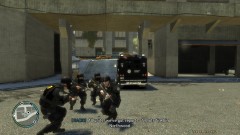
SRU In action pics.
-
-
-
[Deleted by User]
-
"QUOTE LCPDFR" VERY IMPORTANT NOTICES NOTE: You will need the .NET Framework 4.0 EXTENDED. (if unsure, download it here:http://www.microsoft...9f-b21f31ab88b7 NOTE: You may need the C++ 2010 library pack. (if unsure, download it here: http://www.microsoft...&displaylang=en NOTE: When using the automatic installer please ensure you run the tool as an administrator. NOTE: We'd appreciate it if you do not mirror this download as we like to keep accurate statistics on usage of this mod. We have more than enough bandwidth to distribute LCPDFR on GPM and here at LCPDFR.com NOTE: LCPDFR 0.91 WILL NOT FUNCTION CORRECTLY WITH THE NEWEST VERSION OF THE .NET SCRIPTHOOK, PLEASE USE THE SCRIPTHOOKDOTNET.ASI PROVIDED INSTEAD. "END OF QUOTE LCPDFR"
-
.NET Framework and C++ Libary is needed to run LCPD:FR/The installer. Like you need a browser to view a webpage, you need that to see the program! I did some research, I found some nice British police cars for you! That can use ELM! (activate ELM by doing ALT+M) (A window will pop up) ( J K L for lights) Here is a youtube video link with the cars, and in the description the download! // In case you dont know how to install car mods? Here is a video that shows you how to do it! In the description are some things you might need to download. // Any other questions? Feel free to ask. I have one tip: You can better post a topic like this in the support section. ^^ Just for the next time you have something else. Regards, Greg / Robert
-
[Deleted by User]
-
Its weird that I cant see your GTA IV Version at the results. It should show, maybe you can add the full report and edit your message above?
-
Hello, LCPD:FR is a script in GTA IV that allows you to be a police officer. You can fight multiple crimes, such as pursuits, shootouts, suicidal and all kinds of stuff. You get a call assigned by dispatch. You can always deny or accept the call. You may ask yourself? How to install! Well, G17 Media uses a auto installer for LCPD:FR. Just run as admin, and your good to go. Below is a download link and two things you need to have if you don't have it already. ALT + P to activate the script in game. Follow on screen instructions. LCPD:FR: .NET FRAMEWORK 4.0 EXTENDED: http://www.microsoft...9f-b21f31ab88b7 C++ 2010 LIBARY PACK: http://www.microsoft...&displaylang=en Want to be sure you install LCPD:FR right without any errors? Read the topic below and the video. TOPIC: If you find any problems, feel free to contact me in this topic or by PM. I cant help you with your car mods at the moment. About the lights, you mean the Emergency Lightning Mod by Lt.Caine? If so, you need ELM Enabled cars to! Here is a download for ELM V6: http://www.gta-moddi...ct=view&id=1104 Regards, Greg Wilson / Robert Sea
-
I think its time for the Diagnostics tool. Please download and run as admin: - Post then results when your done.
-
Hello sir, Did you read the topic: "NEED SUPPORT? READ THIS FIRST."? If so than you would know that you can't run it without the latest patch (1.0,7.0). Try to run the patcher as an Administrator. And, is your patch the right one? Want to be sure? Download the one from rockstar games. - http://support.rocks...-0-5-2-japanese Let me know if you got anymore issues after reading the topic, and running the patcher right. After that I recommend you take a look at the topic called: " It gives a video tutorial how you can install LCPD:FR 0.95 without any problems. Regards, Greg Wilson
-
I have never heard something like this. So, GTA IV will not load with LCPD:FR 0.95 installed? If so, then maybe you don't meet the system requirements to run LCPD:FR. (Not Sure) Here are some important notices: "QUOTE LCPDFR" VERY IMPORTANT NOTICES NOTE: You will need the .NET Framework 4.0 EXTENDED. (if unsure, download it here:http://www.microsoft...9f-b21f31ab88b7 NOTE: You may need the C++ 2010 library pack. (if unsure, download it here: http://www.microsoft...&displaylang=en NOTE: When using the automatic installer please ensure you run the tool as an administrator. NOTE: We'd appreciate it if you do not mirror this download as we like to keep accurate statistics on usage of this mod. We have more than enough bandwidth to distribute LCPDFR on GPM and here at LCPDFR.com NOTE: LCPDFR 0.91 WILL NOT FUNCTION CORRECTLY WITH THE NEWEST VERSION OF THE .NET SCRIPTHOOK, PLEASE USE THE SCRIPTHOOKDOTNET.ASI PROVIDED INSTEAD. "END OF QUOTE LCPDFR" Maybe this solves the issue? Unless somebody else knows what you can do about it. Regards, Greg Wilson
-
Hello sir, I am happy to announce that Community Staff Member Break, has made a tutorial how to fix this issue. I would like to link you to his topic. - Regards, Greg
-
To simply give you the answer, NO. Its not included. Please download the software from these two links. For .NET Framework and C++. - http://www.microsoft.com/downloads/details.aspx?FamilyID=a7b7a05e-6de6-4d3a-a423-37bf0912db84&displaylang=en - http://www.microsoft.com/downloads/en/details.aspx?displaylang=en&FamilyID=0a391abd-25c1-4fc0-919f-b21f31ab88b7 Regards, Greg
-
Good that it worked!
-
You mean everything is vague? Dimmed? Thats because of the hotkey ''P''. Press ''P'' again after you have activated LCPD:FR, then it should be alright if I got your story right. Regards, Greg
-
VB is not that hard. Like LMS said, if you google the codes you need, its not that hard. ;p
-
I am still learning C++ and C#. Having a hard time with it. Just made my own little program for G17 Media, more about that later. ^^ And yeah, google helps a lot haha.
-
Try to run it as Admin, or pick a complicity mode at the program properties. And do you meet all requirements in order to run it? ''Quote from LCPD:FR" VERY IMPORTANT NOTICES NOTE: You will need the .NET Framework 4.0 EXTENDED. (if unsure, download it here:http://www.microsoft...9f-b21f31ab88b7 NOTE: You may need the C++ 2010 library pack. (if unsure, download it here: http://www.microsoft...&displaylang=en NOTE: When using the automatic installer please ensure you run the tool as an administrator. NOTE: We'd appreciate it if you do not mirror this download as we like to keep accurate statistics on usage of this mod. We have more than enough bandwidth to distribute LCPDFR on GPM and here at LCPDFR.com NOTE: LCPDFR 0.91 WILL NOT FUNCTION CORRECTLY WITH THE NEWEST VERSION OF THE .NET SCRIPTHOOK, PLEASE USE THE SCRIPTHOOKDOTNET.ASI PROVIDED INSTEAD. Maybe that helps! I hope it worked. I know it worked before, but maybe you just have to redo some steps. So the story above is a reminder. Regards, Greg Wilson
-
Yeah that happens to everyone, good that the issue is resolved.
-
If you really want it to work, you might consider running the installer as an Admin. If it gives still errors, re-download and install as an admin. The reason why it might give you a error, is because you don't have the right authority to do it. The installer needs internet connection in order to link your account. Some PC's think its a threat and block off connection. Running it as an admin can fix it. You can also try to add the installer to your firewall or local virus protection so your PC will always give it internet. This are just a few idea's to fix it. I can't say it is really going to work. Try and see! Regards, Greg Wilson
-
Hmm. Yes, you had to put the commands at solution #3 as a list. I have another question? How many RAM does your PC Have exactly? And when does your have crash? >> When you hit start? Or during you play the game? Regards, Greg Wilson

