


Robert Sea
Members
-
Joined
-
Last visited
Everything posted by Robert Sea
-
-
Good idea James, looking forward to do that.
-
VB/C++ I am getting better in VB, and I am still trying to learn C++. But C++ is a bit harder haha. Maybe its still better to learn C#.
-
Try to run it in complicity mode?
-
Thanks, I hope they will. ^^
-
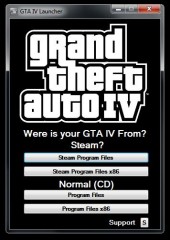
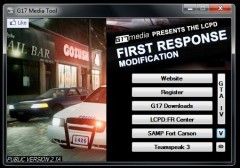
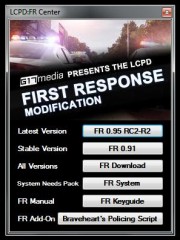
G17 Media Tool [Release] Hello everybody! I am happy to announce that the G17 Media Tool is finished and ready to download. This tool allows you to have quicker access to LCPDFR content. Its handy for new, and senior users. This tool also contains a GTA IV/EFLC Launcher. (All official file paths are supported including x86 and steam) Here is a video that shows you what this tool has. (EDIT: In some windows you will see: ''Were'' instead of ''Where", this is fixed in the tool) The tool is supported for every windows operating system above 2000. Download: If you have any questions? Bug reports or reviews. Feel free to comment. :) Thanks! Regards, Greg Wilson Credits: Greg Wilson (creator) Sam (icon) Tom H (inspiration) Moonshine (testing)
-
Good to hear your problem is solved!
-
 Have to wait for Sam to approve it.
 -
 I've been a fan of your work. I hope we can make projects in the future together. Glad you like what I made. Its my first big project.
 -
Did you point the installer to the right folder? Did you run the installer as an admin? Did you extract the auto-installer before running it? All of these things can cause nothing happens. Make sure ''read only'' is also disabled at your GTA IV Root folder. (main installation folder)
-
I think your son used the sirens to pull over a car. But you have to press ''Shift'' behind a car to make it pull over. After that you step out and walk to the red marker displayed next to the driver. Follow on-screen instructions. - It is also possible that the car go's away and the car is a red icon on the map. This means a pursuit has started, because the car is now running away from you. - It is also possible that when you try'd to pull the car over, a error pops up at the left upper corner. This can have multiple causes. I would like hear more about the problem with LCPD:FR. Regards, Greg Wilson
-
I made it with co-operation of Sam. I asked of he wanted the tool on the G17 Media Account. He said I had to upload it myself. So that will be alright. ^^
-
-
-
-
-
I going for System Management and Network Communications. Programming is also in the package. Will take about 4 to 5 years.
-
I agree with you Harper. Haha.
-
Hello everyone, I've been asking myself, what does everyone use to capture their GTA IV Video(s) and what are the good things and bad things about your Capture Software? Currently I use Bandicam, only software I can use because everything else is blacked out when I review it.. And I compress it with Handbrake. + Things about it. 1. It works for me. 2. HD Video's. 3. Simple recoding. 4. Simple handy settings. - Things about it. 1. It has no compressor build in. For games like GTA:SA I use BB FlashBack Pro 3 Recorder. But that broke after some time, black screen etc. That has a build in Advanced Editor with upload to youtube function, and compresses the video after the capture. I will be more then happy to hear what you use!
-
Ahh, I get it. Well, some people need something fast posted with reasonable quality. Then this is the tool!
-
Awesome! I also saw a random police car joining pursuit when the suspect was close! Excellent job on RC3.
-
You must be a very patient person. ^^
-
Alright, but I have to say. You can improve your video. What kind of recorder do you use?
-
Hmm, its not horrible. But also not perfect. Maybe you can optimize it for the web, there is a option for at the compressor. Here are my results: With compression: RF:20 (Within 4 minutes uploaded) Without compression: (Took +20 minutes) I am quite happy with my results! Editing the discussion with these video's.
-
Well, we can say it still looks good. (I hope) Maybe you can show me the result? You can also improve the quality by experimenting the quality settings of handbrake.


