Skip to content
View in the app

A better way to browse. Learn more.

LCPDFR.com

A full-screen app on your home screen with push notifications, badges and more.

To install this app on iOS and iPadOS
  1. Tap the Share icon in Safari
  2. Scroll the menu and tap Add to Home Screen.
  3. Tap Add in the top-right corner.
To install this app on Android
  1. Tap the 3-dot menu (⋮) in the top-right corner of the browser.
  2. Tap Add to Home screen or Install app.
  3. Confirm by tapping Install.

MarkFreeman

Members
  • Joined

  • Last visited

Everything posted by MarkFreeman

  1. You're the man, hopefully your simple explanation will help more in the future. Thank you very much!
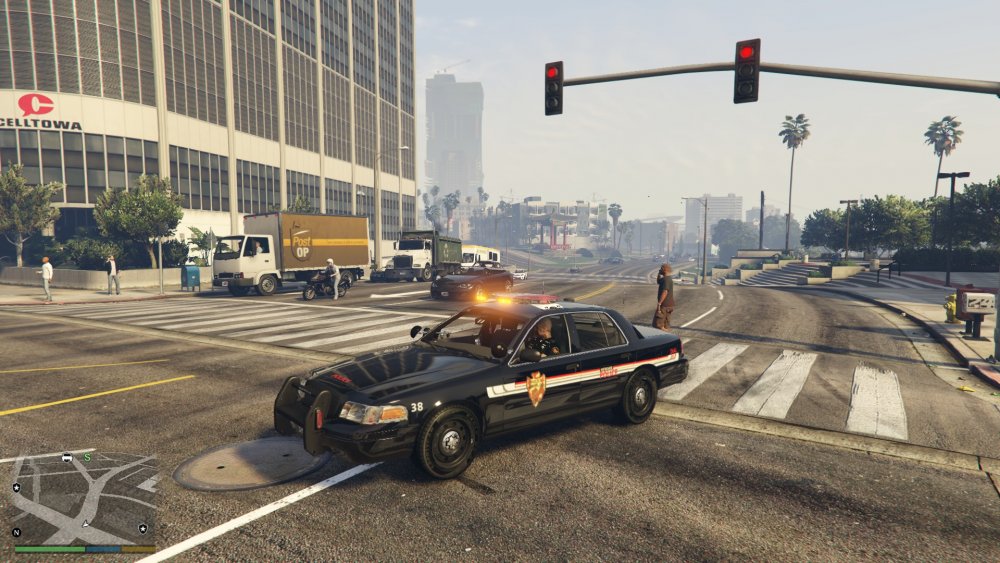
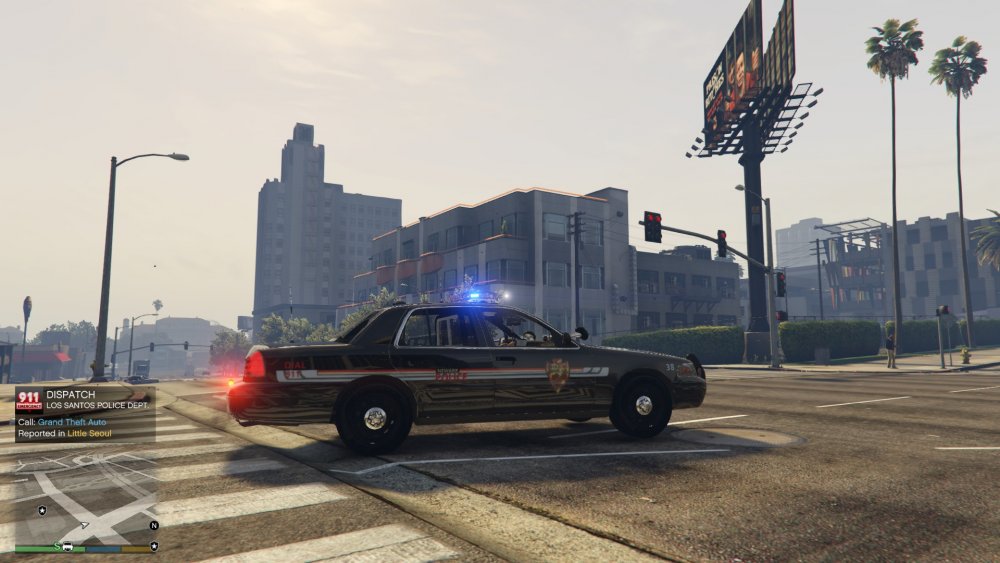
  2. I searched the forum but haven't found a solution to my problem, most likely because I'm unsure of a proper search term. I'd like to use his sheriff model in the police spot, I have my my own texture and would like it to replace the police spot. The lighting is not in its proper spot. I am assuming that it is set up for the sheriff vehicle still. So far, I have changed the titles of the car and added them back to my mod folder and this is my result. I'm sure that I skipped a step somewhere but I am not sure which one at may be. Any help would be great, thanks in advance.
Account

Navigation

Search

Search

Configure browser push notifications

Chrome (Android)
  1. Tap the lock icon next to the address bar.
  2. Tap Permissions → Notifications.
  3. Adjust your preference.
Chrome (Desktop)
  1. Click the padlock icon in the address bar.
  2. Select Site settings.
  3. Find Notifications and adjust your preference.