


Thehurk
Members
-
Joined
-
Last visited
Everything posted by Thehurk
-
![Foward's 2012 Caprice! [WIP]](//s3-gallery.int-cdn.lcpdfrusercontent.com/gallery/album_2938/sml_gallery_25138_2938_1645086.png) Do you seriously think that Kevin499 and Foward are the same person? Have you ever spoken to either of them?
Do you seriously think that Kevin499 and Foward are the same person? Have you ever spoken to either of them? -
-
The skin is blurry because of the mip-map settings that you can edit in open IV. I love the MSP so i'm interested to see what else you are able to make.
-
Honestly if i were you i would have picked a skin design that is a little more eye appealing and that has a little more content in it then just a few lines of text. I'm not sure how they actually look in real life but i would have considered on making a different skin. It is always a good thing to challenge yourself in making skins that are harder and harder each time. i would give it a 1/5 just because of how basic it is. I'm intrigued to see how you're future skins will turn out!
- 11 comments
- 2 reviews
-
======================== Fictional LCPD Pack #2 ======================== You are not permitted to re-upload these in any circumstances. You MAY edit them for PRIVATE use. The ELS files and Handling lines provided with this pack are made for the cars that I used in the pack, If you want to find handling lines for other cars, Try here: This pack features multiple skins for each vehicle designated in the read me. It includes Basic patrol, highway patrol, unmarked, traffic enforcement and stealth skins. Everything on these skins has been made by myself (Thehurk or Festive Canadian) The models used in this pack are not made by me! Screenshots by Reibu and Pengi. If you find any issues with the SKINS, please feel free to message me and i will try to fix them asap! Enjoy!
- 8 comments
- 5 reviews
-
-

- 1
-
-
-
-
L-C-P-Dmods recently went through a software change and some of the files still haven't been transferred over, they are currently working on getting over all the files but it is quite tedious and painstakingly long. I can see about trying to find some of the models elsewhere
- 21 comments
- 3 reviews
-
-
-
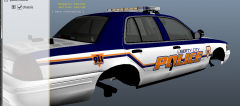
From the album: Thehurk's WIPs
I'm not sure if i should continue with this skin and make it into a pack or just scrap the idea. Opinions? -
-
-
All Skins and every part of them are made by myself (Thehurk or Festive Canadian) You are not permitted to re-upload these in any circumstances. You MAY edit them for PRIVATE use. The ELS files and Handling lines provided with this pack are made for the cars that i used in the pack, If you want to find handling lines for other cars, Try here: I am not responsable for any problems caused to you're game by the instilation of these files. MAKE SURE TO BACK UP YOUR FILES BEFORE INSTALLING!!!!!! *The links to the cars that are used in the screenshots are included in the Read Me* Make sure that if you find any bugs with the skins (*Not The Cars*), please feel free to message me and i will try my best to fix it! Enjoy!
- 21 comments
- 3 reviews
-
-
-
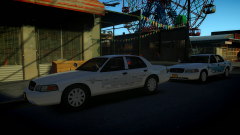 Those turned out soooo much better than i thought they would. Jebus
 -
Alright there are some major problems with this skin. The red on the car is far too bright (almost like a neon red) and it doesn't look very good. The.. swoosh i guess you could call it isn't a smooth curve and looks terrible. The liberty City should be positioned differently so that it isn't covered by the door handle. The black and white isn't even complete, it doesn't extend all the way down the door nor does it cover the roof. It doesn't look like you put very much thought into the design in the design of the skin. Please Please Please spend more time on it. This is a massive step down from what I've seen from you and from what you released. Better luck next time.
- 4 comments
- 1 review
-
-
- 3
-
-
I love the massive of varieties of vehicles you put out, this one is to no exception to that. I have never seen this car nor did i ever know it existed. Good job on it, ill probably end up using it !
- 11 comments
- 9 reviews
-
-
- 2
-
-
These are actually pretty nice for your first skins, I's not sure if i like the blue base color but otherwise excellently done. This is something to be proud of for your first skin. I'm interested to see what you can do in the future, keep up the good work!
- 3 comments
- 1 review
-
I would have to agree with Kshark on this one, the skin is very basic, it doesn't look like it took long long to make. There have been alot more to have been done. My advice to you would be to look at different department's cars or color schemes and mix and match what you would like from all of them. Also make sure you include some kind of licence plate on the skin itself. Overall very bland and not visually appealing. Nice try!
-
I have to say i don't really like these cars, the arjent looks strange for some reason, whether its to skinny and wide or its just the glass, im not a fan of the setup on the slick top (unless its meant to be a detective like car) and its just not too appealing to me
- 22 comments
- 6 reviews
-
The badge is nice but in my opinion the skin is quite bland. It looks like all you did was take the badge, put some generic text next to it all call it a day. My recommendation to you is that you take a look at some other security cars or even police cars, then play around with what designs you like. It was a good try but next time try and put a bit more design in it!
- 10 comments
- 1 review
-
One major problem with the skin is that it looks like the texts were taken from a picture, not custom made. For your first skin its not
- 2 comments
- 1 review
-
-
- 1
-
-
I would recommend adding more design to the skin. To me this looks far to bland and not appealing to the eye. You don't necessarily have to make it up by yourself, you could look at two real life designs and mix and match what you like from each one.

![Foward's 2012 Caprice! [WIP]](http://s3-gallery.int-cdn.lcpdfrusercontent.com/gallery/album_2938/sml_gallery_25138_2938_1645086.png)
