
Paradise067
Members
-
Joined
-
Last visited
Everything posted by Paradise067
-
Quick question. With the release of 0.3 new features, you can go inside "Downtown Police Station" with a working locker, jail cells, etc. I've been to 3 stations in Los Santos (Vinewood, Vespucci, Davis), and I seem to get only normal duty selection and can't find a way to get inside the interior. Can anyone tell me where is "Downtown Police Station" located and how to get inside them? Thanks!
-
Found something cool during traffic stop, so I though I want to share, if anyone haven't seen it. Just some little nice thing:
-
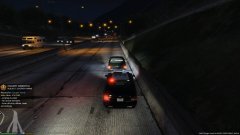 He drive like a maniac, he should be treat excessively!
© Paradise067