


Dvdrummer360
Members
-
Joined
-
Last visited
Everything posted by Dvdrummer360
-
-
| 2010 DODGE CHALLENGER - LIBERTY COUNTY SHERIFF'S DEPARTMENT | The uploader (Dvdrummer360) takes no credit for the vehicle model or texture. The Sheriff's Department skin was made by taximan5, uploaded to gta4-mods.com by THED. The 2010 Dodge Challenger vehicle model is credited to Yakadafi, uploaded to LCPDFR.com by magicmann. My only part in the making of this vehicle was combining the Sheriff's Department texture with the vehicle model and uploading them as a single download to LCPDFR.com. This vehicle is exclusive to LCPDFR.com and may not be distributed or reuploaded to any other website without explicit permission from Dvdrummer360, taximan5, or Yakadafi. | HOW TO INSTALL | 1. Extract the vehicle files (noose.wtd and noose.wft) to your desktop. 2. Open SparkIV or OpenIV. 3. Navigate to pc/models/cdimages/vehicles.img in SparkIV or OpenIV. 4. Find noose.wft and noose.wtd (or whatever you named the files) 5. Highlight both files and click Import. 6. Navigate to the downloaded files and import them. 7. Save and rebuild. 8. Done! ------------------------------------------------------------------------------------------------------------------------ This is my first file ever uploaded to LCPDFR.com! I hope you enjoy, and leave feedback below!
- 18 comments
- 6 reviews
-
IT GOT CANCELLED?! I THOUGHT THE SEASON JUST ENDED. ;_;
-
Awesome, but sometimes after a while of playing, I start getting code 4's on every call, and reloading scripts doesn't fix it, I have to reload my entire save game. Kind of annoying, any fix?
- 356 comments
- 140 reviews
-
-
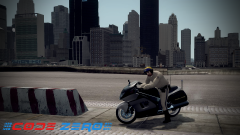 Planning on releasing it?
 -
Love it, but very rarely some cops have no pelvis. They have a head, torso, and legs/feet, but the area where their police belt should be is just see thru.
- 107 comments
- 35 reviews
-
-
Awesome, but this car seems to have a high poly count and crashes my game. Loved using it, though!
- 18 comments
- 9 reviews
-
Yes, I have those 2 files.
-
Hi, I've read that other people get this problem, which is the taser isn't working. I installed LCPDFR latest version with the installer, but when I try ALT + T (yes, I press it twice) my character just reaches into his coat, and sometimes equips his pistol, sometimes the pistol disappears, but I never get a taser. Is there any way to fix this? EDIT 1: Yes, I have the amb_nailgun.wtd/wdr files in my GTA IV directory. Thanks


