Skip to content
View in the app

A better way to browse. Learn more.

LCPDFR.com

A full-screen app on your home screen with push notifications, badges and more.

To install this app on iOS and iPadOS
  1. Tap the Share icon in Safari
  2. Scroll the menu and tap Add to Home Screen.
  3. Tap Add in the top-right corner.
To install this app on Android
  1. Tap the 3-dot menu (⋮) in the top-right corner of the browser.
  2. Tap Add to Home screen or Install app.
  3. Confirm by tapping Install.

Rockafella93

Members
  • Joined

  • Last visited

Everything posted by Rockafella93

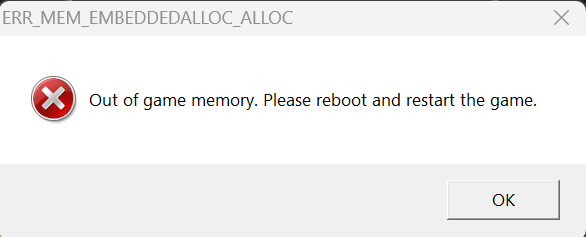
  1. update on this, Now crashes with an "out of game memory" error on loading updated Gameconfig is in place via LML
  2. As per title, have been fiddling for hours to try and get LSPDFR to run With no mods, it works fine, now of course i could run it with just no mods but i enjoy the struggle i guess. I have installed a few mods that previously had worked but now when loading in it CTD's Logs attached, if anyone smarter than me can give me some insight as to the culprit I'd be appreciative EasyHook.log RagePluginHook.log ScriptHookV.log

Account

Navigation

Search

Search

Configure browser push notifications

Chrome (Android)
  1. Tap the lock icon next to the address bar.
  2. Tap Permissions → Notifications.
  3. Adjust your preference.
Chrome (Desktop)
  1. Click the padlock icon in the address bar.
  2. Select Site settings.
  3. Find Notifications and adjust your preference.