



zcounts61
Members
-
Joined
-
Last visited
Everything posted by zcounts61
-
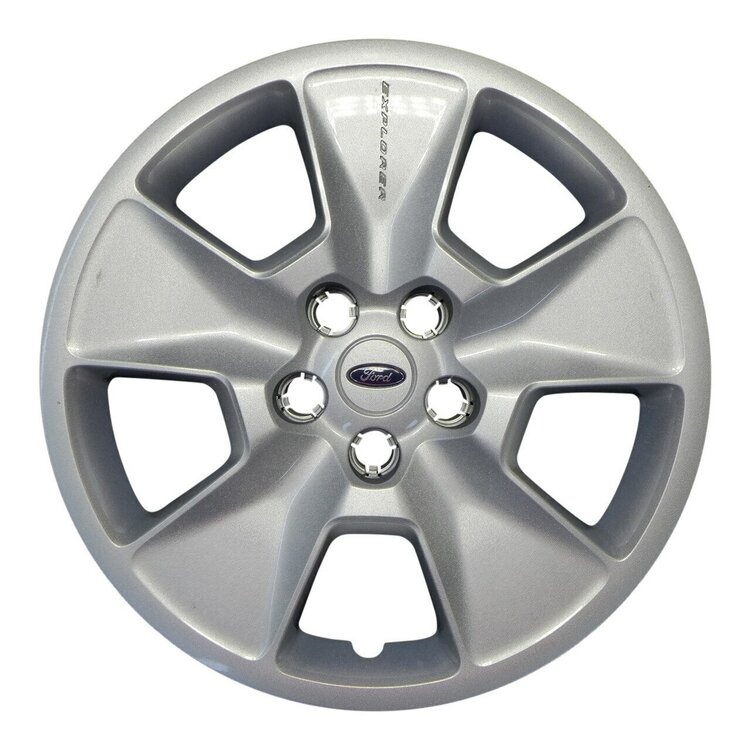
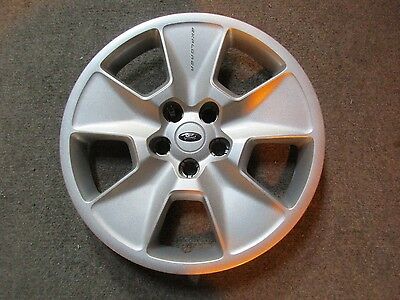
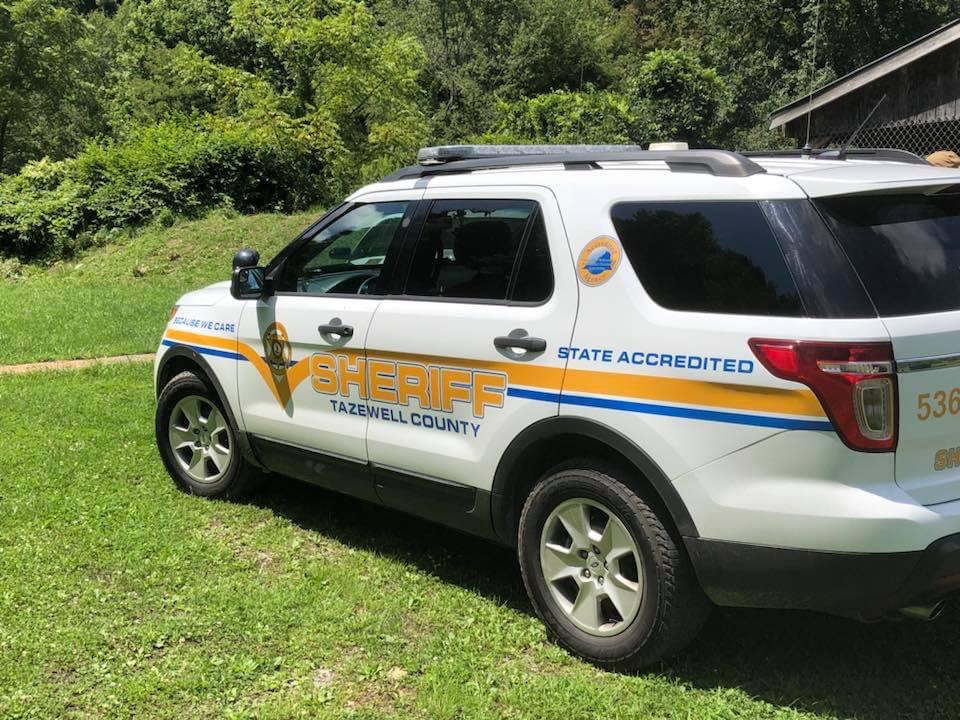
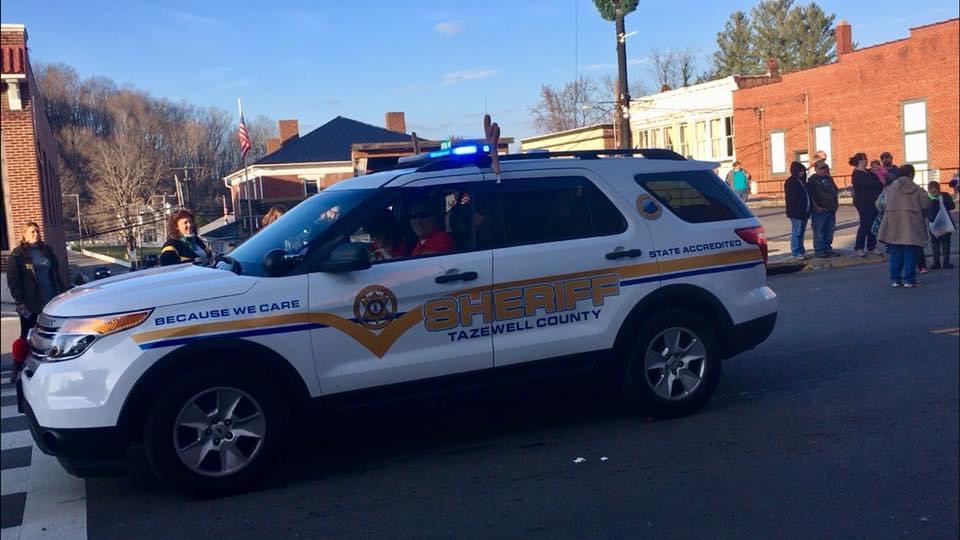
Could someone possibly make these hubcaps, my local sheriffs office runs these and I would like to add them to my models
-
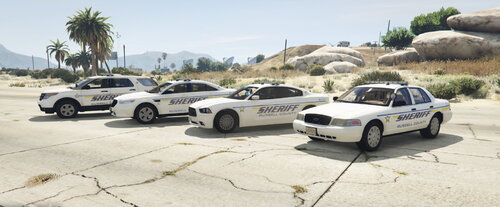 Yeah, I plan on doing all the SWVA counties
 -
I am also having this issue, nothing works on my lightbar or anything
-
This is a reflective skin pack I made of Russell County in SWVA. Hope you guys enjoy The skins were made for this pack, templates may fit other models
-
 Looking good
 -
 Nice, love the Charger. Great looking models and skins
 -
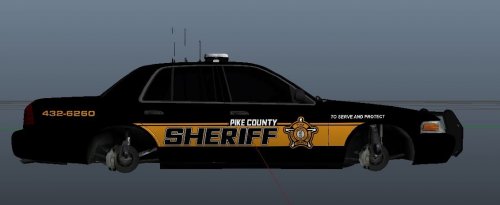 This pack is based on Pike County Sheriff`s Dept. & Pikeville Police Dept. in Kentucky These skins fit the following mods https://www.gta5-mods.com/vehicles/los-santos-police-chevrolet-caprice-ppv [ELS] BCSO Vehicle Pack
 -
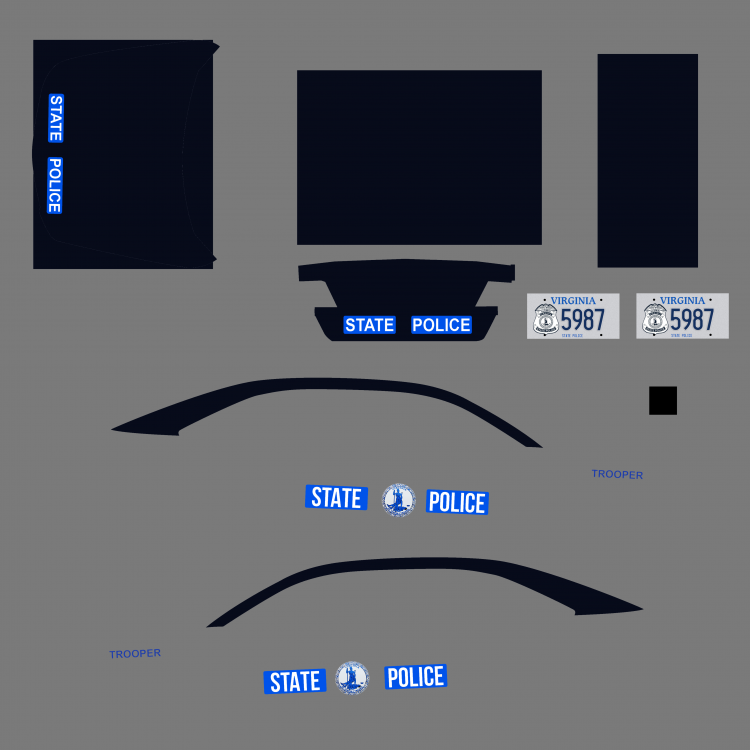
Can`t wait to see this model. I have been waiting on someone to do a VSP Taurus
-
Any 2013-2015 FPIU should workThat template should fit most model. This is the template I used if it helps.
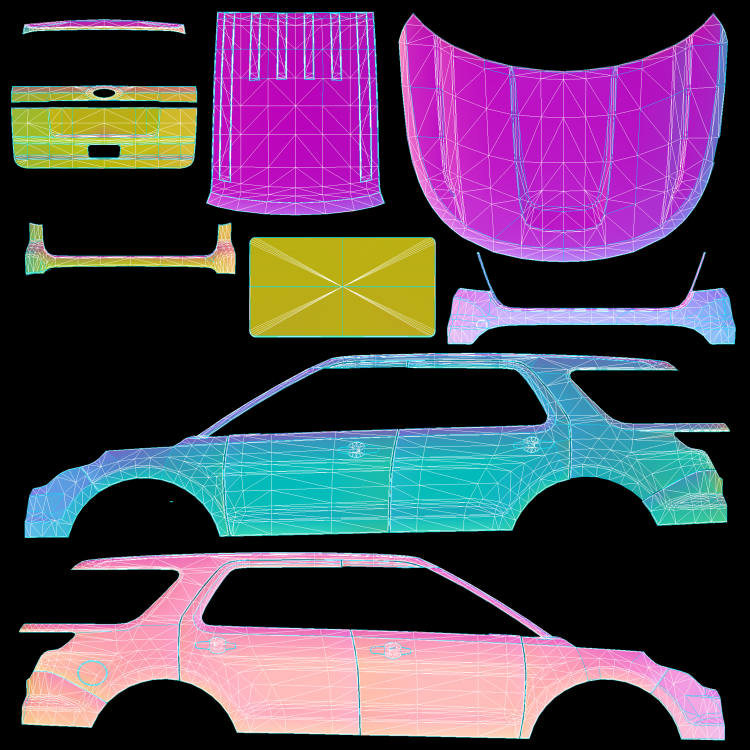 @sargecommander You are very welcome
.thumb.JPG.0efa5fad036603f6dd9f88107be4a1ab.JPG) Made this skin pack for the PBPD Pack by t0y and 2016 FPIU by Thehurk and for a 2013-15 FPIUI`m from southwest Virginia myself@sargecommander Ok I`m working on them now.I`ll give them a shot. What vehicles models are you wanting them done on?I agree that would look great in gameNo problemWhat car models do you need the skins for @James HoustinHere is my attempt at the skin. Let me what you think.
Made this skin pack for the PBPD Pack by t0y and 2016 FPIU by Thehurk and for a 2013-15 FPIUI`m from southwest Virginia myself@sargecommander Ok I`m working on them now.I`ll give them a shot. What vehicles models are you wanting them done on?I agree that would look great in gameNo problemWhat car models do you need the skins for @James HoustinHere is my attempt at the skin. Let me what you think..thumb.png.57c58c49309f39ce08b5701ae3684c75.png) Right, I didn't know if the models where locked or not. Thanks!!Could someone if possible take the wheels from the F-550 and and the the Ram Ambulance
Right, I didn't know if the models where locked or not. Thanks!!Could someone if possible take the wheels from the F-550 and and the the Ram Ambulance





.thumb.JPG.0efa5fad036603f6dd9f88107be4a1ab.JPG)
.JPG.86d394f8dac81b46403ea2bce3c99390.JPG)
.JPG.5cb5c69af1e77b711d78cd9feff04776.JPG)
.JPG.16ead584bb84dfbcb182410872ebd985.JPG)
.JPG.dc5c085d99306ae198d2b19681549df7.JPG)
.JPG.5302dca3073578a12c75a76ef1891133.JPG)
.JPG.2ca24a27b29edbdd93868f3de963c95f.JPG)
.JPG.079a448f365f71461dd9ff9b06f5e00a.JPG)
.JPG.430f08414e50aede6c666be526c11f28.JPG)
.JPG.afe202c196056f40a05c094a06077702.JPG)
.JPG.eb4afb157e39ca8ddb5d34907968f28b.JPG)
.JPG.be2b1fb28a8a283923b81d921d8a76a0.JPG)
.JPG.633348e2a7d6d59c436a5c28036da5e0.JPG)
.JPG.61ed068a56e24fa05e3d6707743a6926.JPG)
.JPG.908c4f73daca6228e6d5b1038bac63e0.JPG)
.JPG.64241dccb5fbeb8475d2fb3efcefefa3.JPG)


.png.b335ef728cbb3b49d27a4e5f9bff226a.png)

.png.66d6a0e3ff6e2bcffb29b83e1cafeade.png)
.png.fc7e98e7aa21d1b7923f69b340eb4d22.png)


.png.2e02ddd6e6266f383474ae461f6bf65f.png)
Account
Navigation
Search
Configure browser push notifications
Chrome (Android)
- Tap the lock icon next to the address bar.
- Tap Permissions → Notifications.
- Adjust your preference.
Chrome (Desktop)
- Click the padlock icon in the address bar.
- Select Site settings.
- Find Notifications and adjust your preference.
Safari (iOS 16.4+)
- Ensure the site is installed via Add to Home Screen.
- Open Settings App → Notifications.
- Find your app name and adjust your preference.
Safari (macOS)
- Go to Safari → Preferences.
- Click the Websites tab.
- Select Notifications in the sidebar.
- Find this website and adjust your preference.
Edge (Android)
- Tap the lock icon next to the address bar.
- Tap Permissions.
- Find Notifications and adjust your preference.
Edge (Desktop)
- Click the padlock icon in the address bar.
- Click Permissions for this site.
- Find Notifications and adjust your preference.
Firefox (Android)
- Go to Settings → Site permissions.
- Tap Notifications.
- Find this site in the list and adjust your preference.
Firefox (Desktop)
- Open Firefox Settings.
- Search for Notifications.
- Find this site in the list and adjust your preference.