


Creators: Due to background reprocessing of files, approvals and file security checks may be delayed. Thanks for your patience.

CG Blaze
Members
-
Joined
-
Last visited
Everything posted by CG Blaze
-
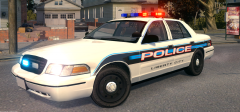 God I wish I had a good Freedom to work with that didn't corrupt everything in the world... I like it. I especially dig the grille lights.
 -
![[WIP] 2014 GMC 3500 Ambulance](//s3-gallery.int-cdn.lcpdfrusercontent.com/gallery/album_722/sml_gallery_3386_722_23937.jpg) Hot! You gotta start releasing some of these man, I've turned to drugs in lieu of your vehicles...
Hot! You gotta start releasing some of these man, I've turned to drugs in lieu of your vehicles... -
Very nicely done sir. This might be the only CVPI on here with accurate year representation lol. Wheels and door trims are exactly right per 03-05 spec. And, I love the fact you've included weathered skins. Very well thought out, and well implemented. Will definitely be getting my download. :)
- 7 comments
- 2 reviews
-
-

- 1
-
-
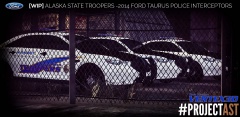 Not to beat a dead horse but I think the reality is that with the testing of new cars comes the testing of new tech. The Duo's were demos I'm sure, and similarly, I've seen episodes of AST with F-250's that had Valor's on them. So....yeah. I am curious as to what the Duo's look like when engaged. Anyway, looks like it's coming along nicely 'tex! Just a thought, I always thought it might be cool/realistic to try mapping the hood to a less shiny material to give it an actual matte appearance like the real ones. Think it would work?
 -
-
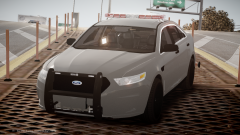 I like what I'm seeing... PM me if you'd like some first-hand-account info on these cars. I see 'em daily. :)
 -
![[UPDATE] RCMP Pack V6.1](//s3-gallery.int-cdn.lcpdfrusercontent.com/gallery/album_722/sml_gallery_3386_722_440047.jpg) Looks great! Love me some RCMP. But what happened to the other pack? The all blue ones?
Looks great! Love me some RCMP. But what happened to the other pack? The all blue ones? -
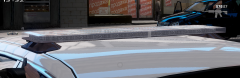 Aren't we from the same county? lol I dunno man. I guess I'm just so used to the Freedoms. Going from such a fat bar to such a low profile one with a much smaller impact just seems like regression to me. Though, I like that the new cars have much better 360-degree light coverage. Not to get off topic....
 -
Looks great! But I really hate that bar. MY county started switching out freedoms for those, and it's just not the same output-wise.
-
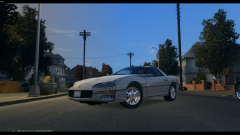 Awesome! If that's the case, I'd be happy to do a skin for you. Could even provide you with a lil bit of interior equipment.
 -
Cool as hell man! B) Any chance this might see some NY love?...
-
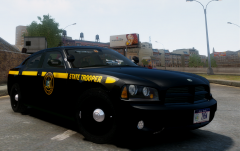 Thanks! Yes, IronicRainbow is correct. This is an 06-10 generation Charger. More specifically, this mod represents a 2009 model-year Charger, unit 2H45 (I know the plate is wrong in the pic). This car was painted black before it was cool :D
 -
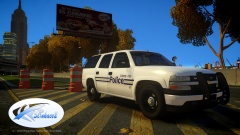 It's too bad this won't see a release. I really like what you did with it. The whole setup - livery, lighting and all - looks very believable for a fictional unit. I love when that kind of thought goes into a model. Nice work! Looking forward to the other cars. :)
 -
Thanks guys! And I agree. While I like seeing the black cars once in a while to break it up, there's something not quite right about it. I'd never trade the blue for black.
-
From the album: WIP's/REL's
This was a one-off unit the NYSP ran for a lil bit. Decided to realize it in GTA IV cause I'm an NYSP nut. lol Lemme know what you think - mod and skin by yours truly. Will eventually be released. Probably. -
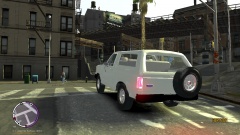 Lookin like OJ Simpson... lol
 -
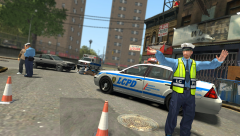 Excellent placement, excellent shot!
 -
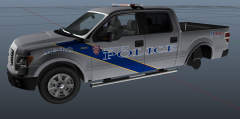 I always thought Louisville had one of the sharpest liveries around. Good work! :)
 -
Interesting, I like the unique take on the Battenburg pattern.
-
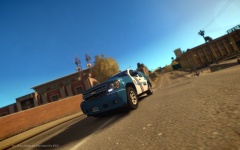 Duuuuuude! Cool! You know I love this tristate area stuff! These getting released?
 -
-
I can confirm to you this: Even Rockstar doesn't know what date it will be released exactly. All they know is it will be out in the fall. I know this sounds cliche, but I've got a source in R*...
-
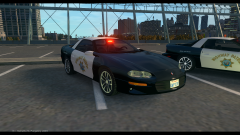 Hell yes.
 -
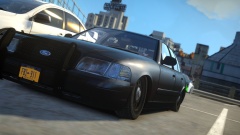
![[WIP] 2006 Tahoe PPV V1.0](//s3-gallery.int-cdn.lcpdfrusercontent.com/gallery/album_722/sml_gallery_3386_722_269365.jpg) Awesome. Not nearly enough of this gen Tahoe available. Though, I think you could've moved the rear end in just a liiiiittle bit more. I could be wrong.
Awesome. Not nearly enough of this gen Tahoe available. Though, I think you could've moved the rear end in just a liiiiittle bit more. I could be wrong. -
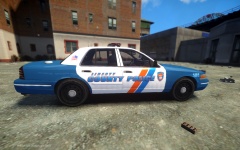 As a NYC-metropolitan-area resident, I'm thrilled about this project. And it looks like you really nailed it, right down to the details like the door trims. Excellent. :)

![[WIP] 2014 GMC 3500 Ambulance](http://s3-gallery.int-cdn.lcpdfrusercontent.com/gallery/album_722/sml_gallery_3386_722_23937.jpg)
![[UPDATE] RCMP Pack V6.1](http://s3-gallery.int-cdn.lcpdfrusercontent.com/gallery/album_722/sml_gallery_3386_722_440047.jpg)
![[WIP] 2006 Tahoe PPV V1.0](http://s3-gallery.int-cdn.lcpdfrusercontent.com/gallery/album_722/sml_gallery_3386_722_269365.jpg)
