RyanG
Members
-
Joined
-
Last visited
Everything posted by RyanG
-
-
...what? I don't understand..
-
-
-
Very good.It actually looks very good! 5/5Very basic, it needs a lot more work. However it's fairly good for a practice skin. 2/5
 nice job, it looks greatSteam.
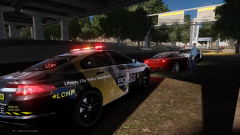 Oh my god. This is absolutely amazing.Fools? Why call them fools when they're pointing out the flaws of the lightbar? Why use it when it doesnt even work properly?
- 16 comments
- 6 reviews
-
-

- 1
-
I drive around in a firetruck and ram into parked cars :D this is pretty fucked up..good jobDamn.. its always Malaysia Airlineslol, I was hoping Germany would win from the startSchweinsteiger was a little bitch though every 30 seconds he fellSorry I was unable to help you. It usually fixes my problem. Hopefully it fixes.change the drot to say "halo"