


RyanG
Members
-
Joined
-
Last visited
Everything posted by RyanG
-
-
Then: Navy SEAL Now: Navy SEAL
-
english, spanish, french, german and a bit of russian
-
Damn.
-
dat grammar in the title.
-
5 minutes. I swear to god.
-
Play a lot of Counter Strike
-
Oh my god. that is beautiful. If only my games for windows live account worked :(
- 10 comments
- 1 review
-
I saw something that said people laughed and clapped after they were killed. Fucking ridicoulous. I hate this country.
-
What happened to him?
-
Good luck on finding him. Listen to what the MasterTrooper said though, it'll definitetly help you.
-
-
-
So by the title of this forum you can tell that I am leaving LCPDFR. This past year and a half have been great, but it is time that I leave. I want to thank everyone for being kind to me and extremely helpful. Farewell my friends, RyanG
-
-
Yes
-
5. Cops 4. Chicago PD 3. Chicago Fire 2. Family Guy 1. Flashpoint
-
Although its no longer on, Flashpoint was amazing. There are episodes up on youtube
-
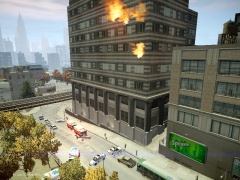 Well damn. Nice pic
 -
I think they are apart of the dumbfuck group.
-
Damn... poor officer. May he never be forgotten. R.I.P
-
Fucking asshole. You gave him an order so he was reaching in and getting it and you fucking shoot him? Fuck you officer.
-
-
Happy birthday
-
seriously... fallow...I seriously am losing faith in the children of today...


