



PimDSLR
Members
-
Joined
-
Last visited
Everything posted by PimDSLR
-
-
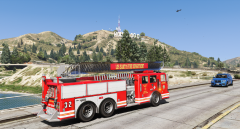 Yes, the ladder is from that. And the model is a modified GTA 5 truck.
 -
-
Working on one with a working ladder.
-
So all the models I uploaded are glasses? Mmmm Btw, he already fixed it.
-
Never had it to be honest. Always works.
-
Well you can do both. I learned it that way and never had any problems
-
Put the glass materials on the bottom, so all the way down on in your material editor.
-
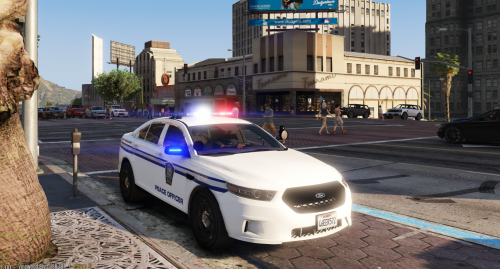 [ELS] 2016 Ford Taurus Liberty FPIS 2016 Ford Taurus Whelen Liberty Thanks to the people who donated to me. It is always well appreciated, it helps. 2010 Ford Taurus SHO by Turn 10 Studios, modified into 2016 Ford Taurus Police Interceptor by OfficerUnderwood Rear bumper, headlamps, & dash by be fast, modified by OfficerUnderwood & Carper Front bumper by Ridgerunner, Grill by Vertex3D, modified by OfficerUnderwood Chassis parts by Ubisoft, Reverse lights by OfficerUnderwood Rims by BxBugs123, Centercap by Carper Single Dashlights Modeled and converted by Bueno Hazard LEDs Made by MooseYTY Soundoff Fascia by SgtGoetz, emis texure by PimDSLR Whelen Inner edge xlp, spotlight with camera scratch modeled by Five0 converted to gta 5 by Five0 Whelen Liberty by F5544 converted to ELS by PimDSLR Skin by RogueThunder L-3 Mobile-Vision Dashcam by Magictrickzz. Wilson by Sketchup by Gump -Orginal creator :ezzerz
- 5 comments
- 2 reviews
-
-

- 7
-
-
Update or delete HeroCop
-
-
-
-
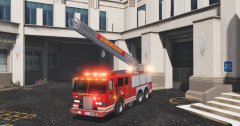
From the album: ELS
Ladder; PimDSLR Script: Fenix2525WOT Fully controllable ladder with num pad. -
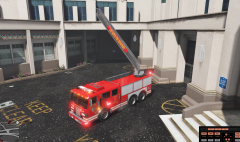
From the album: ELS
Ladder; PimDSLR Script: Fenix2525WOT Fully controllable ladder with num pad. -
-
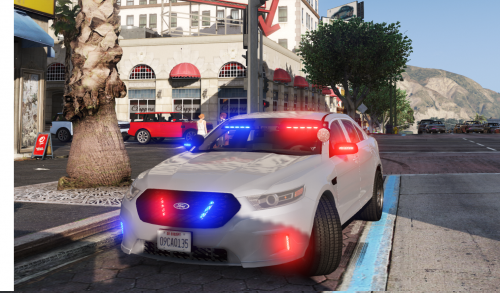 Uum no, read the credits. Soundoff Fascia. Soundoff Fascia. Then don't look at them I would say.
- 47 comments
- 24 reviews
-
-
- 2
-
-
-
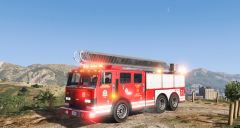 I did that a few hours ago. It looks nice. The ladder is also working so it looks amazing.
 -
-
-
[ELS] 2016 Ford Taurus unmarked FPIS 1.4p 2016 Ford Taurus slicktop Thanks to the people who donated to me. It is always well appreciated, it helps. 2010 Ford Taurus SHO by Turn 10 Studios, modified into 2016 Ford Taurus Police Interceptor by OfficerUnderwood Rear bumper, headlamps, & dash by be fast, modified by OfficerUnderwood & Carper Front bumper by Ridgerunner, Grill by Vertex3D, modified by OfficerUnderwood Chassis parts by Ubisoft, Reverse lights by OfficerUnderwood Rims by BxBugs123, Centercap by Carper Dual/Single Dashlights Modeled and converted by Bueno Hazard LEDs Made by MooseYTY Soundoff Fascia by SgtGoetz, emis texure by PimDSLR Whelen Inner edge xlp, spotlight with camera scratch modeled by Five0 converted to gta 5 by Five0 L-3 Mobile-Vision Dashcam by Magictrickzz. Wilson by Sketchup by Gump -Orginal creator :ezzerz
- 47 comments
- 24 reviews
-
-
- 12
-
-
-
-
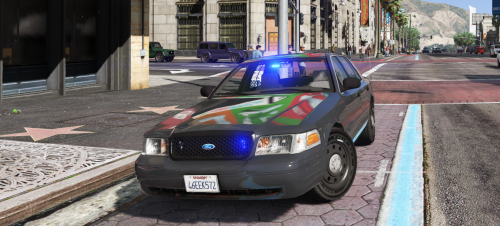 Thanks! 1. The color in-game is the second one in the trainer, it's way more effective true a trainer. 2. I wanted to keep it minimalistic. 3. Trainer also.
- 17 comments
- 10 reviews


