carface
Members
-
Joined
-
Last visited
Everything posted by carface
-
 Oh I didn't know there is a dev section. I don't know how to make template, is it a uvmap for the body?
- 14 comments
- 15 reviews
-
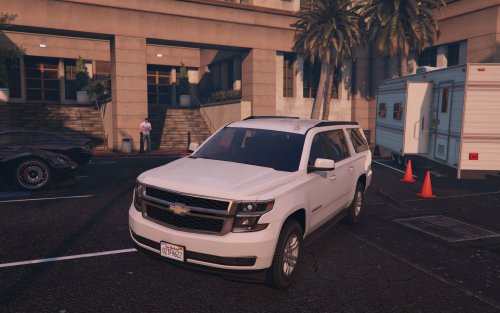
Made entirely from scratch, except for the bull bar. Feel free to turn into emergency vehicle.
- 14 comments
- 15 reviews
-
-

- 35
-
-
My model is always unlock. pm me for pernission though.
-
I just want to try out newer models. Here's BETA version, https://www.mediafire.com/?1r68bccoqjaq2ny I haven't optimized the RPF files yet.
-
Some of the parts are missing because I will make an attempt to incorporate some kind of customization with alternate parts, 2 side mirrors, 2 running boards, 2 grille style. ] As soon as this vehicle is completed, I am looking for some someone who can convert it into law enforcement vehicles (Federal agencies, fire dept, police etc)
-
Some tweaks, modeling is almost done...
-
thanks everyone, here's some interior work..
-
This is my first WIP for LCPD-FR, since my last cars are not suitable for police conversion. I know there are few Suburbans had been running around, but I want to make my own rendition. This made entirely from scratch, using an actual 2016 Suburban for most of the reference photos. It is an LS model and depending on my mood a 3500 HD "appearance" (just wheels and larger side mirrors) I have no experience converting into police models, so I am more likely to pass it to another person.