



Beren
Members
-
Joined
-
Last visited
Everything posted by Beren
-
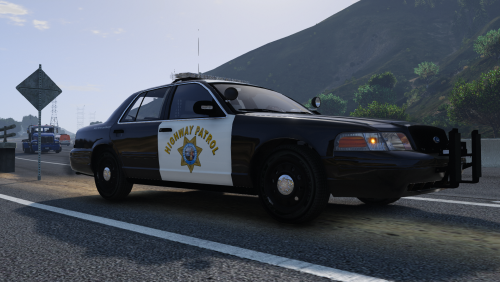 As far as I can tell, Thehurk uses a different Charger template that I'm not familiar with. However, he says that he'll be releasing that template in the next update.
- 44 comments
- 7 reviews
-
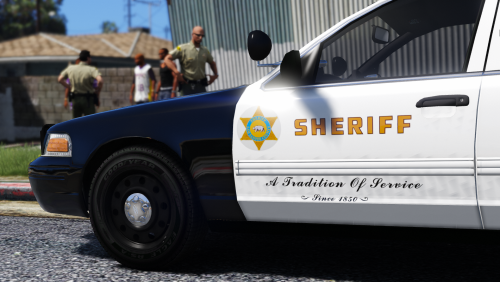 Heh, I did plan on making liveries for that and the Suburban. I didn't have much time because of finals, but lucky for you, the Tahoe is finished. I'm going to attach them here for now since I'm not sure when I'll have the time to get back to finishing the other cars. OfficerWalters' 2013 Tahoe.rar
- 27 comments
- 5 reviews
-
-

- 1
-
-
Crap, you're right. I must have forgotten to include it after all this time... I'm uploading an updated file.
- 44 comments
- 7 reviews
-
The non-ELS one doesn't work? It seemed like it was still using the same template.
- 44 comments
- 7 reviews
-
-
Being ELS or non-ELS shouldn't really have an effect on the textures since it mostly depends on the car model itself and the template it has. I actually use the ELS CVPI and Taurus from that LAPD pack, so you can install them again and it should work fine For the FPIU, you can use the textures inside the "captain14's 2013 FPIU" folder. I'm actually working on the other two. I have the Tahoe finished and packed ,and I'll release it along with the Suburban once I'm done with that one. I just haven't had much time to work on my texture packs lately.
- 27 comments
- 5 reviews
-
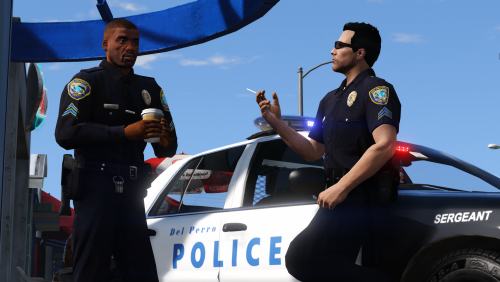 Has he updated it into using the sheriff model? I'll have to check up on that at some point and provide an update. Thanks for bringing it to my attention.
- 37 comments
- 8 reviews
-
-
- 1
-
-
Ah damn, typos... The bane of my existence. Thank you for spotting that, I'll just have your file linked on this page. No need to delete it.
- 27 comments
- 5 reviews
-
-
- 1
-
-
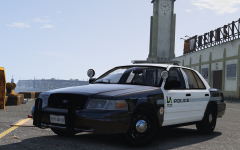 Dude, I've been hoping for that specific Vic that the port police use. I'm loving all of these LA-based vehicles, can't wait.
 -
Of course! Go for it Just being included in the credits is good enough for me. I find myself having less time to make textures after landing a new job, but I'll try to update some of them to fit the new templates.
- 44 comments
- 7 reviews
-
-
- 1
-
-
-
 As I understand it, Thehurk has a new template for his 2016's. I have to update my liveries to the latest one.
- 111 comments
- 23 reviews
-
 Yup, I'm just taking a break before the next quarter of classes starts for me. I'll be back to making textures by the beginning of next week.
- 71 comments
- 16 reviews
-
-
- 1
-
-
Glad you like em, and yeah, I need to update his liveries as he seems to be using a newer template for his models. Sorry I wasn't able to answer you in time, but good to hear you got it working. I don't think I would have known it would be because of that, as the instance of textures crashing games is quite unusual.
- 111 comments
- 23 reviews
-
-
- 2
-
-
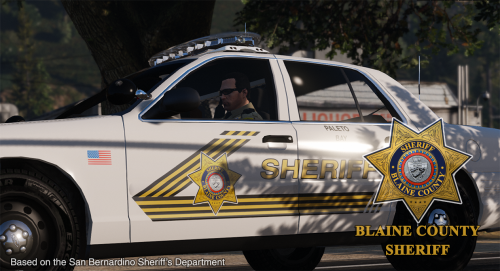 Not yet. The CVPI should work, as the template for F5544 is universal. I'll need to make some for captain14's pack when I get back from the break.
- 32 comments
- 8 reviews
-
-
- 1
-
-
If I recall correctly, that was the FPIS model by TWISTEDSCOPES. I had it linked in the description, but it seems like he took the file down.
- 27 comments
- 5 reviews
-
Unfortunately, I only cover lore-friendly textures. I recall another texture artist was making one for EUP, but that was months ago. Yeah, I don't know why, but the textures for pants come out odd and washed out regardless of how clean I make it or how higher res it is. Out of all the clothing pieces I've worked on, they seem to work differently. They also don't come out the same color I textured them to be ingame... This would only work for the EUP component, as people have different locations for the npc peds. For example, I have all of my peds and car models assembled in my own dlcpack and have their own file names (eg. s_m_y_cop_05, s_f_y_sheriff_03, etc), while someone else will have them separated in different dlcpacks under different file names (s_m_y_coplsia, s_f_y_sheriffblaine, etc). In any case, the way I have it organized for EUP, it's only a matter of selecting all the folders and drag-and-drop them into your EUP dlc.rpf.
- 37 comments
- 8 reviews
-
I'll add it to the list , but I won't be making new textures until I get back from my break around early January.
- 27 comments
- 5 reviews
-
@TrooperTom @CouthInk4 I've started making liveries for those models, but haven't had time to finish them because of finals. But I should be able to get to them by this weekend when I'm done
- 111 comments
- 23 reviews
-
-
- 1
-
-
@Schecter004 Ah, in that case, go into mp_m_freemode_01_mp_m_stunt_01 inside the eup_componentpeds folder and find jbib_diff_002_d_uni.ytd. That's the file for the port police uniform. Just drag that inside "eup_componentpeds.rpf\mp_m_freemode_01_mp_m_stunt_01."
- 37 comments
- 8 reviews
-
@billiarboy Oh, that's odd. I used to have that antivirus until it expired, but it didn't give me any trouble with mediafire. It could be a false-positive, you can try temporarily allowing access just to the links themselves. If not, I can try to provide a different link somewhere.
- 44 comments
- 7 reviews
-
@Schecter004 I'm guessing you haven't used EUP's wardrobe function? When you press F11 or whichever key you have to open EUP's menu, there should be a tab that says "outfit" That's where you get to change individual parts of your character's uniform. As you can see, the numbers correspond to the slots for the model of that particular clothing piece. And I know I've rushed the creation of that readme, as mentioned, but I did intend for the first entry to be an example for the rest: LSPD Motor: Upper Skin - 20 Pants - 33 Texture (T)-2 Top - 150 Texture (T)-2 Some models have multiple textures and those Ts indicate which one to use. I assumed that people have used the outfit editor at least once to have understood what those numbers meant. I still plan on improving the readme as well as add more content when I get back from the winter break.
- 37 comments
- 8 reviews
-
Mediafire? That's the first I've heard of this. Even though I'm relatively new to hosting files on the site, I've been downloading stuff from there for years with no issues. Which antivirus program do you have?
- 44 comments
- 7 reviews
-
I've listed the slots to get the uniform in the readme. You'll have to use EUP's wardrobe.
- 37 comments
- 8 reviews
-
@Schecter004 As long as you replaced their models as well, that should work too.
- 37 comments
- 8 reviews

