


lordvalinar
Members
-
Joined
-
Last visited
Everything posted by lordvalinar
-
plus you'd have to deal with all the steroids and Juicing :P
-
I say amp it up more! The cops need to DESTROY the enemies of the united states (and that includes local litter bugs) :P hehe but also on a serious note, I think its fine the way it is tbh... I think the mod needs more improvement on the older features being implemented with the new. Such as a previous thread mentioneding 0.90 and the suspect going to the car, you open the door and seat them in before taking to a police station, I thought that would be pretty cool... *To add: Also is there a way to 'detain' a suspect? such as those people just sitting in parking lots in their cars or whatever that might seem suspicious, and you 'pull them over' tell them to get out, arrest them, search the car *BOOM found drugs* - upload to evidence :P - then take 'em to jail, =OR= search the car *finds nothing*, release suspect. Just a thought.... back on topic... yeah I stick with my answer above. stay same or MORE aggressiveness :P
-
Generally you'll find most mods at www.gtapolicemods.com GTAInside.
-
Four custom skins for the 2005 Chevy Impala including: *No rambar version but with Cameras *4 skins by me *no dirt visuals if you want an all clean car all the time INSTRUCTIONS: 0.) If none already you can download same impala i used [ LINK REMOVED - Site seems to have gone to something rather unpleasant and not the intended destination >.< ] 1.) Use OpenIV or SparkIV 2.) Open Models>cdimages 3.) Replace the sirenz, 4 imp1_ skins with these ones, windows, and the 2 dirt images with the ones provided (If you wish to leave rambar on, don't replace 'sirenz' If using ELS, the following settings are what I used: > ELSv6 settings: [ NOOSE ] <== or which ever car you put it in Active = 1 Halogen_Only = 0 Color_Light1L = 1 Color_Light2L = 1 Color_Light3R = 1 Color_Light4R = 1 Color_Light7L = 1 Color_Light8C = 2 Color_Light9R = 1 Offst_SLights = 0 > ELSv5 [ NOOSE ] Active = 1 Color_Light1L = 1 Color_Light2L = 1 Color_Light3R = 1 Color_Light4R = 1 Offst_SLights = 0
- 1 comment
- 2 reviews
-
not sure if its been mentioned on the forums, I know unreal said it in his video on the 0.95 beta 1 though.... GPS for your car. Say for example.... you're driving on the beach to drift in the sand and your car is too fast and end up in the water *whistles innocently* Now.. obviously that's unsalvageble.. Next scenario. Say you respond to a suicide guy, you don't react in time and he kills you instead (makes sense don't it? : ) but you have no clue where you were to begin with... >Blue dot lights up your car and on the map. Get into any vehicle to start the GPS to get there. *I know on the main missions and stuff that happens to mission-specific vehicles like "Get in Roman's Car" and if you stop somewhere and get out, the blue dot will highlight his car again. Maybe somehow put that feature in so we can find our car again? ^_^ EDIT: oh and maybe somehow script it to track which one is YOUR vehicle. Like when you start the mod out and you first select your car, assign a variable or however (I haven't looked at GTA's scripting, I just know a little C+ and Ruby) so that it sets that car for the GPS. If you end up loosing it (like in the water) then the variable is reset to "0" or whatever, and next car you get in, the variable is set to THAT car next...?
-
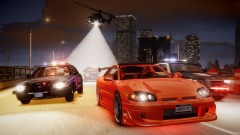 I know there's street racing cars .... but I wonder if GTA has an actual street racing mod (like those racing events in the campaign, to randomly have racers in LCPDFR... hmmm..) oh yeah... sweet pic too btw :P
 -
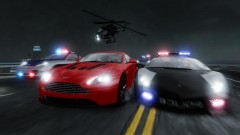 *in borat tone* "Very nice..."
 -
Vegas would be cool too ^_^
-
lets also not forget one of the best 3+ CD games of all time ppl... FF7?! :P A 4CD GTA5 would be worth it to me ^_^
-
+1 to the SA, VC and LC settings... that would be awesome to go to all 3 :D
-
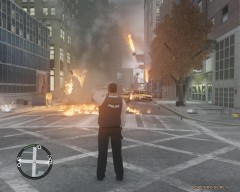 My limit must be very low then... I usually blow everything up if just one pedestrian looks at me wrong (now for hire at any local PD near you ^_^)
 -
video was really dark... but for a serious comment: about the guy running the red light at the beginning.. YES YOU CAN! You can pull him over, get out, shoot him in the head... "accidently" of course, then take your prisoner to the station ^_^ Violence solves everything. Otherwise good video, I like the mods (which one is the rifle on your back though?),
-
can't wait ^_^
-
lol your vids are still entertaining :) and to fix the invisibility thing, I found sometimes walking into a police station will restore your appearance, or keep hitting Alt+P to go off duty to get Nico back, then start the mod over again... at least these are the only ways I found to fix it. *didn't know about the debug menu though :\ haha
-
I refuse to believe it is leaked. LCPD FR is too godly to be leaked :P
-
@shawn, you using a crown vic or impala? I found a '06 impala but its using the default gta4 lightbar (which.. personally I dislike). and trying to get that straight lightbar on it, or find an impala with a straight lightbar already on it. red/blue, blue/blue, don't matter to me (preferably blue/blue). So I guess what I'm asking is, if you have an impala model with the lightbar on it, can I get it from you? ^_^ or a push in a direction for a mod guide? (which..... probably a noob question right there as I have a feeling there is a sticky or link somewhere on this forums that someone is going to point me to and I will feel really dumb, lol but its all good :P)
-
EDIT2: Disregard all I posted last.. found the unmarked vic, light colors in the ELS mod, and all that groovy gravy. Keep up the good work guys, look forward to the next release ^_^


