



waihonlam1994
Members
-
Joined
-
Last visited
Everything posted by waihonlam1994
-
You need to download and install GTAIV patch version 1.0.7.0 for it to work. Available here: http://support.rockstargames.com/entries/484496-grand-theft-auto-iv-patch-7-title-update-v-1-0-7-0-english-1-0-6-1-russian-1-0-5-2-japanese
-
Did you not bother searching in the LCPDFR Support section...?! It's right at the top of the page...
-
What are your system specs?
-
You need to download GTAIV Patch version 1.0.7.0. LCPD:FR WILL NOT work without it!
-
May I point you to HERE:
-
*A-hem!!!*
-
-
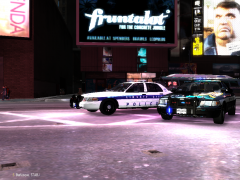
From the album: Personal Cruiser Textures.
-
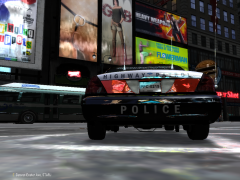
From the album: Personal Cruiser Textures.
-
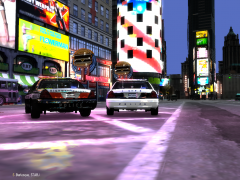
From the album: Personal Cruiser Textures.
-
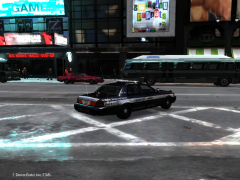
From the album: Personal Cruiser Textures.
-
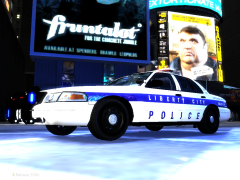
From the album: Personal Cruiser Textures.
-
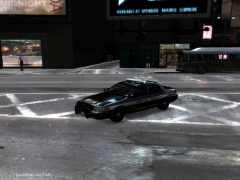
From the album: Personal Cruiser Textures.
-
Start menu on your taskbar of your OS....
-
In you start menu type DXDIAG in the search box then use dxdiag.exe.
-
DO NOT bump threads like this, it only annoys other people!
-
Are you using the original GTA IV or Episodes from Liberty City?
-
Errr, didn't even know that 1.0.7.6 existed?!!
-
ELS cars are known to crash due to the fact they are usually high-poly models and with the way that ELS works to make the lights flash, (it makes the vehicle regenerate every second!) it takes up a lot of RAM. Try using the default vehicles if ELS is making your game unstable, or use non-ELS vehicles. Alternatively, you could try out ELS v5.
-
If you're training you should be able to understand that it's spelt "Delaware".... First download and install LCPD:FR found here: . Make sure you have your game patched to 1.0.7.0 and you have net framework 4.0 installed. For some emergency vehicle mods you can either find some in the Downloads section and/or head to www.gtapolicemods.com.
-
Well wait till someone does......
-
Post a new topic. Don't hijack threads.
-
Rest in Peace to the State Trooper. I hope the injured parties get well soon.
-
I could be mean and post McRolled 2 & 3.... :smile:
-
You watched it all because curiousity got the better of you! Addicting right?:P


