


TheTurtleGuy
Members
-
Joined
-
Last visited
Everything posted by TheTurtleGuy
-
Hello, I come in peace ^_^ I see you have some issues, I have a tip for you... Only install one mod at at time, and only after mastering your first mod.... Then move on towards your next one... Figuring out which keys (controls) work for you takes time, and comes with trial and errors... After reading your top 2 issues it's looks like you have your keys (controls) conflicting one another, you need to go back to the stock LCPDFR.ini setup and understand what each key does and write it down and try to program them accordingly without conflicting them, also to note if your using a controller along with the key board which everyone does , DONT have both (keypad & xbox controller) working for 1 TASK, thats can cause a Lag along with conflicting issues, Second for the X phone icon in the lower left corner could mean you need to complete your (Status Update) you can only do this by knowing your keys (controls) that's why I recommend you going back to the stock controls and understanding them, while reading the LCPDFR control manual to know what does what. If you are able to post a Clear picture of your LCPDFR.ini controls, we might be able to clear out some of your problems. If your unable to do that then follow the tips I have for you Above, and below.. Install only LCPDFr 1.0c mod with your clean/fresh GTA installation and master the stock controls ^_^ Then you can start adding other mods.... One At A TiME ^_^
-
That's really good to know, once again thank you for sharing this ^_^
-
Wow dude!!! Thanks for sharing this..... All this time I had that software and never knew. I bought banicam too but it crashes my enb..... Does this gtx work well with ENB
-
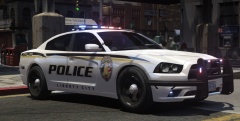 5/5 keep it coming mannnn!! ^_^
 -
-
-
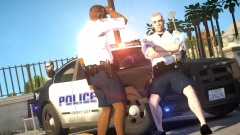 Nice...
 -
 Copy that Sir, and sry for reasking a Question , I should have looked into it before asking.. Great mod anyways, and keep up the Great, hard work.. 5/5 ^_^
- 25 comments
- 4 reviews
-
-

- 1
-
-
you've got my download because its from STPaul, I wish you would have used there lastest model light bar.. made next time..?? but your skin is right on point IMO. 5/5
- 21 comments
- 3 reviews
-
-
Great Job and awsome mod... I was wondering does this mod hold true for having a squad car and not just a motorcycle follow you around, like say its your supervior (going through FTO or just a back up assist)
- 25 comments
- 4 reviews
-
Ohhhh Snaps!!! Nice JOB again and thank you for sharing this with us. ^_^ 5/5
- 25 comments
- 7 reviews
-
-
- 1
-
-
-
I too have this issue, I figured it out before but now I forgot what I did, I will keep you posted on what I find out.. your not alone.
-
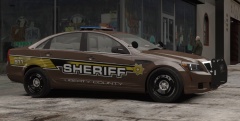 This Is the best Chevy Caprice Ive Seen!!!! Great Skin!!!... ^_^
 -
-
Hey, nice model, I see that you put a lot of effort into it, keep it up. I agree with most of everyone's feed back on here (good&bad). I really like your light setup (all of it) but I don't like the fog lights and mirror turn signals, as well as the hood scoop.... I think your creativity threw everyone for a loop on that one. ^_^ keep up the good work . I will also download this when It feels more like a squad car and less like, well this.... Anyways 3/5 for your hard work!!
- 25 comments
- 5 reviews
-
-
-
hey, great work!! I have a question, so do i use vanila gta iv(peds.ide, pedVariations.dat, ect..) or do i have to edit them when adding these new peds.??
- 8 comments
- 2 reviews
-
thanks for responding guys/girls... I hear what your saying, but when I've read through the manual installation guide, it stated that you are able to fix this issue by followinbg the steps given by Sam's post... I am only responding to that guide with questions and looking to see if i have done something wrong. so if your able to reread my post and help out that would be great..
-
Hello Gamers, I Have issue with the Taser.... I have tried to solve this problem with no luck... I have made attempts to manually install the Taser; removing, AdvancedHookInit.asi, I manually installed definitions.ide to default.ide along with gat.dat, default.dat, images.txt and also I added “texts” from the WeaponInfo file given by pc/lcpdfr folder to the common/data/WeaponInfo…. oh yeah and I maually installed the LCPDFR_taser.wdr/wtd files to pc/models/cdimages/ as well as installing them to pc/models/cdimages/weapons, using OPENIV installer. I get inside the game I forceduty and upholster my Taser (It WORKS) the issue I have is when I quite the game, It crashes to the desktop… I fixed this issue before but unable to do it again… Please help. p.s. this happens when I do a fresh (automatic/manual) install on just GTAIV & LCPDFR1.0C (with no other mods) side-note: I have all of the latest downloads given in the support threads for this topic... and I run everything that you can run under Properties/Compatibility/Windows7/Run as an Administrator, I also use Xlive... LOGS posted,
-
-
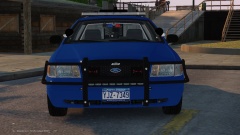 maybe leave out the "wrap-around-bar",it looks better with just the standard push-bar to me.
 -
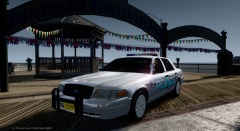 Download Link??

