


matthias9278
Members
-
Joined
-
Last visited
Everything posted by matthias9278
-
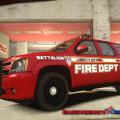 don't know if you realized or not but in the video the words keep back on the back of the suv
- 12 comments
- 3 reviews
-
-
car looks good few things though. the crime stoppers logo should be higher on the rear fender. the district number (b-2) should be a little bigger and the car model is wrong for the paint scheme push bumpers are only on special operation cars and in that case there would be no district number and no crime stoppers logo. Also u used the old lettering from the late 90s early 00s and the plate and lights are wrong Massachusetts don't use red lights on there police cars they are all blue
- 8 comments
- 3 reviews
