


1997chevyboy
Members
-
Joined
-
Last visited
Everything posted by 1997chevyboy
-
You need to attach your extras together, extra_1_L0 to extra_1_L0, then extra_2_L0 to extra_2_L0 and so on!
-
Also this is another it could have been! '?do=embed' frameborder='0' data-embedContent>>
-
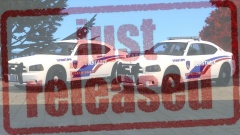
From the album: Final W.I.P's
Available NOW! https://www.lcpdfr.com/files/file/7166-2010-dodge-charger-hctx-constable-pct-4-units/ -
Here are the first two Harris County TX. units im releasing. Everyone i hope you enjoy them as much as i did making them. (Please RATE and Comment if you want to see more content soon!) https://www.youtube.com/watch?v=5qGwkHcRQ-s
- 12 comments
- 3 reviews
-
I just noticed you have your light colors on the wrong side. Blue on the right and red on the left, other than that awesome job bro! 5/5
- 14 comments
- 5 reviews
-
-

- 1
-
-
Im not 100% shure but it looks like savior enb! '?do=embed' frameborder='0' data-embedContent>>
-
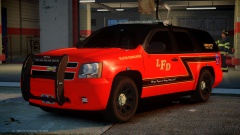
From the album: Final W.I.P's
There will be 3 different Fire/EMS tahoes. Marked Command Unit Fire Inspector Slicktop Battalion Unit ​Skin by BErad1502 -
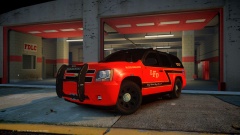
From the album: Final W.I.P's
There will be 3 different Fire/EMS tahoes. Marked Command Unit Fire Inspector Slicktop Battalion Unit ​Skin by BErad1502 -
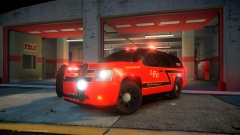
From the album: Final W.I.P's
There will be 3 different Fire/EMS tahoes. Marked Command Unit Fire Inspector Slicktop Battalion Unit ​Skin by BErad1502 -
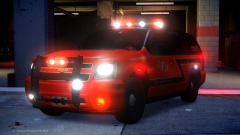
From the album: Final W.I.P's
There will be 3 different Fire/EMS tahoes. Marked Command Unit Fire Inspector Slicktop Battalion Unit ​Skin by BErad1502 -
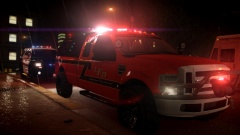 First off its a vapid sandking brush bumper and winch! Second we dont use brackets and mounts over here, we use that JB Weld son! LOL Anyways awesome work so far man, you have many creative bones in your body, just keep it up!
 -
-
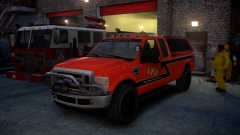 They aint ready!
 -
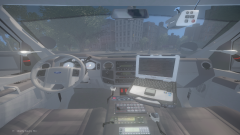 Looks damn good!
 -
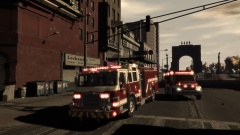 Really nice!
 -
-
Let see your extra's, open all of your extra's!
-
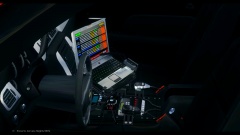
From the album: Final W.I.P's
There will be 3 different Fire/EMS tahoes. Marked Command Unit Fire Inspector Slicktop Battalion Unit ​Skin by BErad1502 -
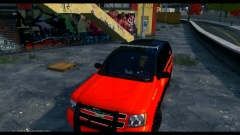
From the album: Final W.I.P's
There will be 3 different Fire/EMS tahoes. Marked Command Unit Fire Inspector Slicktop Battalion Unit ​Skin by BErad1502 -
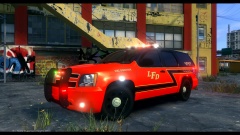
From the album: Final W.I.P's
There will be 3 different Fire/EMS tahoes. Marked Command Unit Fire Inspector Slicktop Battalion Unit ​Skin by BErad1502 -
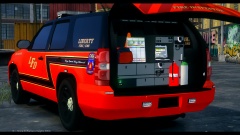
From the album: Final W.I.P's
There will be 3 different Fire/EMS tahoes. Marked Command Unit Fire Inspector Slicktop Battalion Unit ​Skin by BErad1502 -
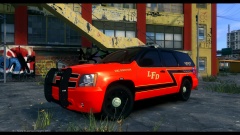
From the album: Final W.I.P's
There will be 3 different Fire/EMS tahoes. Marked Command Unit Fire Inspector Slicktop Battalion Unit ​Skin by BErad1502 -
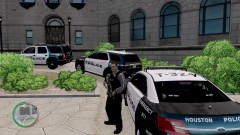 It never was released, so there is no link sry!
 -
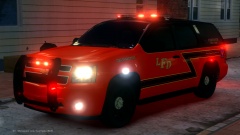 Most likely i will release it when i finish the other 2 units!
 -
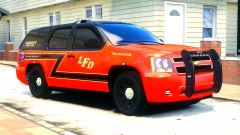
From the album: W.I.P
There will be 3 different Fire/EMS tahoes. Marked Command Unit Fire Inspector Slicktop Battalion Unit ​Skin by BErad1502


