


1997chevyboy
Members
-
Joined
-
Last visited
Everything posted by 1997chevyboy
-
-
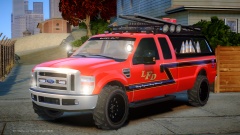 Gta default from the firetruck!
 -
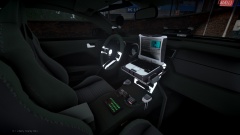 Looks awesome, but 195K WOW!
 -
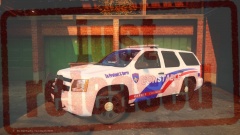
From the album: Final W.I.P's
DOWNLOAD NOW- https://www.lcpdfr.com/files/file/7204-2008-chevy-tahoe-hctx-constable-pct-4-patrol/ -
Here is the first Harris County TX. Tahoe unit im releasing. Everyone i hope you enjoy them as much as i did making them. (Please RATE and Comment if you want to see more content soon!) https://www.youtube.com/watch?v=NfyrmU-5rR8
- 17 comments
- 2 reviews
-
-

- 1
-
-
-
-
-
Yeah i noticed that after i put 2 and 2 together LOL , and the spotlights arnt a flat texture! They do have a cone shell mounted on brackets, which attaches all 3 spotlights together. Now what is a flat texture is the spotlight glass, i assume this is mainly what your talking about. Also thanks for the feedback!
-
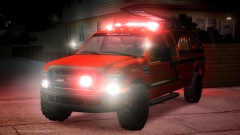 They shure are, there from the sandking!
 -
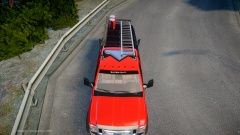
From the album: W.I.P
Model made by BErad1502, dual colored valor and mapped spotlights / model fixes done by myself! -
?
-
![[WIP] PHFD V1.0](//s3-gallery.int-cdn.lcpdfrusercontent.com/gallery/album_722/sml_gallery_3386_722_237623.jpg) Damn man killin them boy's!
Damn man killin them boy's! -
From the album: W.I.P
Model made by BErad1502, dual colored valor and mapped spotlights / model fixes done by myself! -
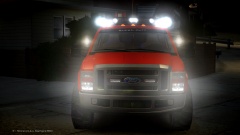
From the album: W.I.P
Model made by BErad1502, dual colored valor and mapped spotlights / model fixes done by myself! -
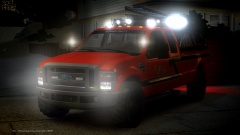
From the album: W.I.P
Model made by BErad1502, dual colored valor and mapped spotlights / model fixes done by myself! -
From the album: W.I.P
Model made by BErad1502, dual colored valor and mapped spotlights / model fixes done by myself! -
 Awesome job, looks great!
 -
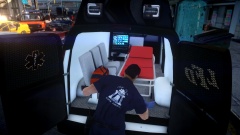 Me wanna touch!
 -
-
 10-4 awesome and np man.
 -
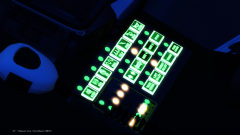
Looks good but you may want to tint the png so that the lights on the console arnt so bright when using a ENB!
-
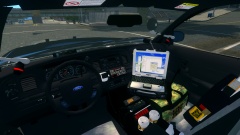 WOW just WOW, i swear ima break something if i keep falling out of my chair like this!
 -
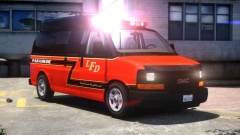 Beast mode, i swear this skin looks good on anything!
 -
Thanks, and do you mean the k-9 is in the patrol zip and the patrol is in the k-9 zip?
- 12 comments
- 3 reviews

![[WIP] PHFD V1.0](http://s3-gallery.int-cdn.lcpdfrusercontent.com/gallery/album_722/sml_gallery_3386_722_237623.jpg)
