


t4d4.m4
Members
-
Joined
-
Last visited
Everything posted by t4d4.m4
-
I found a fix..it works for me at least :)....I assume you guys are using the Xlive(less) instead of Dsound.dll. Simply add (keep xlive also) the Dsound.dll into the game's root folder and it doesn't crash anymore.
-
I can confirm that it is indeed the AdvancedHook that causes the crashes. Can you think of a workaround maybe?
-
Exactly what do you mean by moving it? :)
-
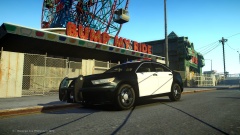 Dat rambar..definitely release!
 -
Im sorry to say this, but it is not...I dont know if Im the only one or something..beats me... but this is the first time I have ever had problems with any of your models... In 2.0. the only ELS texture that is visible from distance (fixed) is the right headlight (extra 5)..all others still dissapear (looks kinda funny if you think about it) (P.s. I am regarding the slicktop..I havent tried the other one, but I doubt there would be any difference as you probably mapped them the same.
- 21 comments
- 8 reviews
-
-
Great job NB..as always!...The slicktop is easily the best one out there. But I seem to be getting this distance model problem, where the lights and many other model details dissapear at a very small distance already. I dont see any other complaints about this, but I surely cant be the only one, right? Possible fix?
- 21 comments
- 8 reviews
-
In what way do they not work properly?..elaborate on that please, cause I find it really odd and it could be just a simple fix.
-
He is not referring to the LCPDFR lightning modes, but the ELS ones.. You should just change the key ELS and LCPDFR bindings to be different from one another in order not to trigger the ambulance response: - Either change ELS bindings to ALT+E instead of current Ctrl+E OR - Change LCPDFR ambulance hotkey to Ctrl+E instead of current ALT+E As for the crashing...you probably have a modded Ambulance model, which overhelms the system, causing a crash... EDIT: why wouldnt they work properly with ELS 7? The models are essentially configured in the same way, because both v7 and v6 use the same extras for the same functions (1,2,3,4 - primary lights; 5,6 - takedown;, 7,8,9 - secondary)..the code is just `a bit´ different.
-
Oh Okay...I just tried what you suggested there...did not know it turned out to be a different error xD...will do that in a minute Okay guys!...I do not know what the f I just did..because all I did was reinstall LCPDFR like the 100th time (everything by the same procedure) and now it seems to work...even tried a pursuit and several options and no crashes...so yeah,, IT WORKS! Thanks all of you :D But I did seem to notice that the F9, F10, F11 and F12 functions did not work when not arresting a person but trying other options like detaining etc. I will now try incomplementing other scripts and see if everythink works mutually as it should (fingers crossed) I really want to thank you all for the support (didnt expect it to be so quick after every post)...you guys really are amazing...hats of for your time and dedication! On behalf of everyone here on lcpdfr..Thanks!! So if I can summarize to all of you, still having isuues... as one would imagine...starting from the begining with a fresh reinstall of IV and Lcpdfr and then gradually building from there will do the trick 99%...I know this has been said a million times already but its true..and it actually takes less time than spending hours figuring out what is wrong...good luck :D
-
Uhm...no, You told me to try that solution..I just did what you told CarsonCopDrum to do in that thread...delete the Usage.dat file..
-
Tried it..I deleted both Usage.dat and Usage.dat.tmp..p.s. they were both 0kb in size.....I also used the original .INI....still same error :) Also...latest .log info just in case: ------------------------ [iNFO - 6:11:01 PM] [Log] Started [iNFO - 6:11:01 PM] [Main] Main: Initializing... [iNFO - 6:11:01 PM] [Main] Main: LCPDFR Engine © 2011-2013 LMS [iNFO - 6:11:01 PM] [Main] Main: DO NOT USE THIS WITHOUT PERMISSION. YOU MAY NOT SHARE, MODIFY OR DECOMPILE THIS FILE. [ERROR - 6:11:02 PM] [] System.Reflection.ReflectionTypeLoadException: Unable to load one or more of the requested types. Retrieve the LoaderExceptions property for more information. at System.Reflection.RuntimeModule.GetTypes(RuntimeModule module) at System.Reflection.RuntimeModule.GetTypes() at System.Reflection.Assembly.GetTypes() at freval_0.eval_fr0(Type A_0, Assembly A_1) at freval_0.eval_fr1(Type A_0) at freval_10.eval_fr0() at LCPD_First_Response.Engine.Main.eval_fr4() at LCPD_First_Response.Engine.Main.fr3() ------------------------ [iNFO - 6:16:12 PM] [Log] Started [iNFO - 6:16:12 PM] [Main] Main: Initializing... [iNFO - 6:16:12 PM] [Main] Main: LCPDFR Engine © 2011-2013 LMS [iNFO - 6:16:12 PM] [Main] Main: DO NOT USE THIS WITHOUT PERMISSION. YOU MAY NOT SHARE, MODIFY OR DECOMPILE THIS FILE. [ERROR - 6:16:12 PM] [] System.Reflection.ReflectionTypeLoadException: Unable to load one or more of the requested types. Retrieve the LoaderExceptions property for more information. at System.Reflection.RuntimeModule.GetTypes(RuntimeModule module) at System.Reflection.RuntimeModule.GetTypes() at System.Reflection.Assembly.GetTypes() at freval_0.eval_fr0(Type A_0, Assembly A_1) at freval_0.eval_fr1(Type A_0) at freval_10.eval_fr0() at LCPD_First_Response.Engine.Main.eval_fr4() at LCPD_First_Response.Engine.Main.fr3()
-
I reinstalled c++ and .NET framework, rebooted the computer and I still get the same loader.loader error upon start. Any other ideas?
-
Ok, I will try reinstalling these...do you think that GFWL update is required given I use the xlive, which disables it?
-
Ok, so now I installed LCPDFR (only) on a fresh install...and the same error/crash occurs when starting the tutorial as well as on the street when pressing E on a person...furthermore..the last two times I got a loader.loader error upon starting the game. New .log files included LCPDFR.log AdvancedHook.log AdvancedHookInit.log Moreover..do you think that having a different .NET framework or asi loader could cause these crashes...I mean..would it allow the script to even start or would that just crash the game upon start?
-
Yeah I know...this was my next move...but just wanted to see if there is something else you might figure out before i got to that...but will do.
-
Yes it is the latest patch and a legal copy..also running as admin There are plenty, as you can see in the ScripthookDotNet file. I have ALPR.net; GtaPolicingTools.net; POE.net; TrafficFlow.net; vdH´s K9, PoliceHelper and TowService, vpCallouts.net; VehicleSpeedControl.net Additionally: Cars and peds mods, ELS, trainer, and SirenTool.asi I know about the ped mos issue... but peds dont seem to crash the game when changing components :)
-
Hi! I can not seem to find what is causing my crashes and need help from you guys Ok, first crash occurs when starting the tutorial and pressing E at the suspect..it crashes immediately (first few errors in the LCPDFR.log) So I then skipped the tutorial, hoping it would not crash otherwise..but.. Next one happened while on a stolen vehicle call...when approaching the designated area the game crashed (last error)...note that this was the very first thing I did with LCPDFR. I have uploaded all the logs, just in case, but the errors are only listed in the LCPDFR.log as far as I see.. Thanks guys! LCPDFR.logAdvancedHook.logAdvancedHookInit.logScriptHook.logScriptHookDotNet.log
-
Just one question..where is the texture for the white lights on the rambar located?..I want to make em a bit brighter, just to give them a bit more "umph"...but cant seem to pinpoint where the texture is. Thanks P.s. Great pack!..especially the rambar..love it!
- 27 comments
- 7 reviews
-
Just wanted to check in and to remind that if this one worked it would be the best car currently available imo...Please fix cause it really is awesome!
- 43 comments
- 19 reviews
-
 Just change the GTA controls in-game.. H is the default game button to turn the headlights on/off
- 534 comments
- 206 reviews
-
First of all..That is why the controls are configurable in the. ini file so you can change them by Yourself so that they dont overlap. And secondly, if you cant understand what any of it means its your problem...Caine wrote the whole 18 pages of the USER GUIDE for a good reason!!...
- 534 comments
- 206 reviews
-
-

- 1
-
-
They arent lost... the only difference is that in v7 all the primary patterns are under one letter - E, which now holds approx 80 patterns. Which is better imo as all you have to remember about a specific pattern you like is the number... so its easier/faster to find. If you look closely in the latest vid the old X patterns are ranged from E-35 through E-39. (all the old A, B, C, D, E and X patterns are in the same order, just named differently)
-
I was just wondering... I noticed that the takedowns flash at a much slower rate than in current versions....is there a setting in the .ini to control the speed? Because I quite like the flash rate on current versions. I know that it is because some people have complained about takedowns flashing too fast in current versions thus not looking realistic but I think that the ones in the vid are waaay too slow. So by making a setting in the .ini everyone could be happy, right? :P Otherwise... it looks just awesome.. cant wait to beat on that bullhorn :D
