Gamer040NL
Members
-
Joined
-
Last visited
Everything posted by Gamer040NL
-
-
-
-
-
-
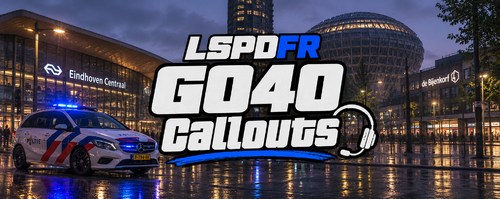 G040Callouts is a brand-new, diverse callout pack for LSPDFR featuring 40+ unique and realistic scenarios across Los Santos and Blaine County. Designed with customizability and ease of use in mind, it comes with a built-in in-game configuration menu so you can tailor your patrol experience on the fly. ✨ Key Features 40+ Varied Callouts: A wide mix of traffic incidents, violent crimes, drug-related offenses, and public disturbances. Built-In In-Game Menu: Easily enable or disable individual callouts and customize your menu keybind in-game without restarting GTA V (default key: F7 — customizable in-game or via .ini). Automatic Config Generation: Automatically generates and updates G040Callouts.ini with all available callouts. Lightweight & Optimized: Built for smooth performance during long patrol sessions. 📋 Included Callouts Abandoned Vehicle (Achtergelaten Voertuig) High-Speed Pursuit (Achtervolging in Actie) Aggressive Dog (Agressieve Hond) ANPR Stolen Vehicle (ANPR Gestolen Voertuig) Bank Robbery (Bankoverval) Panhandler on the Street (Bedelaar op Straat) Nightclub Security Incident (Beveiliging Nachtclub) Confused Person on the Road (Confused Person on Road) Failure to Stop / Pursuit (Doorrijden na Tanken) Drone Disturbance (Drone Overlast) Illegal Drug Waste Dumping (Drugsafval Dump) Drug Deal in Progress (Drugsdeal) Drunk Lawnmower Driver (Dronken Grasmaaier) Stolen Tanker Truck (Gestolen Tankwagen) Stolen Garbage Truck (Gestolen Vuilniswagen) Noise Disturbance (Geluidsoverlast) Stolen Ambulance (Gestolen Ambulance) Stolen Police Vehicle (Gestolen Politievoertuig) Fallen Object on the Road (Gevallen Voorwerp op Straat) Suspicious Found Object (Gevonden Voorwerp) Hostage Situation (Gijzeling) Illegal Street Race (Illegale Straatrace) Robbery / Assault (Kopschoppen / Beroving) Fake Police Officer Traffic Stop (Nep-Agent Staandehouding) Jewelry Store Robbery (Overval Juwelier) Traffic Incident / Accident (Verkeersongeval) Weapons Transport (Wapentransport) Store Theft (Winkeldiefstal) 📦 Requirements LSPDFR 0.4.9 or higher RagePluginHook (latest version) RAGENativeUI (required for the in-game configuration menu) 🛠️ Installation Download and extract the .zip archive. Drag and drop the Plugins folder directly into your main Grand Theft Auto V directory. Launch GTA V via RagePluginHook and go on duty. Press your configured menu key in-game to open the G040Callouts settings menu. 🔔 Updates & Support Click Follow on this file to get notified about upcoming updates! Join the discord! discord.gg/gamer040nl