
JaeDesigns
Members
-
Joined
-
Last visited
Everything posted by JaeDesigns
-
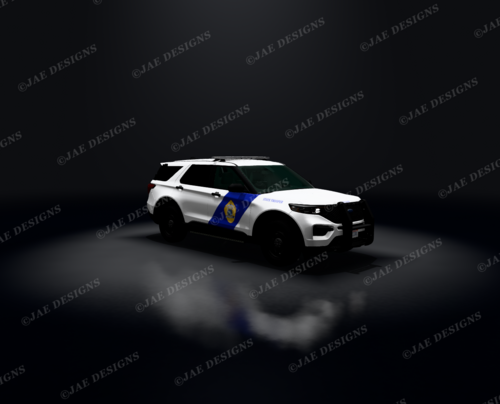 Single Vehicle Alaska State Trooper Vehicle FITS 2021-2025 GM FPIU Vehicles JAE DESIGNS — FREE RELEASE This asset is provided free of charge for personal and non-commercial FiveM community use. All original creative rights remain with JAE Designs. You MAY: Use it on your FiveM server. Share the official download link. Showcase it in your community. You MAY NOT: Resell or redistribute the files. Rebrand or claim the work as your own. Include it in paid packages. Remove creator identification. Reupload the asset without written permission. All releases are non-exclusive. JAE Designs retains the right to reuse, modify, distribute, and commercially offer its original designs. Downloading or using this asset constitutes acceptance of the JAE Designs Free Release Terms of Service. Created by JAE Designs.