- 6 downloads
- Version 1.0.0
LIVING WORLD AI Artificial intelligence becomes part of Los Santos. GTA V • LSPDFR • 1.0.0 Beta DISCORD — SUPPORT & NEWS • DOWNLOAD PLAYER2 Living World AI is a mod for GTA V and LSPDFR that integrates artificial intelligence into the game world: character behaviour, reactions to events, player interactions, dispatch operations and callout scene progression. The project's goal is to make the Los Santos you know feel more alive, responsive and rewarding to explore. People on the street develop personalities and their own attitudes toward what's happening. They draw on information available to them, remember interactions within their current session and can react on their own to danger, an officer's actions and nearby events. Witnesses, drivers and suspects become participants with their own perspectives. Your words and actions give them new reasons to make decisions and act. AI connects different parts of police work: conversations, calls for service, interpreting a scene and coordinating assistance through dispatch. Other mod authors can supply their own event information and character knowledge through the API, expanding the world that Living World AI can interact with. Voice conversations, autonomous NPC reactions and callout integration are all parts of that project. An optional vehicle physics module adds to the driving experience, while the settings let you choose the features that suit your game. ━━━━━━━━ ◆ ━━━━━━━━ 1. CONVERSATIONS ON PATROL Approach a character, hold the talk key and speak in your own words. Ask what happened, interview a witness, explain a traffic stop or ask a driver to step out of their vehicle. You can also speak with emergency service personnel. NPCs develop personality traits, an attitude toward the police and a speaking style. These details and their conversation history remain part of their current session and inform later responses. A character may cooperate, argue, become nervous or refuse: their reaction depends on the situation and personality as well as your latest words. Conversations connect to gameplay. Depending on the situation, supported actions include leaving a vehicle, following an officer, raising hands, responding to driver instructions and other interactions. Available actions depend on the character's state and the Policing Redefined integration. NPC voices play from their position in the game world, with direction and distance affecting what you hear. HRTF is available for headphones, and voice volume and speech speed can be adjusted in the menu. ━━━━━━━━ ◆ ━━━━━━━━ 2. WORK WITH DISPATCH BY VOICE The radio has its own push-to-talk key. Report your situation, request assistance, run checks and respond to calls using natural speech. Dispatcher features include: Announcing callouts and accepting or declining calls through radio conversation. Tracking unit status and changing your callsign. Running a person by name, a vehicle plate or a VIN when the game situation allows it. Requesting backup, towing, prisoner transport and other available services. Supporting pursuits with appropriate units and available tactical actions. Setting a route to a station, hospital or jail. Contacting the officer again when a follow-up is needed. Hughes, Reyes, Walsh and Brooks are included, each with a distinct voice and communication style. Choose a dispatcher or use automatic shift changes. Dispatch initiates a greeting when you go on duty, and dispatchers hand over the desk when their shift changes. Radio processing, channel noise and radio cues can be adjusted separately from NPC voices. By default, you have 30 seconds to answer a callout announcement; the timer starts after the announcement finishes playing. ━━━━━━━━ ◆ ━━━━━━━━ 3. NPCS REACT TO WHAT HAPPENS Characters do not always need a question to react. The system tracks confirmed game events and checks whether a particular NPC could have noticed them. Possible triggers include a weapon aimed at someone, an injury, a search finding, nearby violence, a dangerous traffic incident, gunfire, an explosion, a vehicle associated with the NPC being towed, or a crash during a pursuit. Depending on the situation, a character may speak, perform an available action or remain silent. An NPC can also contact the officer again later if a follow-up question arises during the interaction. Event categories can be enabled or disabled in the settings. ━━━━━━━━ ◆ ━━━━━━━━ 4. CONFIGURABLE MODULES Callout reading The mod attempts to extract information from third-party callouts: who is a witness, suspect or caller, and what the people at the scene know. This context is then used in conversations. This is automatic interpretation. Callout authors implement their scenarios differently, so accuracy and coverage depend on the individual callout. The module can be disabled independently. Callout scene handling This module helps connect conversations to scenario progression. It identifies some expected button inputs from callout prompts, performs the corresponding transitions and can finish a resolved scene. Supported scripted dialogue can be passed into NPC context. Like callout reading, this feature depends on how a callout is implemented. Disable it to use the original author's buttons and prompts when progressing through the scenario. Vehicle physics A separate module adjusts grip, suspension behaviour, body roll and vehicle damage. Dynamic grip accounts for road surface, weather and speed, while increased damage scales with driving speed. The module also limits arcade-style body control while airborne or when the front axle loses support. Vehicle physics is enabled by default and can be turned off in the in-game menu. The technical parameters are already configured; manual tuning is not required to start playing. ━━━━━━━━ ◆ ━━━━━━━━ 5. LANGUAGES AND INTERFACE The interface supports English, Russian and Chinese. AI response language is selected separately: choose the language of an available localization or enter a custom language name. Voice delivery instructions follow the selected response language as well. Recognition and pronunciation quality depend on Player2's language support. The menu includes key rebinding, voice and radio settings, dispatcher selection, NPC reaction categories and module toggles. Lists support mouse-wheel scrolling and a draggable scrollbar. Interface elements can be repositioned. The optional NPC Vision feature uses Player2 to analyse a screenshot of the monitor on which the game is running. It is disabled by default. Normal conversations and reactions to game events work without enabling it. ━━━━━━━━ ◆ ━━━━━━━━ 6. COMPATIBILITY AND DEVELOPER API Other mods can supply Living World AI with their own information: a particular NPC's role, facts that character knows, changes at a scene or information intended for dispatch. For example, a gas station mod can tell a specific character that they work there, while a callout can give a witness only the facts they actually observed. Callouts with direct integration can declare LivingWorldAICompatible = true. These callouts automatically bypass generic reading and automatic scene handling; their developer supplies context through the API. Players do not need to disable reading for other callouts. The flag itself supplies no information: the integration must publish the relevant facts. The package includes DEV.md in English and Russian, plus an optional integration example in sdk/OptionalIntegration.cs. ━━━━━━━━ ◆ ━━━━━━━━ 7. REQUIREMENTS AND INSTALLATION GTA V with RAGE Plugin Hook and LSPDFR. Policing Redefined — required. Install all of its dependencies, including RageNativeUI. Damage Tracker Framework — required. Install the framework and make sure its plugin is loaded through RAGE Plugin Hook; copying its library alone is not enough. Player2 — required. Install this separate desktop application on your PC, sign in and keep it running while you play. .NET Framework 4.8.1 and a microphone for voice input. Player2 is mandatory. It is a separate desktop application that must be installed on your PC. Start it, sign in and keep it running while you play. Living World AI connects to this local application for its AI and speech features. Running the application locally does not by itself mean that all AI processing takes place on your PC or works offline. Install the required components and close the game. Extract the package contents into your GTA V root directory, preserving the folder structure. Start the Player2 application on your PC, sign in and leave it running. Start GTA V through RAGE Plugin Hook and go on duty in LSPDFR. Load the included DamageTrackingFramework plugin to receive damage events. Configuration files, standard prompts, localizations and built-in dispatcher packs are generated automatically. See README.md for installation details. Default controls: Speak to an NPC: Hold P, then release after speaking Speak over the radio: Hold B, then release after speaking Open settings: F9 All three bindings can be changed in the menu. ━━━━━━━━ ◆ ━━━━━━━━ 8. THINGS TO KNOW Responses are generated during gameplay, so speech recognition errors or inaccurate interpretations of a situation can occur. Response time depends on recognition, generation and voice synthesis through Player2; there is no guaranteed fixed response time. Automatic callout support does not mean compatibility with every existing scenario. The API lets authors supply precise context for their stories. Callout reading, scene handling and vehicle physics can each be disabled independently. ━━━━━━━━ ◆ ━━━━━━━━ Be part of Living World AI Get support, follow updates and share feedback with the community. JOIN THE DISCORD


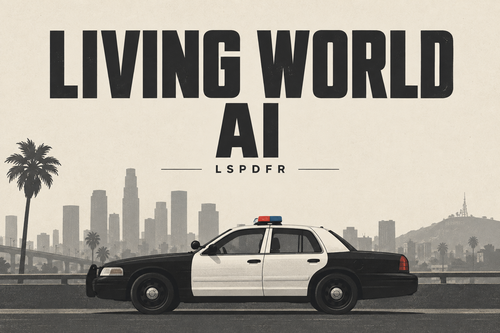 LIVING WORLD AI Artificial intelligence becomes part of Los Santos. GTA V • LSPDFR • 1.0.0 Beta DISCORD — SUPPORT & NEWS • DOWNLOAD PLAYER2 Living World AI is a mod for GTA V and LSPDFR that integrates artificial intelligence into the game world: character behaviour, reactions to events, player interactions, dispatch operations and callout scene progression. The project's goal is to make the Los Santos you know feel more alive, responsive and rewarding to explore. People on the street develop personalities and their own attitudes toward what's happening. They draw on information available to them, remember interactions within their current session and can react on their own to danger, an officer's actions and nearby events. Witnesses, drivers and suspects become participants with their own perspectives. Your words and actions give them new reasons to make decisions and act. AI connects different parts of police work: conversations, calls for service, interpreting a scene and coordinating assistance through dispatch. Other mod authors can supply their own event information and character knowledge through the API, expanding the world that Living World AI can interact with. Voice conversations, autonomous NPC reactions and callout integration are all parts of that project. An optional vehicle physics module adds to the driving experience, while the settings let you choose the features that suit your game. ━━━━━━━━ ◆ ━━━━━━━━ 1. CONVERSATIONS ON PATROL Approach a character, hold the talk key and speak in your own words. Ask what happened, interview a witness, explain a traffic stop or ask a driver to step out of their vehicle. You can also speak with emergency service personnel. NPCs develop personality traits, an attitude toward the police and a speaking style. These details and their conversation history remain part of their current session and inform later responses. A character may cooperate, argue, become nervous or refuse: their reaction depends on the situation and personality as well as your latest words. Conversations connect to gameplay. Depending on the situation, supported actions include leaving a vehicle, following an officer, raising hands, responding to driver instructions and other interactions. Available actions depend on the character's state and the Policing Redefined integration. NPC voices play from their position in the game world, with direction and distance affecting what you hear. HRTF is available for headphones, and voice volume and speech speed can be adjusted in the menu. ━━━━━━━━ ◆ ━━━━━━━━ 2. WORK WITH DISPATCH BY VOICE The radio has its own push-to-talk key. Report your situation, request assistance, run checks and respond to calls using natural speech. Dispatcher features include: Announcing callouts and accepting or declining calls through radio conversation. Tracking unit status and changing your callsign. Running a person by name, a vehicle plate or a VIN when the game situation allows it. Requesting backup, towing, prisoner transport and other available services. Supporting pursuits with appropriate units and available tactical actions. Setting a route to a station, hospital or jail. Contacting the officer again when a follow-up is needed. Hughes, Reyes, Walsh and Brooks are included, each with a distinct voice and communication style. Choose a dispatcher or use automatic shift changes. Dispatch initiates a greeting when you go on duty, and dispatchers hand over the desk when their shift changes. Radio processing, channel noise and radio cues can be adjusted separately from NPC voices. By default, you have 30 seconds to answer a callout announcement; the timer starts after the announcement finishes playing. ━━━━━━━━ ◆ ━━━━━━━━ 3. NPCS REACT TO WHAT HAPPENS Characters do not always need a question to react. The system tracks confirmed game events and checks whether a particular NPC could have noticed them. Possible triggers include a weapon aimed at someone, an injury, a search finding, nearby violence, a dangerous traffic incident, gunfire, an explosion, a vehicle associated with the NPC being towed, or a crash during a pursuit. Depending on the situation, a character may speak, perform an available action or remain silent. An NPC can also contact the officer again later if a follow-up question arises during the interaction. Event categories can be enabled or disabled in the settings. ━━━━━━━━ ◆ ━━━━━━━━ 4. CONFIGURABLE MODULES Callout reading The mod attempts to extract information from third-party callouts: who is a witness, suspect or caller, and what the people at the scene know. This context is then used in conversations. This is automatic interpretation. Callout authors implement their scenarios differently, so accuracy and coverage depend on the individual callout. The module can be disabled independently. Callout scene handling This module helps connect conversations to scenario progression. It identifies some expected button inputs from callout prompts, performs the corresponding transitions and can finish a resolved scene. Supported scripted dialogue can be passed into NPC context. Like callout reading, this feature depends on how a callout is implemented. Disable it to use the original author's buttons and prompts when progressing through the scenario. Vehicle physics A separate module adjusts grip, suspension behaviour, body roll and vehicle damage. Dynamic grip accounts for road surface, weather and speed, while increased damage scales with driving speed. The module also limits arcade-style body control while airborne or when the front axle loses support. Vehicle physics is enabled by default and can be turned off in the in-game menu. The technical parameters are already configured; manual tuning is not required to start playing. ━━━━━━━━ ◆ ━━━━━━━━ 5. LANGUAGES AND INTERFACE The interface supports English, Russian and Chinese. AI response language is selected separately: choose the language of an available localization or enter a custom language name. Voice delivery instructions follow the selected response language as well. Recognition and pronunciation quality depend on Player2's language support. The menu includes key rebinding, voice and radio settings, dispatcher selection, NPC reaction categories and module toggles. Lists support mouse-wheel scrolling and a draggable scrollbar. Interface elements can be repositioned. The optional NPC Vision feature uses Player2 to analyse a screenshot of the monitor on which the game is running. It is disabled by default. Normal conversations and reactions to game events work without enabling it. ━━━━━━━━ ◆ ━━━━━━━━ 6. COMPATIBILITY AND DEVELOPER API Other mods can supply Living World AI with their own information: a particular NPC's role, facts that character knows, changes at a scene or information intended for dispatch. For example, a gas station mod can tell a specific character that they work there, while a callout can give a witness only the facts they actually observed. Callouts with direct integration can declare LivingWorldAICompatible = true. These callouts automatically bypass generic reading and automatic scene handling; their developer supplies context through the API. Players do not need to disable reading for other callouts. The flag itself supplies no information: the integration must publish the relevant facts. The package includes DEV.md in English and Russian, plus an optional integration example in sdk/OptionalIntegration.cs. ━━━━━━━━ ◆ ━━━━━━━━ 7. REQUIREMENTS AND INSTALLATION GTA V with RAGE Plugin Hook and LSPDFR. Policing Redefined — required. Install all of its dependencies, including RageNativeUI. Damage Tracker Framework — required. Install the framework and make sure its plugin is loaded through RAGE Plugin Hook; copying its library alone is not enough. Player2 — required. Install this separate desktop application on your PC, sign in and keep it running while you play. .NET Framework 4.8.1 and a microphone for voice input. Player2 is mandatory. It is a separate desktop application that must be installed on your PC. Start it, sign in and keep it running while you play. Living World AI connects to this local application for its AI and speech features. Running the application locally does not by itself mean that all AI processing takes place on your PC or works offline. Install the required components and close the game. Extract the package contents into your GTA V root directory, preserving the folder structure. Start the Player2 application on your PC, sign in and leave it running. Start GTA V through RAGE Plugin Hook and go on duty in LSPDFR. Load the included DamageTrackingFramework plugin to receive damage events. Configuration files, standard prompts, localizations and built-in dispatcher packs are generated automatically. See README.md for installation details. Default controls: Speak to an NPC: Hold P, then release after speaking Speak over the radio: Hold B, then release after speaking Open settings: F9 All three bindings can be changed in the menu. ━━━━━━━━ ◆ ━━━━━━━━ 8. THINGS TO KNOW Responses are generated during gameplay, so speech recognition errors or inaccurate interpretations of a situation can occur. Response time depends on recognition, generation and voice synthesis through Player2; there is no guaranteed fixed response time. Automatic callout support does not mean compatibility with every existing scenario. The API lets authors supply precise context for their stories. Callout reading, scene handling and vehicle physics can each be disabled independently. ━━━━━━━━ ◆ ━━━━━━━━ Be part of Living World AI Get support, follow updates and share feedback with the community. JOIN THE DISCORD