Officergamcam
Members
-
Joined
-
Last visited
Everything posted by Officergamcam
-
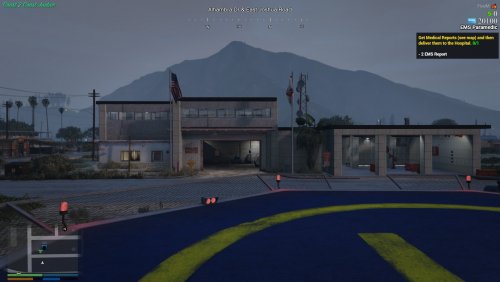 I have recently been looking for a map to have a better fire station in Sandy Shores and this is a great start! The only thing I have to mention is that the doors are not set to dynamic in Map Editor so that you can walk through them. I was able to adjust that myself in-game, but I would recommend that you fix that!
- 51 comments
- 2 reviews
-
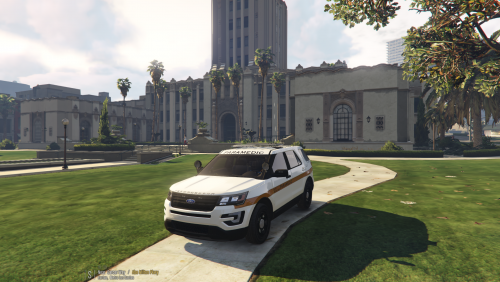 This is a Los Santos Paramedic Rapid Response vehicle texture for Thehurk's 2016 Ford Police Interceptor Utility. WHAT VEHICLE YOU NEED FOR THIS TEXTURE: http://www.lcpdfr.com/files/file/13936-2016-ford-police-interceptor-pack-w-hq-interior-els/ Hi! This is my first texture that I have uploaded to LSPDFR! This texture is loosely based off of a paramedic vehicle used by my city. I know that the screenshots are not good quality and I'm hoping to upload better quality ones soon! ---------------------------- INSTALLATION INSTRUCTIONS: ---------------------------- To install the vehicle skin for the Thehurk's 2016 Ford Police Interceptor Utility, simpily replace any of the 'exp_sign_X' files within the .ytd file. To install the window template, replace the 'window_template' file in the .ytd file. ---------------------------- CREDITS: ---------------------------- Thehurk for his 2016 Ford Explorer Interceptor Utility Texture Template ---------------------------- WARNING: ---------------------------- - Do not re-upload any contents of this pack. - Do not edit any of the textures without my permission first. - Do not use these textures in a clan without getting my permission first. ---------------------------- If you have any questions, please feel free to contact me. -Officergamcam