
JKOOL
Members
-
Joined
-
Last visited
Everything posted by JKOOL
-
-
-
-
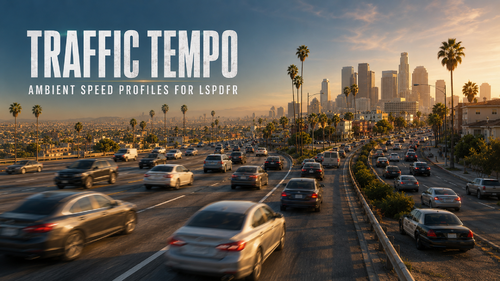 Give Los Santos traffic a pulse Does civilian traffic sometimes feel like one long convoy moving at the same pace? Traffic Tempo adds believable variety to clear-road traffic by giving eligible ambient drivers their own stable free-flow speed profiles. Most motorists stay close to the configured road base. Some take it a little easier. Smaller groups move faster. Because each profile remains stable for that vehicle and driver identity, traffic keeps its character instead of receiving a new random target every scan. The result is a road network that feels less uniform and gives ordinary patrols a livelier sense of movement—without replacing GTA’s routes or taking over its driving system. Why Traffic Tempo belongs in your patrol Five configurable speed bands with adjustable percentages and MPH offsets Stable profiles instead of constant random rerolls A 55 MPH base on roads GTA identifies as highways A conservative 38 MPH city base everywhere else Optional street, zone, and coordinate overrides Safety clamps and controlled reapplication intervals Performance-conscious nearby scanning and batched updates Automatic diagnostics through TrafficTempo.log No handling edits, teleports, forced velocity, persistent vehicles, or replacement routes These are configurable free-flow targets, not detected posted speed limits. Traffic, corners, intersections, vehicle performance, and GTA’s normal pathfinding can still keep vehicles below their targets. Built for patrols, not chaos Traffic Tempo runs inside LSPDFR and uses a mandatory fail-closed safety system. It stops making new adjustments during callouts, player pullovers, pursuits, arrests, and grab activity. Processing resumes only after LSPDFR has remained verifiably clear for at least five continuous seconds. Before every adjustment, Traffic Tempo also checks for player vehicles, emergency vehicles, mission or scripted traffic, persistent and nonambient entities, fleeing drivers, serious damage, and airborne or unstable vehicles. When compatibility is uncertain, Traffic Tempo does nothing. Install it, go on duty, and drive Installation: There are no hotkeys to remember and no in-game menu to manage. Drag the included Plugins folder into your main GTA V folder, launch through RAGE Plugin Hook, and go on duty normally. Traffic Tempo loads automatically through LSPDFR. It will not appear in RPH’s manual plugin menu and should not be loaded manually.
 -
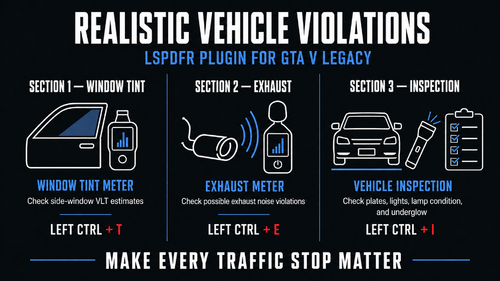 Realistic Vehicle ViolationsRVV adds believable variety to civilian traffic by giving vehicles their own coherent equipment profiles. Most vehicles remain factory stock, while others may have dark window tint, modified exhausts, cosmetic upgrades, unusual lighting, suspension changes, or a missing front plate. Instead of every vehicle feeling identical, unusual builds become something you can inspect during traffic stops. Roadside Inspection Tools RVV includes three easy-to-use tools: Window tint meter Exhaust noise meter General vehicle inspection Simply stand near the correct part of the vehicle (inspection tool can be anywhere) and press the keybind. Features Realistic vehicle profiles ranging from factory stock to rare extreme builds Consistent tint and exhaust readings for each vehicle Window tint, exhaust, and equipment inspection tools Supported wheel, suspension, exhaust, lighting, and plate variations Camera-free proximity targeting Support for many addon and replacement vehicles Configurable controls and legal limits Existing configuration files are preserved during updates No vehicle handling, traffic AI, or GTA archive changes Installation Drag the included Plugins folder into your main Grand Theft Auto V folder, then launch the game through RAGE Plugin Hook and go on duty. RVV automatically creates its configuration files the first time it loads. Requirements: GTA V Legacy for Windows RAGE Plugin Hook LSPDFR 0.4.9 .NET Framework 4.8 Built with GTA V 1.0.3889.0 and RAGE Plugin Hook 1.131.1424.17745.