
Heritage Customs
Members
-
Joined
-
Last visited
Everything posted by Heritage Customs
-
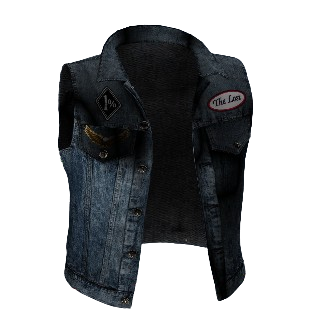 70s Style Lost MC Kuttes the images are really how the kuttes look I cannot take photos in game because my test server hosting is down is you take any nice photo there is no ranks because MCS really didn't wear ranks in the '70s A reworked Lost MC cut inspired by 1970s outlaw motorcycle club vests, giving the Lost a classic vintage biker look while staying true to GTA V's style. Features 1970s-inspired denim cut Vintage-style patches and stitching High-quality textures Lore-friendly design FiveM ready Easy drag-and-drop installation Perfect for FiveM servers or single-player players looking for a classic old-school Lost MC appearance. https://discord.gg/enWNxzfzEZ