Skip to content
View in the app

A better way to browse. Learn more.

LCPDFR.com

A full-screen app on your home screen with push notifications, badges and more.

To install this app on iOS and iPadOS
  1. Tap the Share icon in Safari
  2. Scroll the menu and tap Add to Home Screen.
  3. Tap Add in the top-right corner.
To install this app on Android
  1. Tap the 3-dot menu (⋮) in the top-right corner of the browser.
  2. Tap Add to Home screen or Install app.
  3. Confirm by tapping Install.
Due to overzealous filtering on Microsoft’s side, some emails to Outlook and Hotmail addresses may not be delivered. If you’re affected, please use a different email address or try again later.

RalphT5123

Members
  • Joined

  • Last visited

Everything posted by RalphT5123

  1. Fixed it, it was an issue in the Nvidea display options. How are you doing today?
  2. There's no ShowOverlay option in the Reshade INI. I've renamed the files and still nothing
  3. Still nothing, ReShade is loading now though so there's some progress. RPH Crashes when I force duty now,
  4. None of them work, I already had it launching in forced windowed mode. Nexus MDT and Policing Redefined load their UI fine its just the rage console, callout interface GUI's wont launch. All the overlays are already disabled
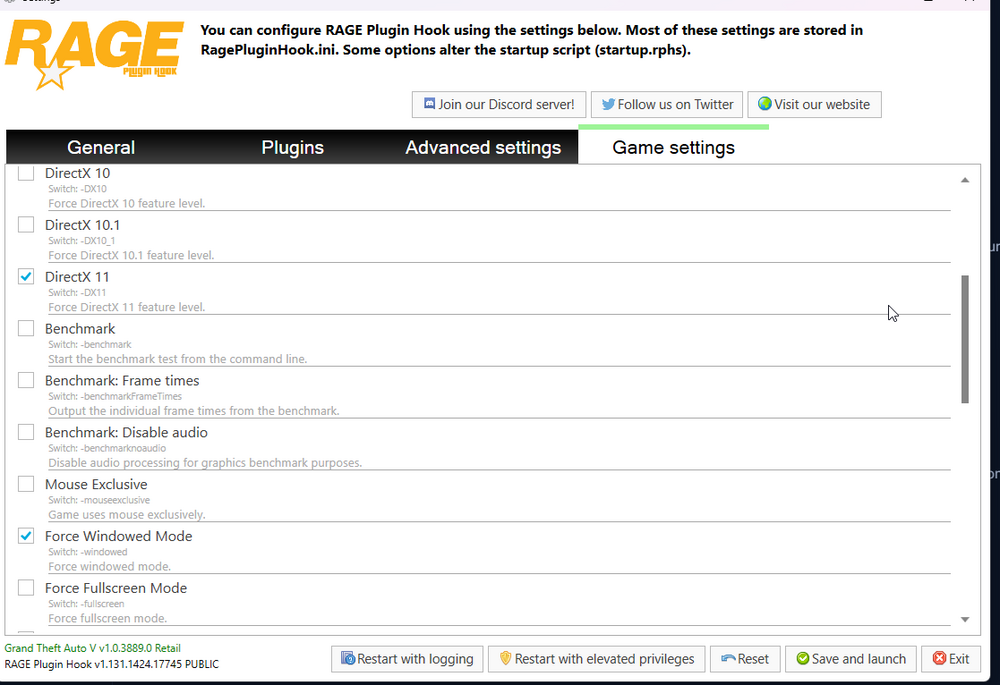
  5. Still not showing the rage console or callout interface
  6. Yes, the most recent version.
  7. Updated LSPDFR and GTA, whenever I launch rage and hit F4 the game pauses but the console doesn't show. I'm able to still launch plugins but I just can't see the console itself. I also don't seem to be able to see the UI from various plugins like Callout interface, Nexus Dispatch Radio or the radar from Nexus MDT.RagePluginHook.log Any help would be appreciated : )

Account

Navigation

Search

Search

Configure browser push notifications

Chrome (Android)
  1. Tap the lock icon next to the address bar.
  2. Tap Permissions → Notifications.
  3. Adjust your preference.
Chrome (Desktop)
  1. Click the padlock icon in the address bar.
  2. Select Site settings.
  3. Find Notifications and adjust your preference.