


.png.7216ed844a4b333327262e64b18643da.png)
CSM Odious
Insiders
-
Joined
-
Last visited
Everything posted by CSM Odious
-
Possible
-
The new log gives us a better answer. I would not remove EUP completely yet. LSPDFR is still trying to load character data that no longer exists: - Last selected character: Lucifer Morningstar - Failed to find last character - Failed to find the default male and female characters - Falls back to the dummy character - Tries to change the player to Ben J. - Crashes inside Rage.Player.set_Model So this looks more like the LSPDFR character installation is incomplete or corrupted, rather than only an EUP problem. I would do this: 1. Back up your current lspdfr\chars folder. 2. Reinstall a clean copy of LSPDFR over the installation, especially: - lspdfr\chars - lspdfr\data\outfits.xml - lspdfr\data\cop_presets_outfits.xml 3. Do not restore the Lucifer character or any custom character files yet. 4. Start the game with only RPH and LSPDFR and confirm that a completely stock character loads. 5. Add EUP back only after the stock character works. There is also a strange detail in the log: the game is installed under the Epic Games folder, but RPH reports it as the Steam version. That may not be causing this specific crash, but I would also verify the GTA V installation and make sure files from different game installations have not been mixed together. The important part is that deleting only the current character was not enough. LSPDFR is failing to find its stock fallback characters too, so the base character files need to be restored.
-
Your current crash doesn’t look like ELS. The log shows LSPDFR loading normally until it tries to restore your last selected character: Loading last selected character Lucifer Morningstar Changing current player character to Lucifer Morningstar System.AccessViolationException at Rage.Player.set_Model So the actual crash is happening when LSPDFR tries to apply that character’s player model. That usually points to a missing, invalid, outdated, or corrupted ped model/outfit setup. I’d try this first: - Back up your LSPDFR folder - Temporarily remove or rename the Lucifer Morningstar character data - Remove any custom ped or outfit files tied to that character - Launch LSPDFR with a default character The outfit warnings above it are messy, but they are not the fatal error. The crash itself happens specifically at the player model change. Once you confirm LSPDFR loads with a default character, then test ELS again separately. You may still have an ELS issue too, but this log is showing a different crash first.
-
 The comment section is wild, welcome to mod Dev scene, it’s gets hot in the kitchen fast lol basically admitting the description oversold or poorly explained the plugin… From a framework standpoint, I don’t really get this plugin. Every plugin should answer one question: why does this need to exist? Reading the description, it sounds like it does X and Y, but then in the comments you say it basically just cuts off the siren. Those two things don’t really line up, so I’m honestly confused about what problem this is actually solving. We already have mature, widely used solutions like ELS and DLS that provide a much broader feature set around emergency lighting and siren behavior. If this plugin is intentionally only doing one small thing, what’s the value proposition for adding another DLL to the stack instead of that functionality living inside an existing framework or lighting system? As another GTA plugin developer, I’m not trying to hate on the project. I’m genuinely trying to understand the architectural decision here because right now it feels like a solution in search of a problem. What gap does this fill that the current ecosystem doesn’t?
- 26 comments
- 1 review
-
-

-

- 2
-
-
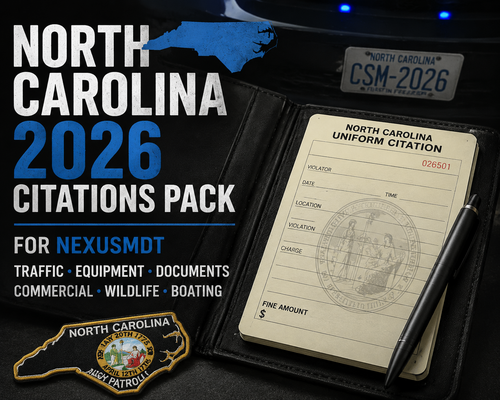 Pasted content CoreShift Mods — North Carolina Charges & Citations PackA North Carolina-focused roleplay data pack for NexusMDT. This pack replaces the default charge and citation data with player-friendly North Carolina offenses, classifications, and fine presets designed for GTA V police roleplay. Included294 North Carolina charges 242 North Carolina citations Traffic and DWI offenses Property, drug, violent, domestic, weapons, and public-order offenses Wildlife, fishing, and boating violations Commercial vehicle enforcement citations Player-friendly offense names Updated severity classifications NexusMDT-compatible XML formatting InstallationBack up your existing NexusMDT data files. Locate the NexusMDT charges and citations XML files. Replace the existing files with the included: charges.xml citations.xml Restart the game or reload NexusMDT. Do not rename the files unless NexusMDT specifically requires a different file name for your installation. CompatibilityThis pack is designed for NexusMDT and uses its existing XML data structure. NexusMDT is required and is not included with this download. DisclaimerThis is an unofficial community-made roleplay data pack created by CoreShift Mods. NexusMDT was created by JonJon. CoreShift Mods is not affiliated with, endorsed by, or representing JonJon or the official NexusMDT project. The offense names, classifications, and fine amounts in this pack are intended for GTA V roleplay and gameplay purposes. They should not be treated as legal advice, official court information, or a complete representation of North Carolina law. Fine values are gameplay presets for NexusMDT. Actual fines, court costs, charging decisions, waiver eligibility, and legal classifications may vary based on the facts of a real case and changes in state or local law. RedistributionPlease do not redistribute, reupload, mirror, repackage, or include this pack in another download without written permission from CoreShift Mods. You may modify the files for personal use. Do not: Upload the files to another modding site Include them inside another mod pack Sell or monetize the files Remove CoreShift Mods credits Claim the pack as your own work Please link users to the official CoreShift Mods download page instead. AI Used to organize and search the latest laws update to current (2025/2026) Support and UpdatesWebsite: https://coreshiftmods.com/ Discord: https://discord.gg/k6RKWKnbKA For updates, bug reports, corrections, and support, use the official Discord server. CreditsNorth Carolina Charges & Citations Pack Created by CoreShift Mods NexusMDT Created by JonJon VersionInitial North Carolina Release 2026
 -
the attachment is not loading, what version of gta are you currently running? try pasting your log here and share the link Pastebin.com - #1 paste tool since 2002!
-
Your log shows RPH recognizing GTA V 3725 as supported, and LSPDFR begins loading normally. Since the game works when dinput8.dll is removed, the crash is most likely coming from an ASI plugin or loader rather than LSPDFR. Temporarily move every .asi file out of the GTA V root folder, along with the lml folder, but leave dinput8.dll installed. Then test again. If it loads, restore the ASI files one at a time until the crash returns. Make sure your ScriptHookV/ASI loader and every ASI mod are versions compatible with GTA build 3725, not files installed after the recent game update. Your log also shows Lenny’s Mod Loader failing to initialize, so I would test without LML first. If it still crashes with dinput8.dll present and no .asi files installed, replace dinput8.dll with the version that belonged to the working 3725 setup. Also verify that the downgrade restored all required 3725 files, not only GTA5.exe. (if i remember correctly) -so make sure these files from your downgrade was put in GTA5.exe GTAVLauncher.exe GTAVLanguageSelect.exe PlayGTAV.exe steam_api64.dll <- if you use steam update\update.rpf
-
Your log shows LSPDFR successfully loading and going on duty. The main error afterward is coming from RadioBackground.dll, which repeatedly tries to access a vehicle entity that is no longer valid. Remove or disable RadioBackground and test again. Also test once with only LSPDFR and its required files installed, because you currently have a very large number of plugins loading together. If the clean test works, restore plugins in small groups until the issue returns. The RAGENativeUI load warning is because it was treated as a standalone plugin even though it is a dependency. That warning is not the main crash shown here. also your log is from march/ GTA V Legacy: 1.0.3751.0 RPH: 1.129.1403.17668 LSPDFR: 0.4.9476.26289 is this the most recent log from the game root? and not from the /logs folder?
.thumb.png.596dffdfadd2715f5c5e8dc3afb58f3e.png)
