

VraithTV
Members
-
Joined
-
Last visited
Everything posted by VraithTV
-
-
-
 The new discord link is here for anyone wanting to join and get live updates: https://discord.gg/se3QnfaXQ9
 -
Hello Skysmaahify thanks for the notice. I will have a look at this today and make sure to get that issue fixed. In the meantime if you would like to hear live updates on my mods head to my discord at https://discord.gg/6ENzrPX8Yq
-
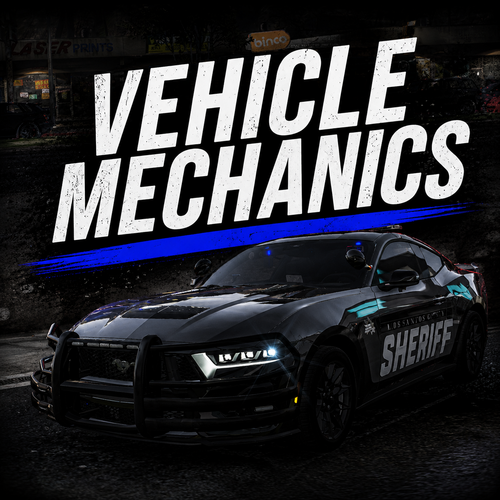 A new update for Vehicle Mechanics is now out and should fix the issue with people not being able to call the mechanic. I know it may seem scuffed when calling him on this new update but rest assured I'm currently working on a way to fix it. All updates will be on my discord channel so head over to https://discord.gg/6ENzrPX8Yq to be able to see live updates on all my mods.
 -
-
-
-
-
-
-
-
Vehicle Mechanics is a lightweight, standalone vehicle immersion mod for GTA V that adds realistic wear, damage, and roadside assistance to your cars. From fuel consumption and engine fires to rollover chance and tire blowouts, every drive feels more unpredictable and rewarding. Features: Fuel Simulation — Per-vehicle fuel levels that drain as you drive, with a customisable HUD bar. Engine Fire & Smoke — Front-end damage can cause smoking, steam, and eventual engine fires. Rollover Chance — Hard impacts and collisions can send vehicles rolling. Tire Bursts — High-speed driving and damage can blow out tires. Brake Fade — Repeated hard braking reduces effectiveness over time. Persistent Deformation — Vehicle damage stays with the car across sessions. Battery Failure, Oil Leaks, Radiator Leaks & Transmission Damage — Extra mechanical failures for long-term wear. Windshield Cracking & Headlight Breakage — Visual damage from impacts. Roadside Assistance — Call a mechanic who arrives in a van, repairs your vehicle, then drives away. Customisable HUD — Move, resize, rotate, and recolour the fuel bar in-game. Fully Configurable — Toggle features, adjust chances, and set keybinds via VehicleMechanics.ini. Standalone — No LSPDFR or RAGE Plugin Hook required. Works with GTA V Legacy and Enhanced using ScriptHookV and ScriptHookVDotNet 3. Default Controls: F3 — Open the Vehicle Mechanics menu F7 — Reload the INI file in-game B — Toggle seatbelt (when enabled) All controls and features can be customised through VehicleMechanics.ini, including fuel drain rate, damage thresholds, fire chance, notification toggles, and HUD position. Notes: Refuel feature is currently in development. Press Insert in-game to reload scripts and INI changes without restarting GTA V. Remove any old VehicleMechanics.dll, VehicleMechanics.ini, and VehicleMechanics.log from your scripts folder before installing. Any issues, don't hesitate to reach out to me. I'll be setting up a Discord server soon for live updates on this mod and future mods.
-
-
 Yes the pack does include all warrants and basic traffic citations. If you would like for me to add more reach out here and ill happily add them!
- 8 comments
- 2 reviews
-
Thanks I appreciate the feedback. I may do some updates in the future so anymore feedback would be great to improve the plugin!
-
Nexus MDT Expanded is a content pack for the Nexus MDT plugin. It adds hundreds of additional charges, citations, and evidence entries while keeping the original plugin's exact style, formatting, weighting logic, and comment structure intact. This expansion does not change how Nexus MDT works. It only extends the existing data pools, giving officers more roleplay options during traffic stops, arrests, and investigations. Features: Charges: 686 total entries across 21 groups, including Traffic, Drug, Violent, Weapons, Property, Public Order, and more. Citations: 492 total entries across 25 groups, with variants for common officer actions and traffic stops. Evidence: 270 total items across 12 groups, including Drugs, Drug Paraphernalia, Weapons, Property, and Stolen Items. Style-Matched: Every entry is written to match the base Nexus MDT plugin's exact formatting, weighting logic, and comment structure. Safe to Install: Only edits the three data pool files; no changes to canvas.xml, configs, or the plugin DLL. Totals at a Glance: Charges: 686 entries, 21 groups Citations: 492 entries, 25 groups Evidence: 270 items, 12 groups Combined: 1,448 pool entries across the three files Installation: Install the Nexus MDT plugin if you have not already. Back up your existing charges.xml, citations.xml, and evidence.xml from the Nexus MDT plugin folder. Extract the downloaded file. Copy the three new XML files into the Nexus MDT plugin folder, replacing the original data files. Launch LSPDFR and open the Nexus MDT plugin to use the expanded entries. All controls and features can be customised through the XML files, including charge descriptions, citation names, and evidence items. Compatibility: LSPDFR: latest version Nexus MDT plugin: NexusMDT Lite (0.3.1) and compatible builds Nexus MDT Expanded only edits the three data pool files. It does not touch canvas.xml, config files, the plugin DLL, or any other plugin files, so it will not break the core plugin functionality. What's New in This Version: Expanded charges pool with hundreds of new entries across 21 groups. Expanded citations pool with officer-action variants across 25 groups. Expanded evidence pool with extra investigatory items across 12 groups. All entries written to match the exact style, formatting, and weighting logic of the base Nexus MDT plugin. Clean comment structure to make future edits easier. Notes: Back up your original XML files before installing so you can restore the default data pool if needed. No plugin functionality is changed; only the data pools are expanded. Any issues, don't hesitate to reach out to me. I'll be setting up a Discord server soon where you can join for live updates on this mod and future mods.
- 8 comments
- 2 reviews
-
-

- 2
-
-
If you find any bugs or run into any issues, please leave a comment with as much information as possible. I will look into it and try to provide a fix as soon as I can.
-
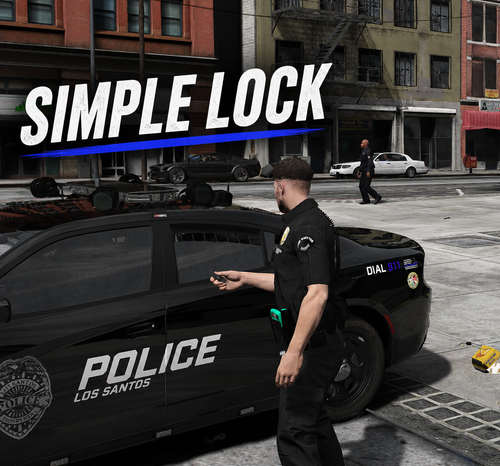
Simple Lock is a lightweight, standalone vehicle security mod for GTA V that adds a more immersive layer of interaction with your cars. Lock, unlock, and remotely start your vehicle with custom keybinds, or enable automatic locking so your car never gets left open again. Features: Lock & Unlock — Secure any nearby vehicle with a single keybind. Remote Start — Start the engine from a distance before you even reach the car. Auto-Lock / Auto-Unlock — Walk away and your vehicle locks itself; return and it unlocks automatically. Deadlock — Double-tap lock for extra security and to stop NPC break-ins. Realistic Alarm — Car-horn alarm with hazard flashes if a locked vehicle is bumped, damaged, or tampered with. Theft Events — Leave a tracked vehicle unlocked and an NPC might attempt to steal it. Non-Lethal Police Response — Reported thefts trigger a police response where officers chase and arrest without immediately opening fire. Notifications & Sounds — Visual GTA notifications plus lock/unlock chirps and hazard feedback. Fully Configurable — Change every control, distance, timer, probability, and toggle via SimpleLock.ini. Standalone — No LSPDFR or RAGE Plugin Hook required. Works with GTA V Legacy and Enhanced using ScriptHookV and ScriptHookVDotNet. Default Controls: Shift + Y — Lock / unlock nearest vehicle Shift + J — Remote start (rebindable in INI) All controls and features can be customised through SimpleLock.ini, including lock distance, auto-lock settings, notifications, animations, hazard flashes, sounds, alarm sensitivity, theft chance, and police response. Notes: Press Insert in-game to reload scripts and INI changes without restarting GTA V. Remove any old SimpleLock.dll, SimpleLock.ini, and SimpleLock.log from your scripts folder before installing. Any issues, don’t hesitate to reach out to me. I’ll be setting up a Discord server soon for live updates on this mod and future mods.