


VooDoob
Members
-
Joined
-
Last visited
Everything posted by VooDoob
-
 Nice! That poor arjent needs some looooooove lol
 -
-
![[DEV] 2013 Chevrolet Impala PPV](//s3-gallery.int-cdn.lcpdfrusercontent.com/monthly_2015_10/small.SS1.png.00f23b92645b572991ccfac41d70450d.png) Released now! Coming soon to LCPDFR! :)
Released now! Coming soon to LCPDFR! :)© GMC
-
Think you could get me some really good photo's of the seats?
-
 http://www.rayallen.com/product/Dog-Head-Decals/Decals
 -
.thumb.png.e88f1892e13ddb98db35e668d465c34b.png) @Bxbugs123: I'm not sure why you had to release early? Bueno's car just had a 2700 on it. How is that not playing nice? Do you own the rights to releasing an Impala with a 2700 on it? Sorry, but I see your logic flawed in this statement. I also see you changed the date from 10/01 on the release to the actual date you released this (10/2). I'm not trying to start an argument or flame war, I just want to make sure those you tried to put on blast were clarified for.
@Bxbugs123: I'm not sure why you had to release early? Bueno's car just had a 2700 on it. How is that not playing nice? Do you own the rights to releasing an Impala with a 2700 on it? Sorry, but I see your logic flawed in this statement. I also see you changed the date from 10/01 on the release to the actual date you released this (10/2). I'm not trying to start an argument or flame war, I just want to make sure those you tried to put on blast were clarified for.- 182 comments
- 44 reviews
-
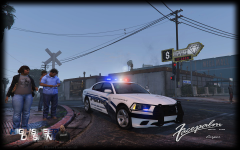 Calm your tits buddy. I was just letting the guy know what GM said, as he cannot speak for himself on here. Don't go all getting mad at me.
 -
I wouldn't hold your breath. Georgie Moon is not letting him release the models he converted. Sorry, but just thought I'd give ya the real truth behind it.
-
I understand you have to stick up for your pony buddy Mcnally, but it's not even my mod..Nice try tho lmao.
- 182 comments
- 44 reviews
-
-
Holy shit, that's an old school file man! I cannot believe this is even here! I see its Dodgeboys. Pretty interesting thread that EVI linked..
-
Bugs had one released unlocked on GPM, but he took it down sometime ago. A 2013 Impala will be released unlocked for IV/V very soon. If this thread doesn't get buried I'll post a link when it is. Cheers!
-
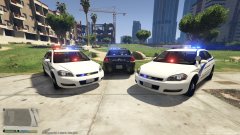 Yeah, I know. This is why we cannot have nice things lol
 -
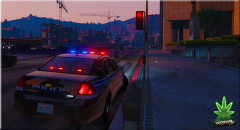 Thanks! Bueno put in some work!
 -
No worries! Sorry it has to be that way. I went and even looked into disabling it, but the DDoS attacks started almost 10 minutes after I disabled it. Specifically targeting the Impala bueno did.
-
I never said you were banned. I was making a statement that people who are banned from GMC try to use proxy and vpn servers to view GMC content. Thats why the security was setup that way.
-
Wow... I don't care how many members GMC has, if your banned, you have no right to use a proxy to view the content of the site. That is why it requires a login. Too many people are trying the ruin the enjoyment of others. I'm sorry if you disagree with this.
-
That's because people who were banned from the site decided it was funny to DDoS the site. This is why we cannot have nice things, apologies my friend. Should be changed in the very near future. Besides, don't you already have an account?
-
.thumb.png.f9fba12cbbbce988223a52779ee2b032.png) All should be good, accounts just need manual admin approval. This should be fixed now. Sorry. Nice job on the skin BTW!
All should be good, accounts just need manual admin approval. This should be fixed now. Sorry. Nice job on the skin BTW!- 21 comments
- 4 reviews
-
You'll have to use the same information from Police for police3 in the meta file
-
It should, I just replaced Police3 with it, and it worked fine.
-
Coming soon to LCPDFR, Now available on GMC!
-
Ya'll should be good now. Sorry
-
The Tahoe Badge object should be attached to the door/boot. You can remove this by going into Polygon Mode and selecting the poly's for that object. Make sure you have selected mode on and press delete on your keyboard. Make sure you have no other polygon's selected when you delete what you need.
-
SNIT (From GMC) released a Lights and Sirens script that allows you to do this.

![[DEV] 2013-15 Chevrolet Impala PPV](http://s3-gallery.int-cdn.lcpdfrusercontent.com/monthly_2015_10/small.SS5.png.7b4dcda029c80d826985899124813a5e.png)
![[DEV] 2013 Chevrolet Impala PPV](http://s3-gallery.int-cdn.lcpdfrusercontent.com/monthly_2015_10/small.SS1.png.00f23b92645b572991ccfac41d70450d.png)

.thumb.png.e88f1892e13ddb98db35e668d465c34b.png)

.thumb.png.f9fba12cbbbce988223a52779ee2b032.png)