GoopiestGoblin
Members
-
Joined
-
Last visited
Everything posted by GoopiestGoblin
-
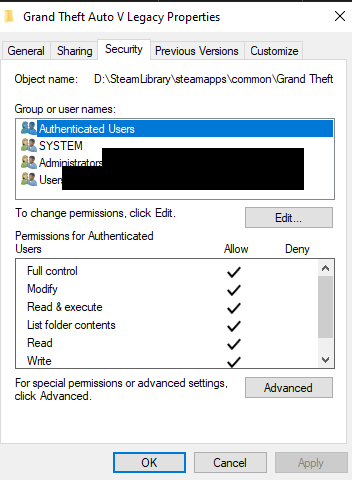
I don't have any anti-viruses other than Windows Defender. Permissions-wise, I checked three times over and the permissions look all good
-
It's in my exceptions, as well as the entire GTA V directory.
-
The game does work without RPH and as far as I can see, no other log was created.
-
RagePluginHookLauncher.log
-
I have added the RPH and GTA directories to my anti-virus exclusions. I've tried starting RPH after GTAV and with administrator access, yet for some reason it fails to appear in-game. I've only got LSR installed, and that's it, but even without that plugin, it still fails to inject into my game. Any help is appreciated. The log has this constant error that just states "Checking for process name: GTA5."