Skip to content
View in the app

A better way to browse. Learn more.

LCPDFR.com

A full-screen app on your home screen with push notifications, badges and more.

To install this app on iOS and iPadOS
  1. Tap the Share icon in Safari
  2. Scroll the menu and tap Add to Home Screen.
  3. Tap Add in the top-right corner.
To install this app on Android
  1. Tap the 3-dot menu (⋮) in the top-right corner of the browser.
  2. Tap Add to Home screen or Install app.
  3. Confirm by tapping Install.

Mietekkoty

Members
  • Joined

  • Last visited

Everything posted by Mietekkoty

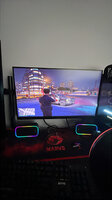
  1. Am experience lag crashes slow startup and mods are slow and bad because I downloaded correctly car packs but I get one car only in game and my gameplay loads so slow because I wanna make my realistic
  2. Who can install mods for me cuz whenever I do it my pc keeps crashing for lspdfr plsss Because whenever I have the game on it’s looks good but the graphics are bad no texture and I have one car mod and my game lags I was hoping if you guys can help me set this again please and help me get my gameplay and mods realistic with graphics that can’t crash my pc if you want my pc specs are 3060ti 16gb of ddr4 Ryzen 5 3600 If you can message me back and help me do something about this issue thank you
Account

Navigation

Search

Search

Configure browser push notifications

Chrome (Android)
  1. Tap the lock icon next to the address bar.
  2. Tap Permissions → Notifications.
  3. Adjust your preference.
Chrome (Desktop)
  1. Click the padlock icon in the address bar.
  2. Select Site settings.
  3. Find Notifications and adjust your preference.