Skip to content
View in the app

A better way to browse. Learn more.

LCPDFR.com

A full-screen app on your home screen with push notifications, badges and more.

To install this app on iOS and iPadOS
  1. Tap the Share icon in Safari
  2. Scroll the menu and tap Add to Home Screen.
  3. Tap Add in the top-right corner.
To install this app on Android
  1. Tap the 3-dot menu (⋮) in the top-right corner of the browser.
  2. Tap Add to Home screen or Install app.
  3. Confirm by tapping Install.
Due to overzealous filtering on Microsoft’s side, some emails to Outlook and Hotmail addresses may not be delivered. If you’re affected, please use a different email address or try again later.

cclennon

Members
  • Joined

  • Last visited

    • 1 download
    • Version 1.0.0
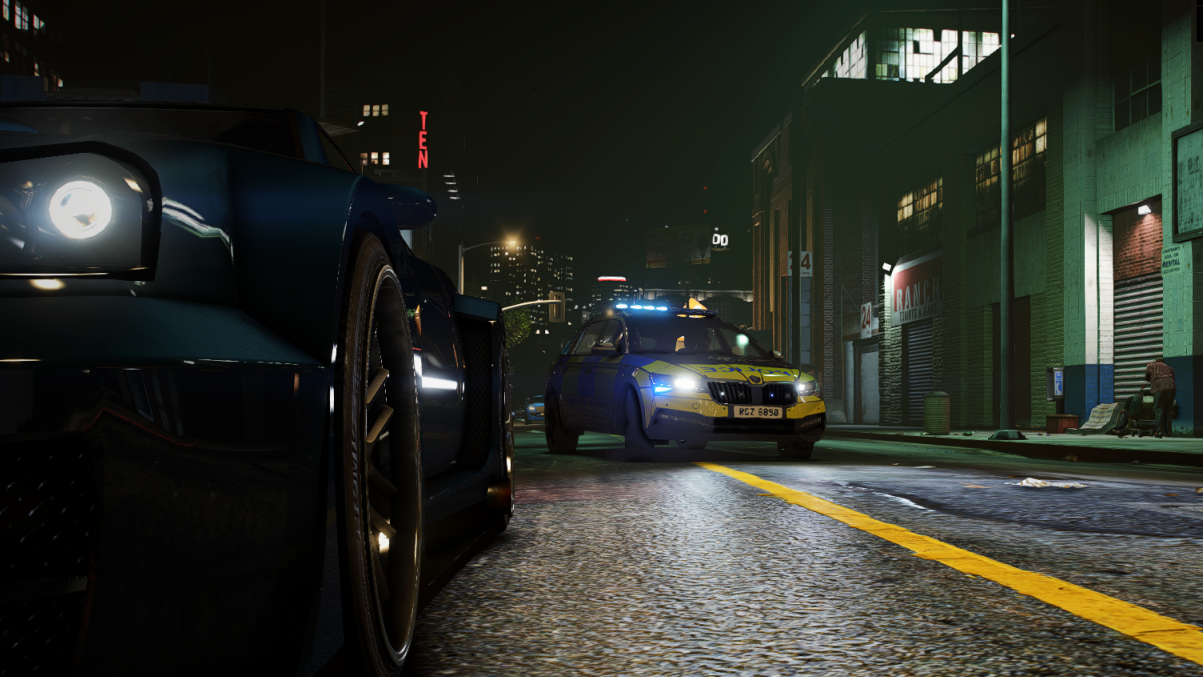
    DOWNLOAD ORIGINAL ORIGINAL MODEL FOR THIS TO WORK: https://www.lcpdfr.com/downloads/gta5mods/vehiclemodels/38229-psni-pangolin-armoured-land-rover-els-v20/ A Livery of the Newer Pangolins with Black Bonnets, apologies for any Inaccuracies. Any Suggestions welcome! Credits to MultiGamingUK, check His other Mods out!!!!
  1. cclennon started following Gan Ceann
  2. cclennon changed their profile photo
  3. ill try and get that sorted! cheers!
  4. i renamed the folder and the game didnt crash after the same amount of time it usually does. RagePluginHook.log theres a crash ive been consistently getting here.
  5. yes i didnt clear the install, i have a mods folder and used to have a scripts folder but have since deleted it.
  6. i cant find anything in the logRagePluginHook.log
  7. my game has just decided to start crashing the lspdfr.dll? i renamed he mods folder and it still crashed RagePluginHook.log i fixed the dll crashing RagePluginHook.log
  8. ill try that, the crashing is pretty random though.
  9. i go on duty and everything works as normal then it crashes? RagePluginHook.log

Account

Navigation

Search

Search

Configure browser push notifications

Chrome (Android)
  1. Tap the lock icon next to the address bar.
  2. Tap Permissions → Notifications.
  3. Adjust your preference.
Chrome (Desktop)
  1. Click the padlock icon in the address bar.
  2. Select Site settings.
  3. Find Notifications and adjust your preference.