


Maxz
Members
-
Joined
-
Last visited
Everything posted by Maxz
-
Nevermind, I got it to work.
-
tried it but doesn't work
-
I'm trying to spawn in multiple partners with UB and get them into to cars but they won't and the addon car doesn't show up when I change the partner's vehicle. When I set it to "same as player's", they spawn in either with no car or with policeb (police bike). Not sure what to do.
-
I found what the problem was. I didn't realize that a plugin I had added BOLOs which was why there was the yellow circle.
-
I just loaded GTA 5 after a while away from my computer and I'm still having the problem and I still don't know what's causing it
-
For some reason, I have an ELS vehicle and its set up properly. I spawn it in fine and everything works but the automatic siren cutoff and other ELS things don't work even when I have them set to true in the .ini of RPE.
-
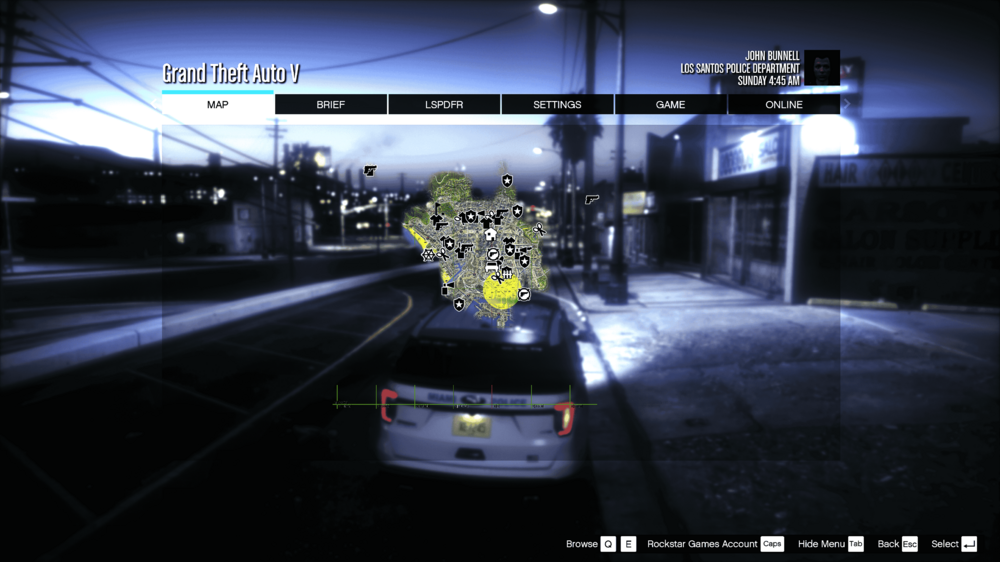
I've noticed this weird yellow circle that shows up but I have no idea where it's coming from. It's not an active call out because it doesn't go away when I use grammarpolice to say code-4 and it moves as well.
-
Whenever I exit out of GTA 5 and open it back up some other time, my character gets changed to one that no arms and flat hair even though i never set it to that.
-
Hi, I was wondering if anyone knew or have any Miami-Dade Fire & Rescue uniforms because I can't find any.
-
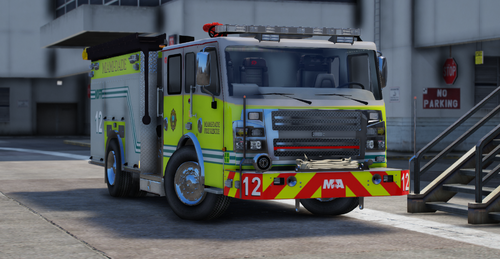 How do I install the textures? I can't figure it out
 -
Ah, alright.
-
I fixed it but now for some reason, all the notifications on the left side of the screen seem larger when I fixed it Never mind, I just had to restart GTA 5
-
I looked through the .log and it looked like it couldn't find some vehicle files. I'm not sure if it's the reason why but it could cause it.
-
Sometimes when I hold shift down when running RPH.exe, changes I made before such as keybind, loading time, plugins to run at start, etc, aren't saved when I click save and run and later open the menu again. I don't know if this is supposed to happen or not. I forgot to add when I run it after closing GTA 5 with RPH and relaunch GTA 5 with RPH without holding down shift, the changes I made previously are saved and loaded when I launch GTA 5
-
I relaunched gta 5 with RPH and now lspdfr crashes RagePluginHook.log
-
I was using grammar police and it was working fine until it randomly stopped working. It didn't crash, nothing about grammarpolice unloading or a problem with it showed in the rph log, when I use my keybind for PTT, the sound worked but when I said "Show me 10-8" or anything else, dispatch wouldn't say anything. I checked radio check and it wasn't detecting any speech and idk why.
-
alright, thanks!
-
I have some custom EUP uniforms I want the backup units to wear to match the department vehicles but I'm not sure how. I watched a video and it seemed very complicated and I still wasn't sure how to do it.
-
keymaster? But I removed that
-
I think, yeah
-
RagePluginHook.log
-
I was playing LSPDFR and was at a callout (added from 686 Callouts) and LSPDFR just suddenly crashed and this was the error Pasted content
-
Whenever I change the chance a certain vehicle has to spawn (when I added vehicles from a DLC) to all total to 100%, the Ultimate Backup menu doesn't show up. But when I don't change it, the menu works fine. Idk why.
-
I just removed KeyMaster, the error is now gone
-
RagePluginHook.log


