


pingbesT
Members
-
Joined
-
Last visited
Everything posted by pingbesT
-
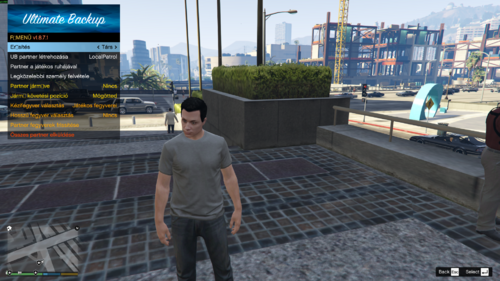 Hungarian translation for the UltimateBackup plugin for LSPDFR. This translation includes: Fully translated menus Hungarian notifications Backup request messages Improved immersion for Hungarian players Installation: Install UltimateBackup Go to: Plugins\LSPDFR\UltimateBackup Replace the original Localization.ini with the included file Requirements: LSPDFR UltimateBackup If you do not have the original mod, you can download it here: https://www.lcpdfr.com/downloads/gta5mods/scripts/15716-ultimate-backup/ All credits for the original plugin go to the UltimateBackup developers.
